কোন SMS কেন আসেWhich SMS and why
পাঁচ রকম বার্তা, সব বাংলায়।Five kinds of message, all in Bangla.
| SMSSMS | কখনWhen |
|---|---|
| অনুপস্থিতিAbsence | সন্তান স্কুলে না এলে, হাজিরার পাঁচ মিনিটের মধ্যেWithin five minutes of attendance, if your child is absent |
| বাড়ির কাজHomework | শিক্ষক চাইলে, সেদিনের কাজ এক লাইনেWhen the teacher chooses, the day's work in one line |
| রেজাল্টResult | প্রধান শিক্ষক রেজাল্ট অনুমোদন দিলেWhen the head teacher approves the results |
| নোটিশ ও পরীক্ষার রুটিনNotices and exam routine | স্কুল জানাতে চাইলেWhen the school wants you to know |
| ফিFees | বেতন বা ফি বাকি থাকলে, পেমেন্ট লিংকসহWhen fees are due, with a payment link |
SMS বন্ধ করতে চাইলে উত্তরে STOP লিখে পাঠান। আর কোনো বার্তা যাবে না।
To stop messages, reply STOP. No more will be sent.
লিংক খুললেOpening the link
লগইন লাগে না। সাধারণ ফোনেও খোলে।No login. Opens on a basic phone.
SMS-এর লিংকে ট্যাপ করলে আপনার সন্তানের পাতা খোলে: এই মাসের হাজিরা, সর্বশেষ রেজাল্ট, রিপোর্ট কার্ড, সামনের তারিখ আর বাড়ির কাজ। পাতাটা খুব হালকা, কম নেটেও খোলে।
Tap the link in the SMS and your child's page opens: this month's attendance, the latest result, the report card, coming dates and homework. The page is very light and opens on a weak signal.
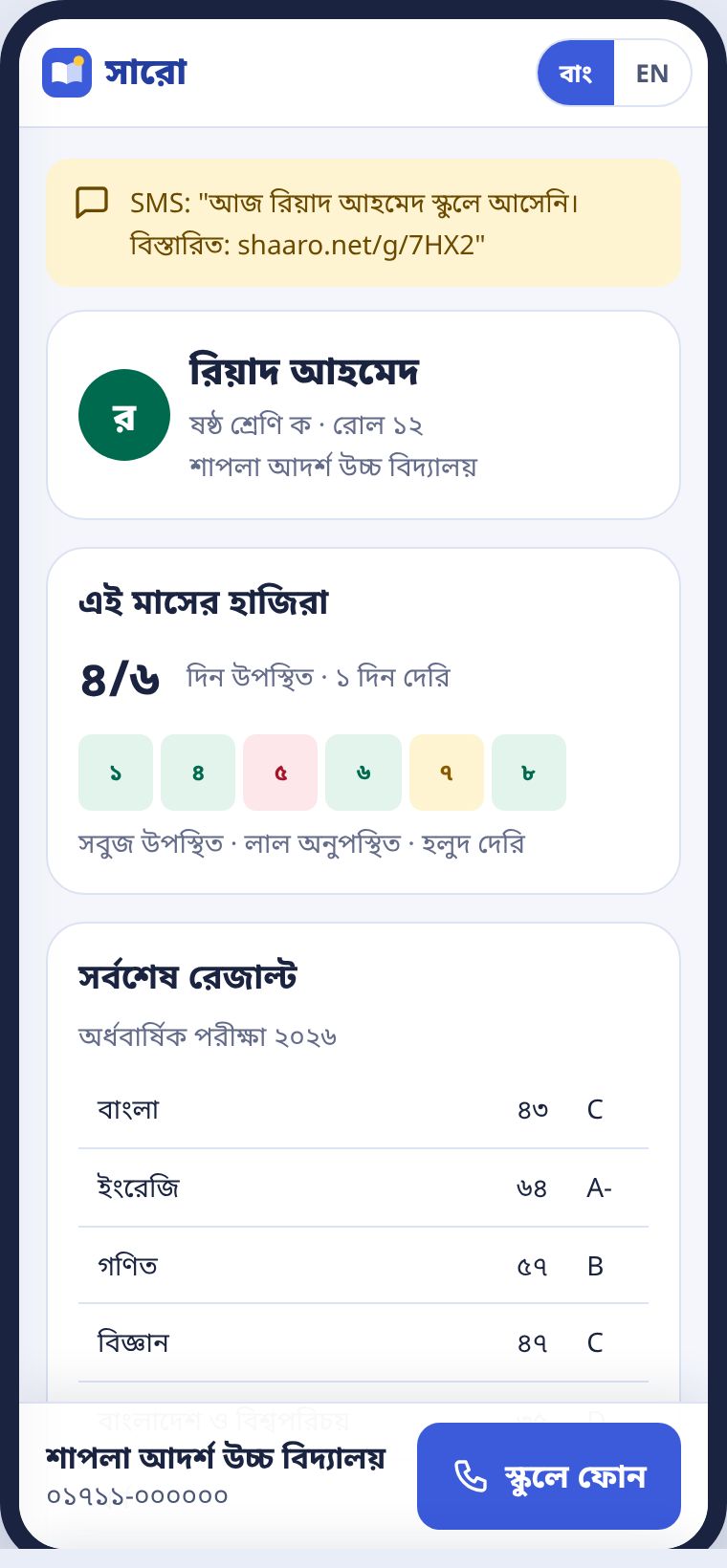
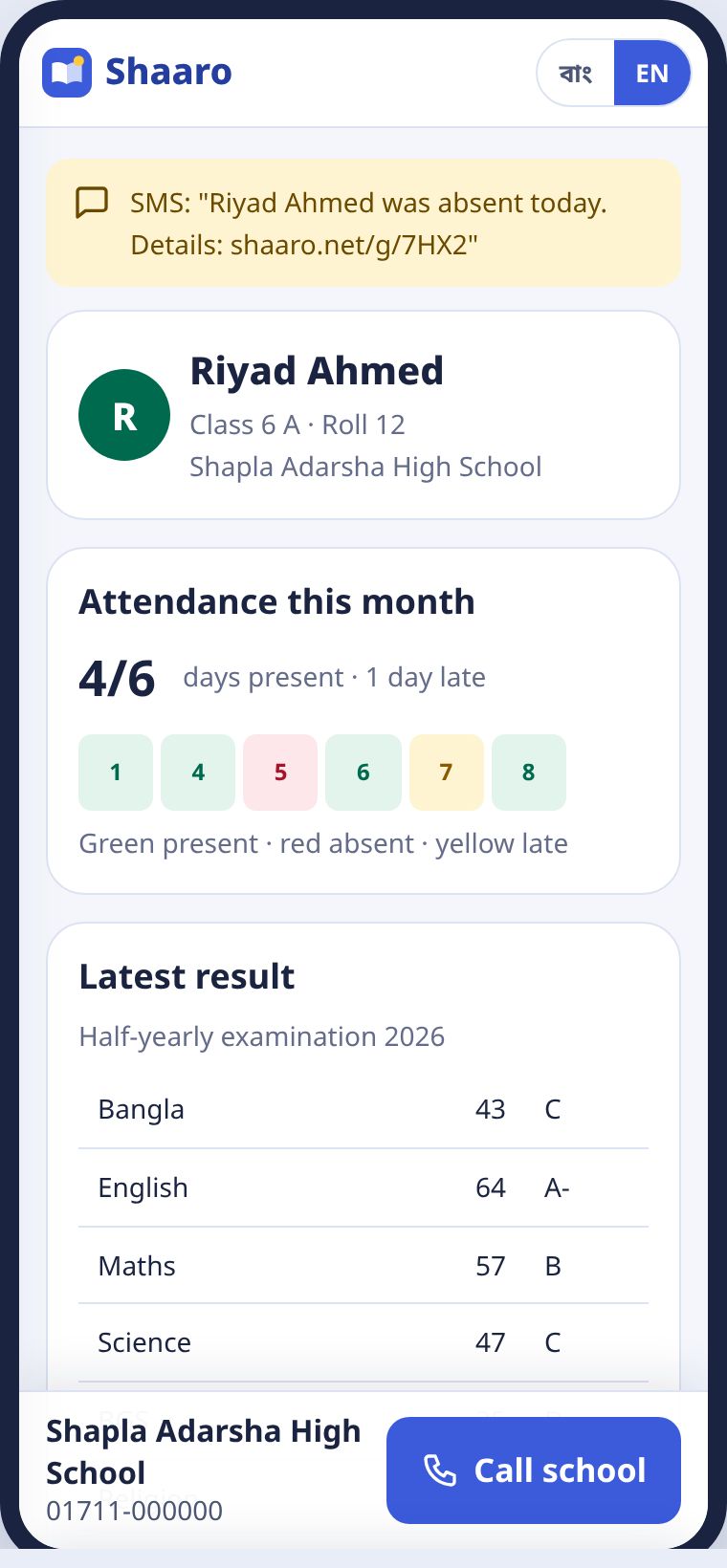
আপনি শুধু নিজের সন্তানের তথ্য দেখেন। মেধাক্রম বা অন্য শিক্ষার্থীর কিছু দেখানো হয় না। প্রশ্ন থাকলে নিচের স্কুলে ফোন চাপুন।
You see only your own child's information. No rank and nothing about other students. For questions, press Call school at the bottom.
ফি দিতে হলে লিংকে চাপ দিয়ে বিকাশ, নগদ বা কার্ডে দিন। রসিদ ফোনেই আসে।
To pay fees, tap the link and pay by bKash, Nagad or card. The receipt comes to your phone.