এক পাতায় সারো, আপনার স্কুলেShaaro in your school, on one page
শিক্ষকেরা যা বানান, আপনি তা দেখেন আর ওপরে পাঠান।Teachers make it, you see it and send it up.
সারোতে শিক্ষকেরা প্রশ্নপত্র বানান, হাজিরা নেন, নম্বর তোলেন। সেখান থেকেই রেজাল্ট শিট, রিপোর্ট কার্ড আর অফিসের রিপোর্ট তৈরি হয়। আপনাকে কোনো খাতা থেকে আবার টাইপ করতে হয় না। আপনার কাজ দেখা, অনুমোদন দেওয়া আর ওপরে পাঠানো।
In Shaaro, teachers make papers, take attendance and enter marks. Result sheets, report cards and office reports are built from that. Nobody retypes anything from a register. Your job is to look, approve and send upward.
| কেWho | কী দেখেন ও করেনSees and does |
|---|---|
| প্রধান শিক্ষকHead teacher | পুরো স্কুলের ড্যাশবোর্ড, রেজাল্ট অনুমোদন, গ্রেডের নিয়ম, শিক্ষক তালিকা, পরীক্ষা, ক্যালেন্ডার, নোটিশ, অফিস রিপোর্টThe whole-school dashboard, result approval, grading rules, the teacher list, exams, calendar, notices, office reports |
| অফিস বা কম্পিউটার অপারেটরOffice or computer operator | শিক্ষার্থী তালিকা, CSV, ফি, SMS ক্রেডিট, প্রবেশপত্র, প্রশংসাপত্র ও TC, রিপোর্ট প্রিন্টThe student register, CSV, fees, SMS credit, admit cards, testimonials and TC, printing reports |
| শিক্ষকTeacher | শুধু নিজের শাখাOnly their own sections |
প্রধান শিক্ষক যদি ক্লাসও নেন, এক একাউন্টেই দুই ভূমিকা থাকে। ওপরের বোতামে এক ট্যাপে শিক্ষক আর প্রধান শিক্ষকের মধ্যে বদল।
If the head teacher also teaches, one account holds both roles. The button at the top switches between teacher and head teacher in one tap.
লগইন আর একাউন্টSigning in and accounts
একাউন্ট আগেই বানানো থাকে, SMS-এ লিংক আর পিন।Accounts are made in advance, with a link and PIN by SMS.
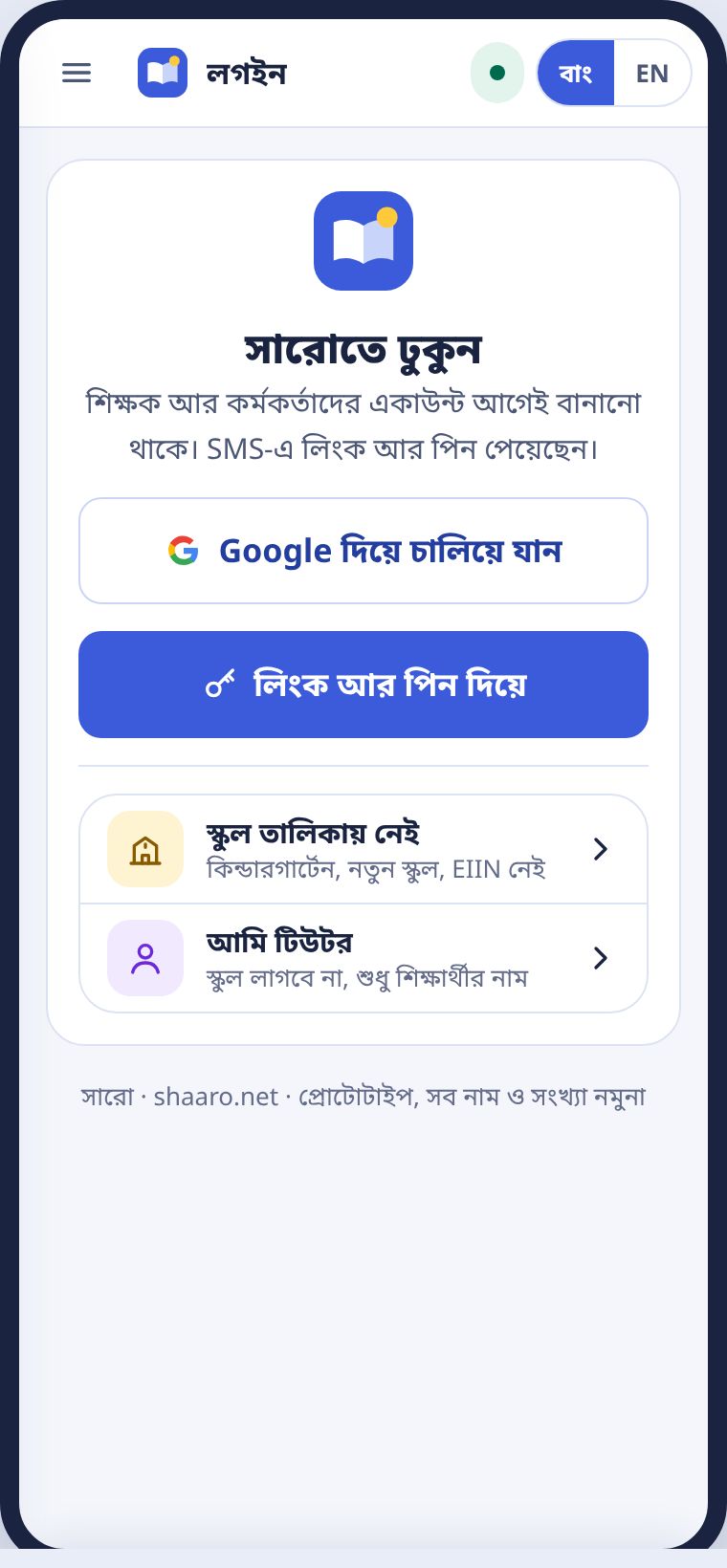
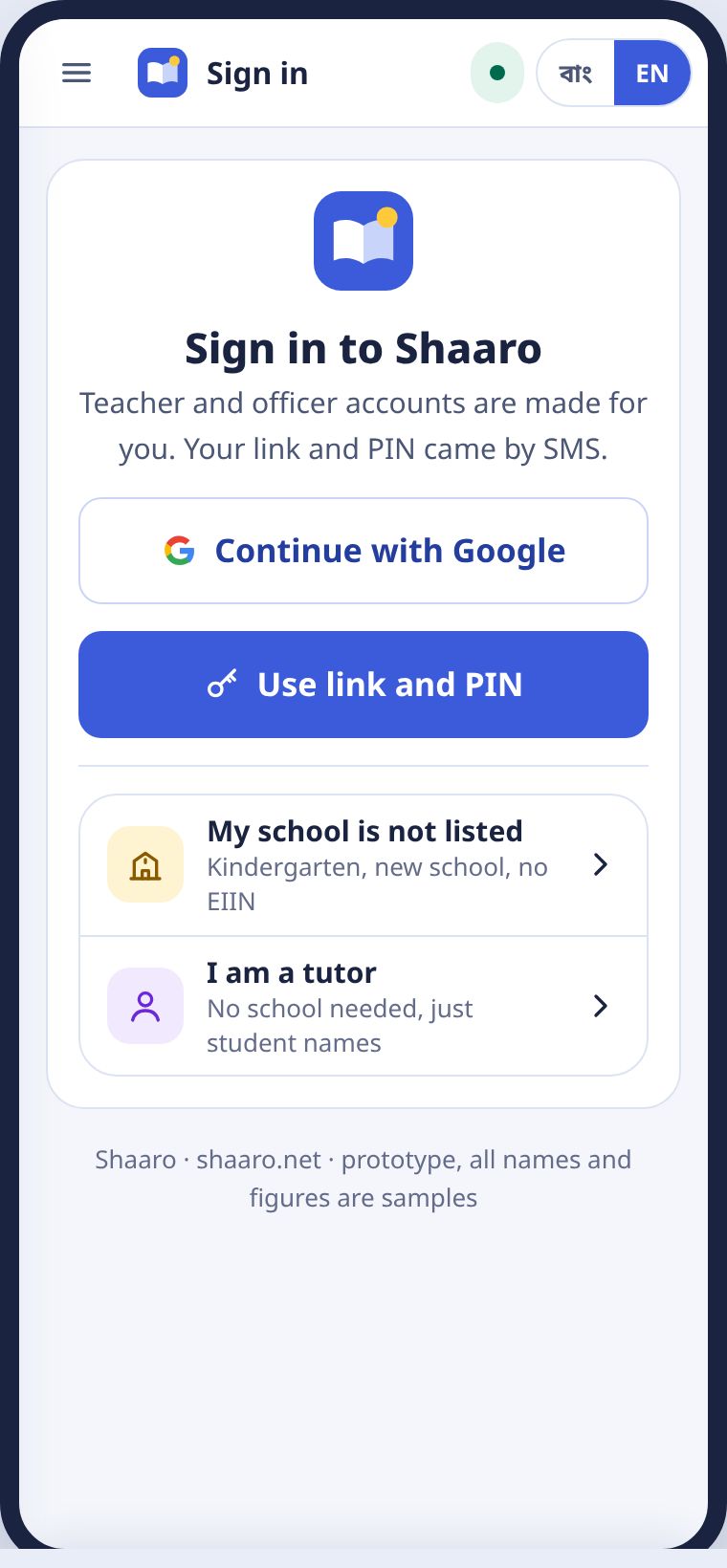
আপনার একাউন্ট আগেই বানানো থাকে। SMS-এ একটা লিংক আর চার সংখ্যার পিন আসে। Google একাউন্ট থাকলে Google দিয়ে চালিয়ে যান চাপলেও হয়।
Your account is made in advance. An SMS brings a link and a four-digit PIN. If you have a Google account, Continue with Google works too.
অফিস অপারেটরের একাউন্ট প্রধান শিক্ষক যোগ করেন, শিক্ষকের মতো করেই। কেউ নিজে থেকে কর্মকর্তা বা প্রধান শিক্ষক হতে পারেন না।
The head teacher adds the office operator's account, the same way as a teacher's. Nobody can make themselves an officer or a head teacher.
বদলি হলে আপনার একাউন্ট পদের সাথে থাকে, নতুন প্রধান শিক্ষকের কাছে যায়। আপনার নিজের নামে নতুন স্কুলে নতুন লিংক আসে।
When you transfer, the account stays with the post and passes to the new head teacher. A new link arrives for you at your new school.
স্কুল ড্যাশবোর্ডThe school dashboard
চারটা সংখ্যায় পুরো স্কুল।The whole school in four numbers.
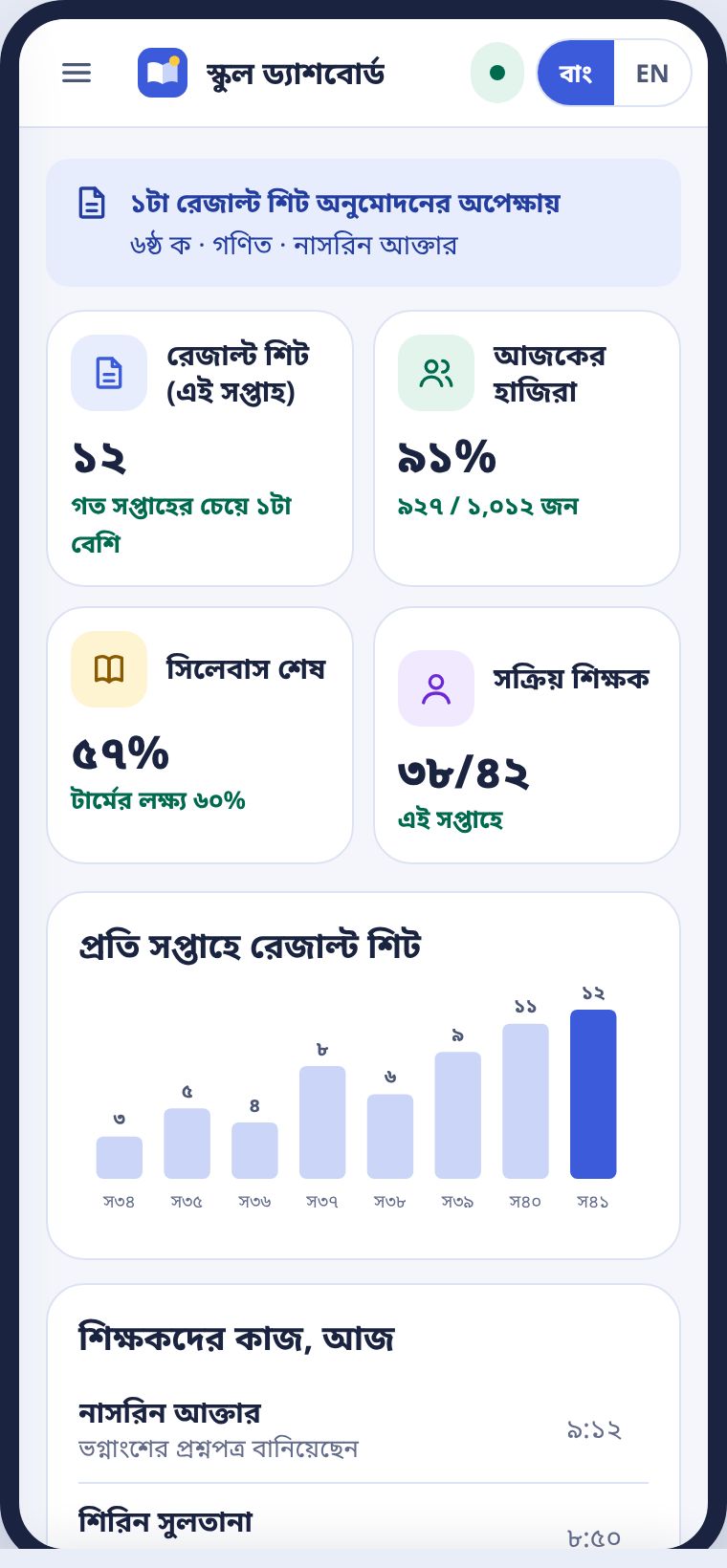
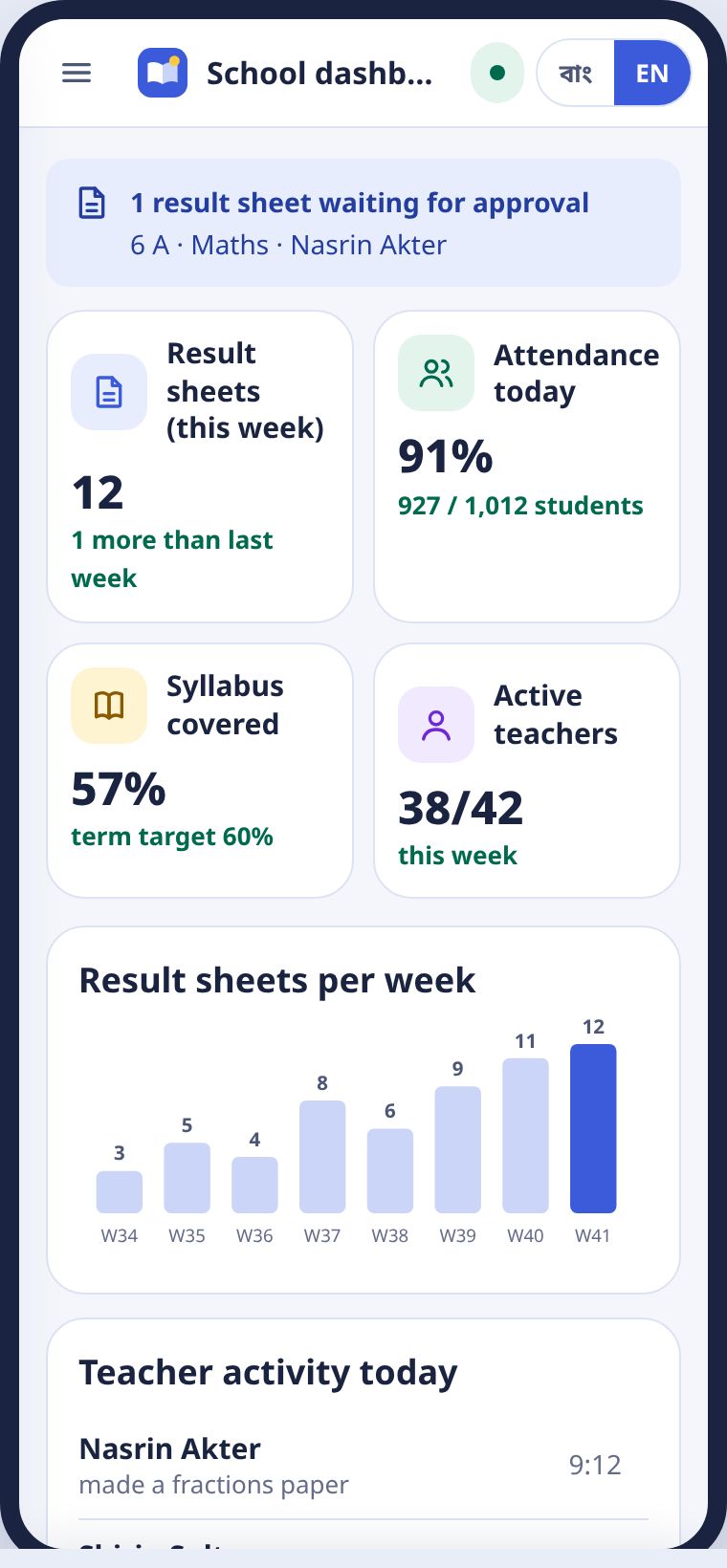
ঢুকলেই ড্যাশবোর্ড। ওপরে চারটা টাইল: এই সপ্তাহের রেজাল্ট শিট, আজকের হাজিরা, সিলেবাস কতটা শেষ, আর কতজন শিক্ষক সক্রিয়। নিচে সপ্তাহে সপ্তাহে রেজাল্ট শিটের চার্ট, আজ শিক্ষকেরা কী করলেন, আর শাখা ধরে তালিকা।
The dashboard opens first. At the top are four tiles: result sheets this week, attendance today, syllabus covered and active teachers. Below are a weekly chart of result sheets, what teachers did today and a list by section.
কোনো শাখায় হাজিরা কম বা সিলেবাস পিছিয়ে থাকলে খুলুন চেপে সেই শাখায় যান। শিক্ষককে আলাদা করে জিজ্ঞেস করার আগে সংখ্যাটা দেখে নিন।
If a section's attendance is low or its syllabus is behind, press Open to go to it. Look at the number before asking the teacher.
শিক্ষক তালিকাThe teacher list
শিক্ষক যোগ, তালিকা আপলোড, পিন আবার পাঠানো।Adding teachers, uploading a list, resending PINs.
শিক্ষক তালিকায় সবার নাম, বিষয়, কতটা রেজাল্ট শিট বানিয়েছেন আর কবে শেষ সক্রিয় ছিলেন, দেখা যায়।
The teacher list shows every teacher's name, subject, result sheets made and when they were last active.
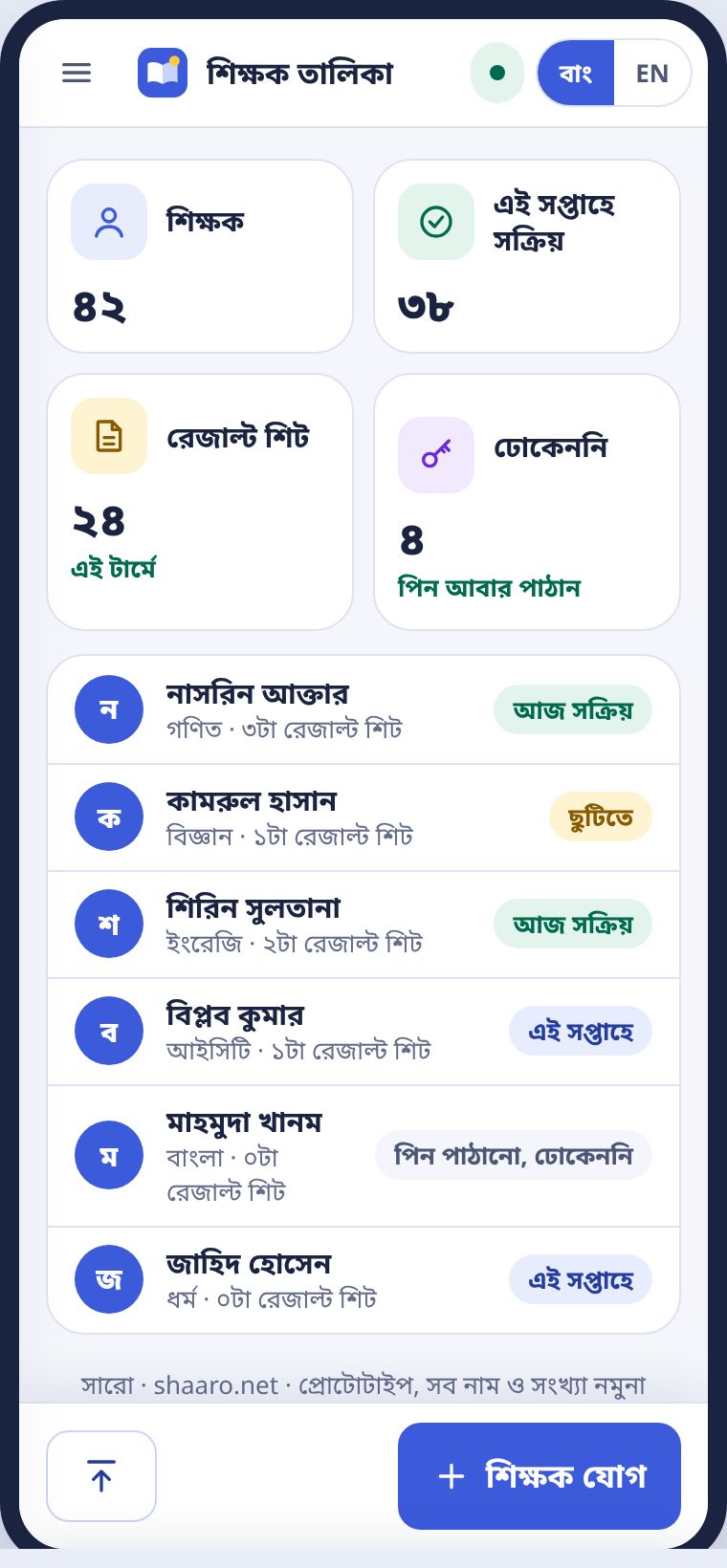
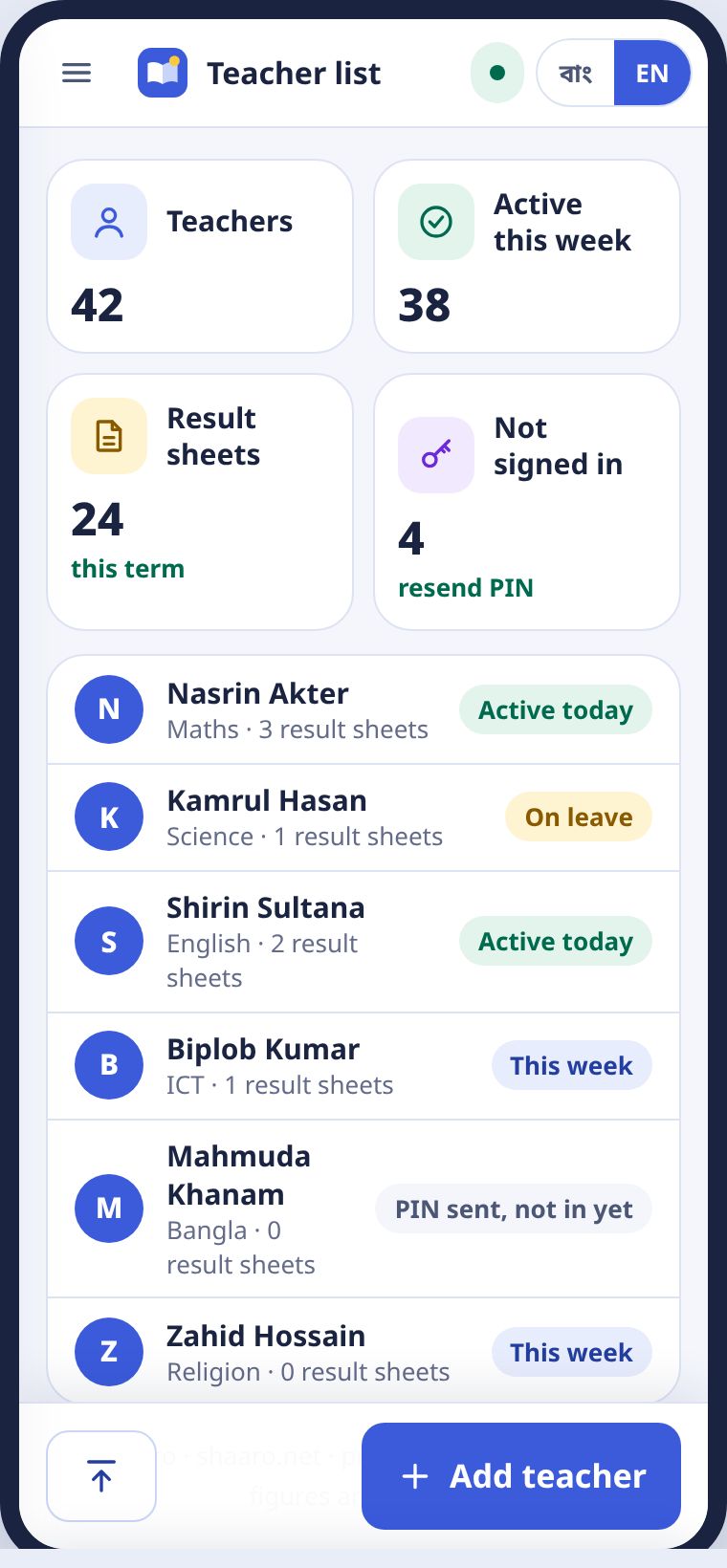
- একজন যোগ করতে শিক্ষক যোগ চাপুন। নাম, মোবাইল আর বিষয় দিন।To add one teacher, press Add teacher and enter the name, mobile and subject.
- অনেকজন একসাথে হলে তালিকা আপলোড। CSV-তে নাম, মোবাইল, ইমেইল।For many at once, press Upload list. The CSV needs name, mobile and email.
- প্রত্যেকে SMS-এ নিজের লিংক আর পিন পান।Each teacher gets their own link and PIN by SMS.
শিক্ষার্থী তালিকাThe student register
শাখা ধরে তালিকা, CSV ইমপোর্ট, প্রোফাইল, পরের শ্রেণিতে তোলা।Lists by section, CSV import, profiles, promotion.
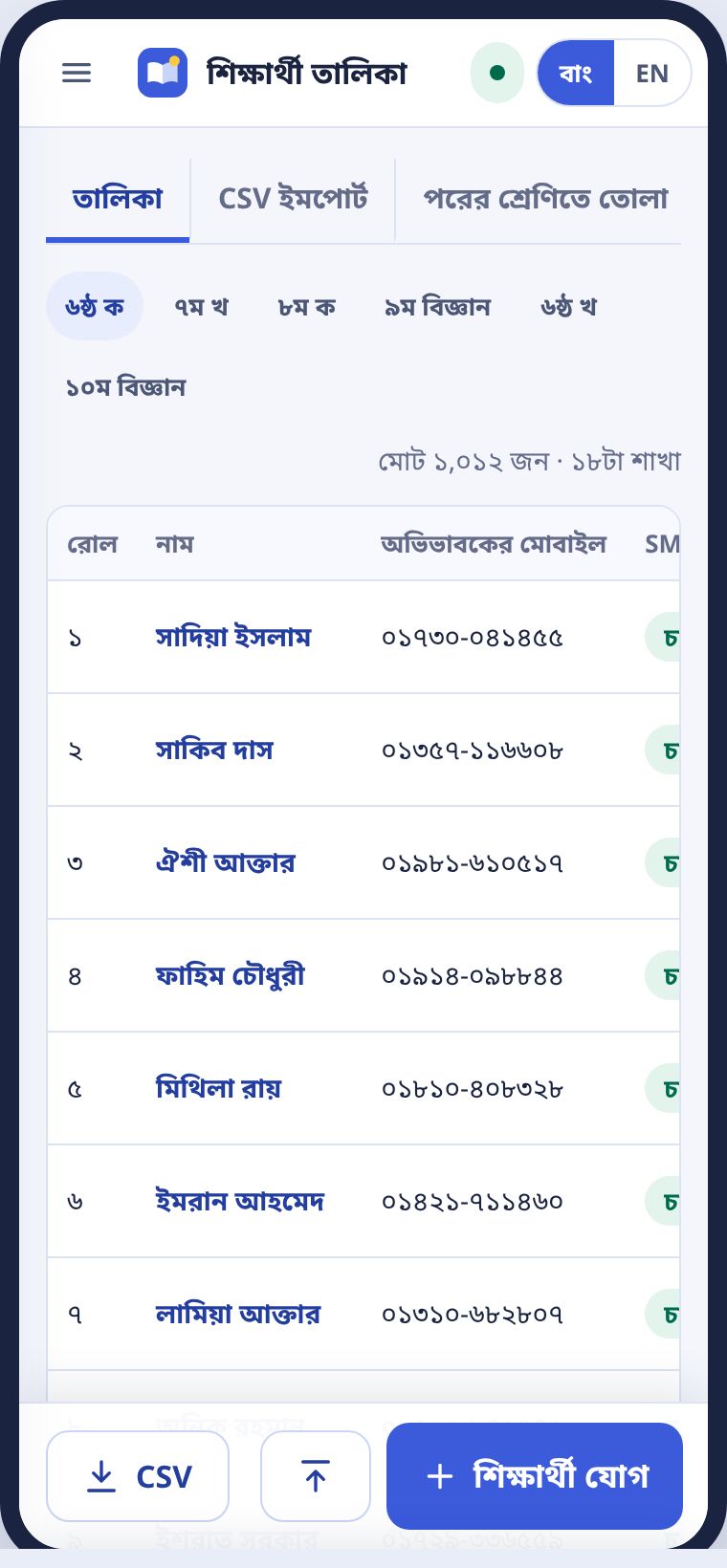
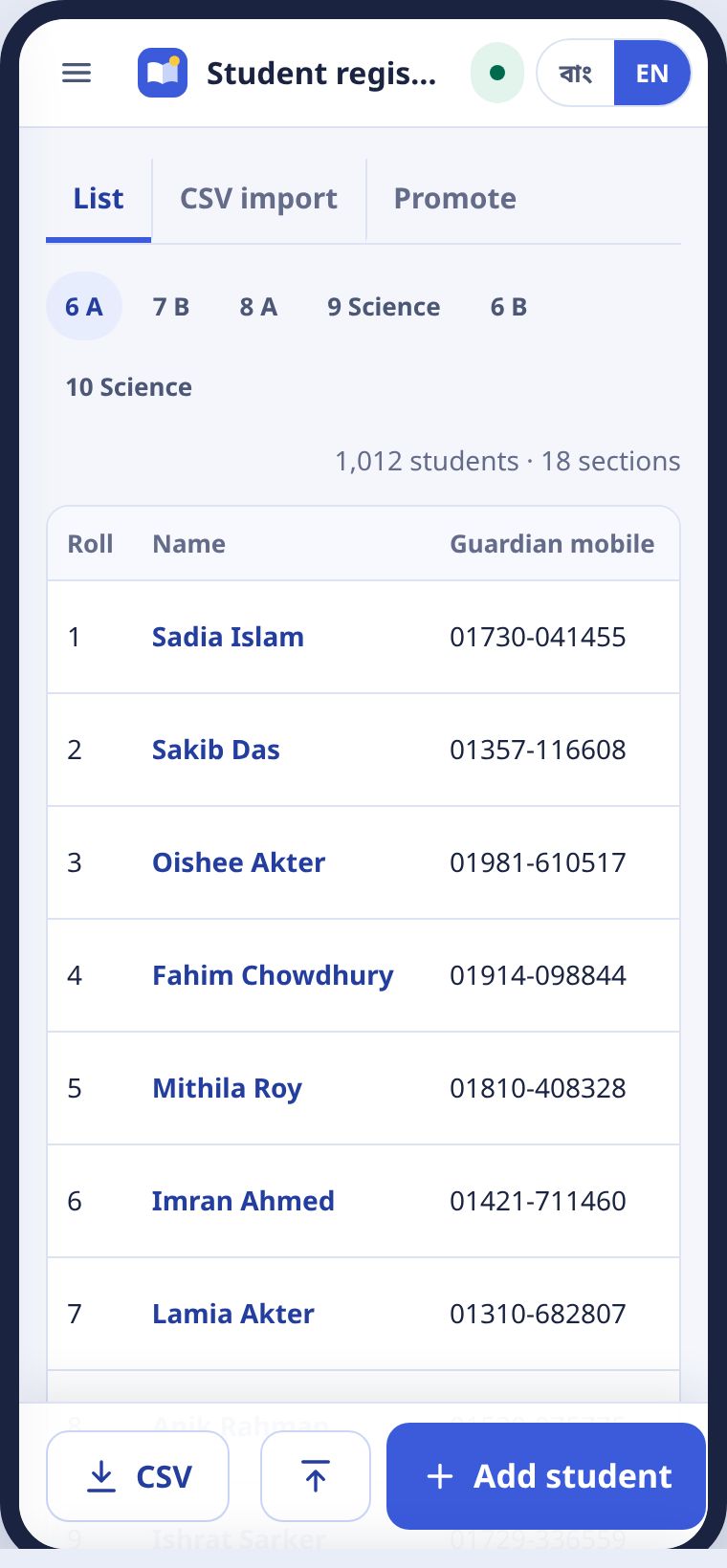
প্রতিটা শাখার তালিকায় রোল, নাম, অভিভাবকের মোবাইল আর SMS চালু কি না। নামে ট্যাপ করলে শিক্ষার্থীর প্রোফাইল খোলে।
Each section list shows roll, name, the guardian's mobile and whether SMS is on. Tap a name to open the student profile.
CSV দিয়ে একসাথেAll at once with CSV
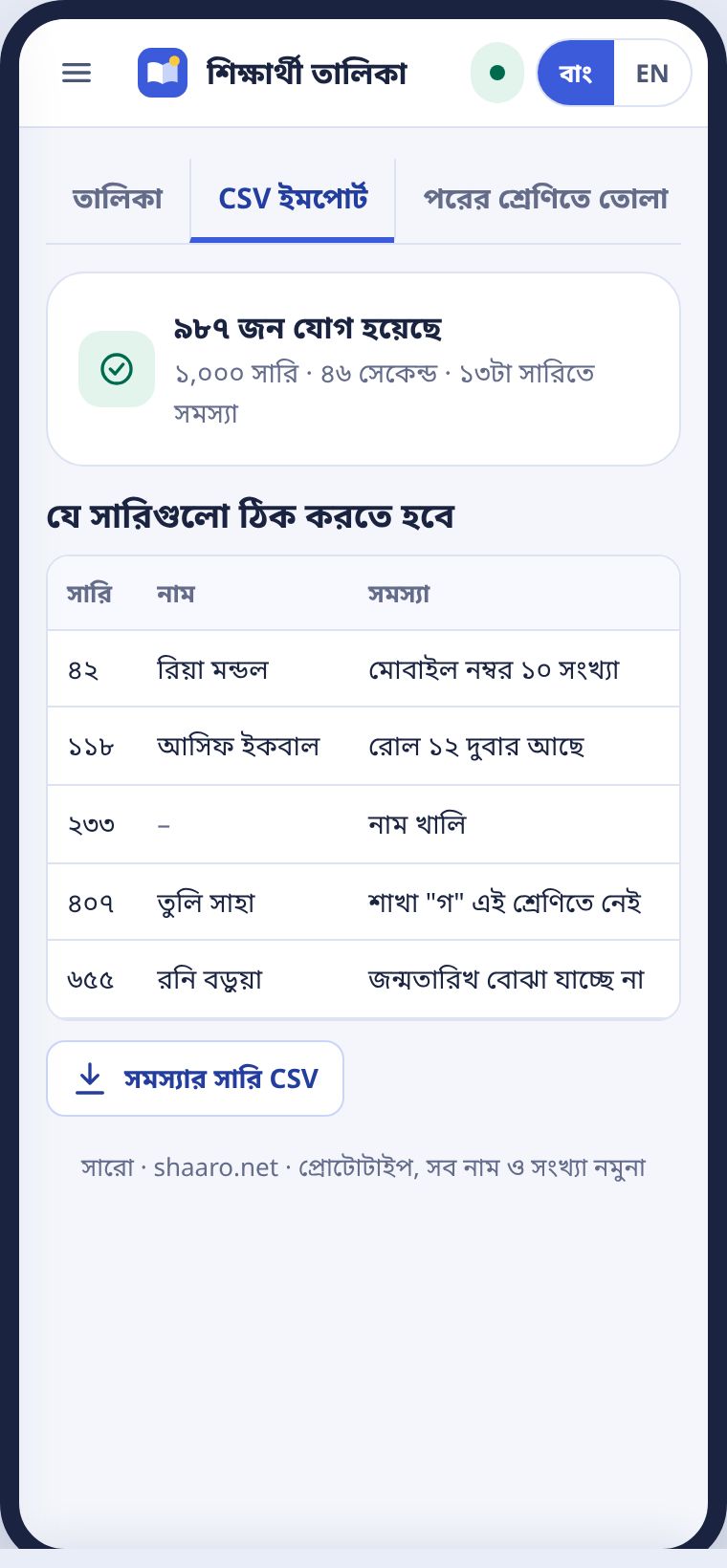
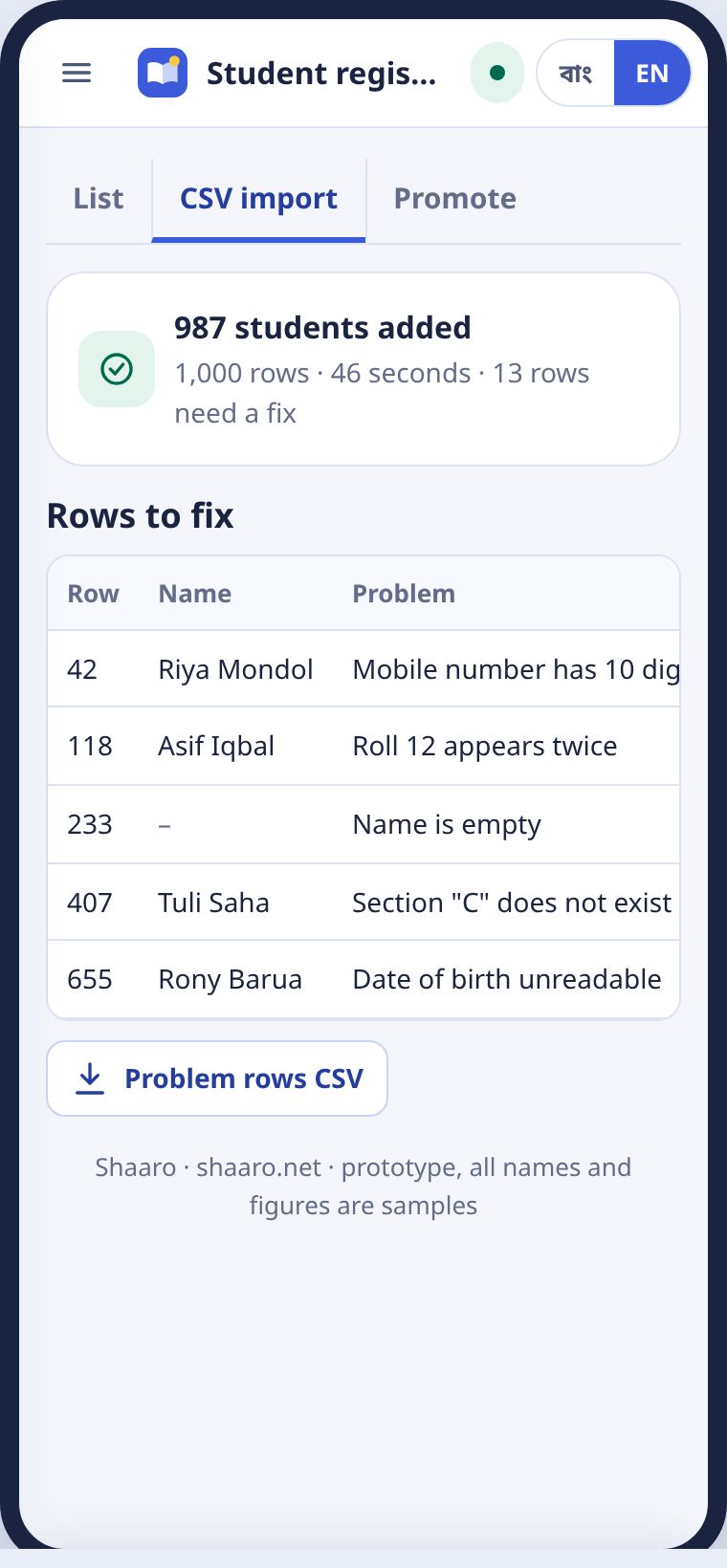
- CSV ইমপোর্ট ট্যাবে যান।Go to the CSV import tab.
- ফাইল বাছুন। Edunext বা Eshkul-এর এক্সপোর্ট সরাসরি চলে।Choose the file. Edunext and Eshkul exports work as they are.
- যে সারিতে সমস্যা, সেগুলো আলাদা তালিকায় আসে। ঠিক করে আবার দিন।Rows with problems come up in their own list. Fix them and import again.
শিক্ষার্থীর প্রোফাইলThe student profile
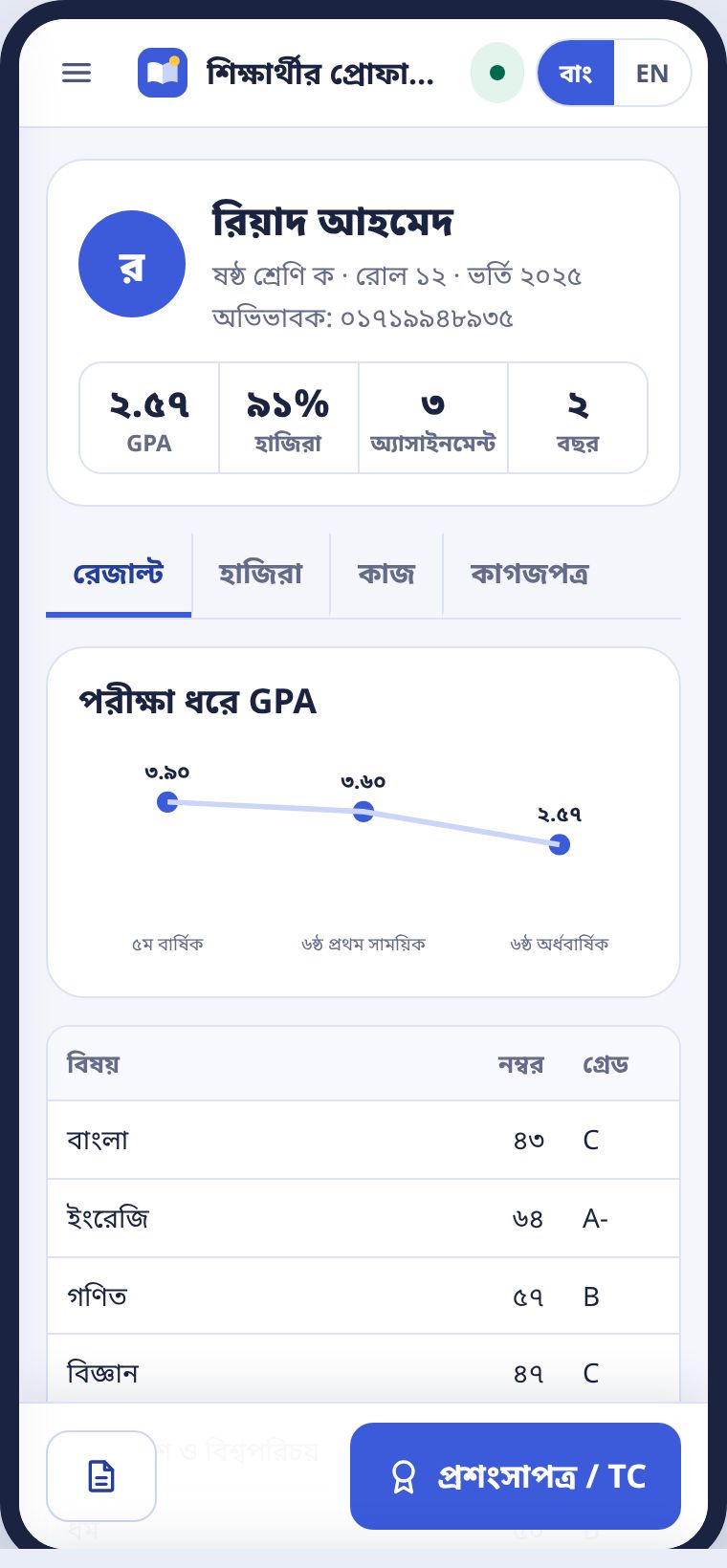
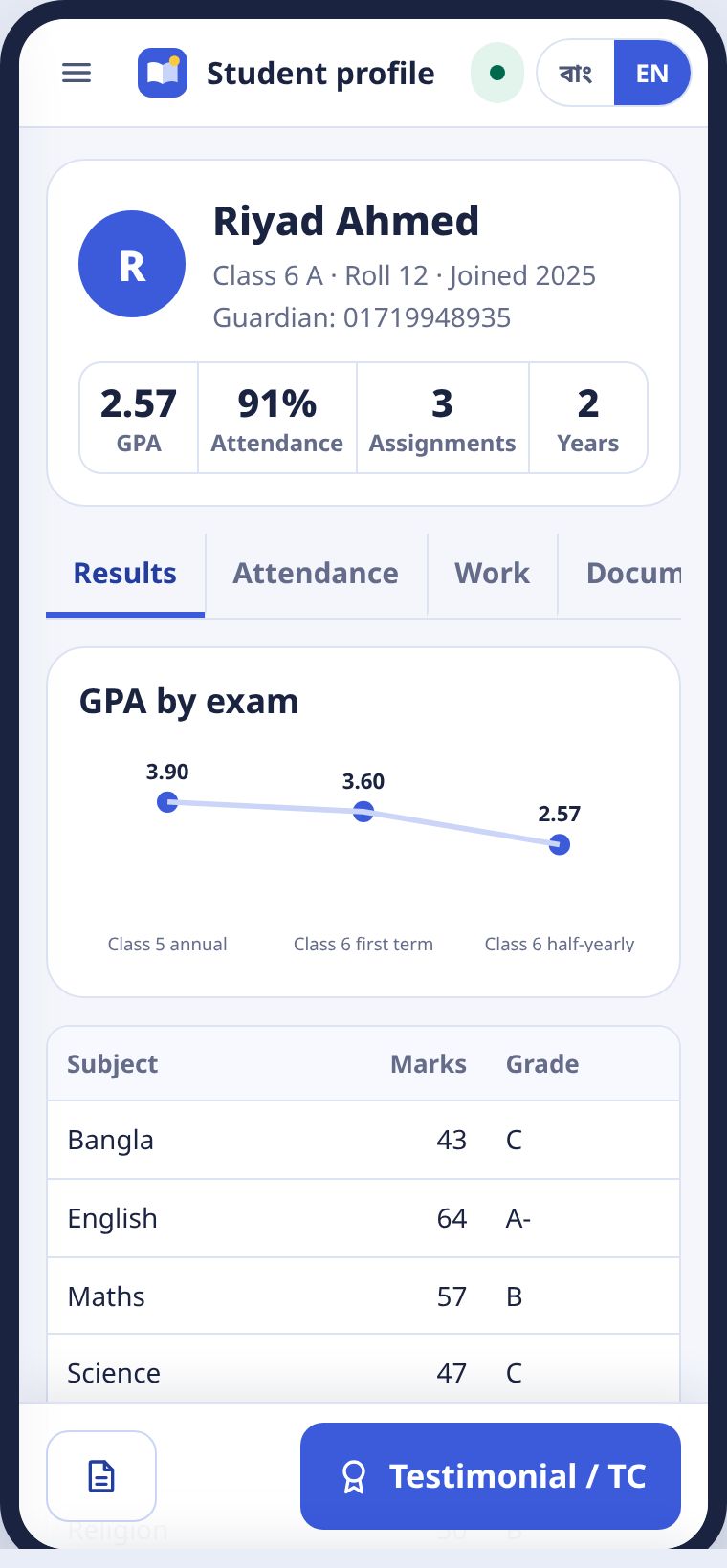
এক পাতায় শিক্ষার্থীর সব: পরীক্ষা ধরে GPA, মাসে মাসে হাজিরা, অ্যাসাইনমেন্ট আর কাগজপত্র। কাগজপত্র শুধু অফিস আর প্রধান শিক্ষক দেখেন।
Everything about a student on one page: GPA by exam, attendance by month, assignments and documents. Only the office and the head teacher see documents.
বছর শেষে পরের শ্রেণিতেPromotion at year end
বার্ষিক রেজাল্ট অনুমোদন হলে পরের শ্রেণিতে তোলা চালু হয়। এক ট্যাপে সব শাখা ওপরে ওঠে। রোল নতুন মেধাক্রমে বসে। দশম শ্রেণি আর্কাইভে যায়।
Once annual results are approved, Promote unlocks. Every section moves up in one tap and rolls follow the new merit order. Class 10 goes to the archive.
গ্রেড ও নম্বর বণ্টনGrading rules
স্কুলের নিয়ম একবার ঠিক করুন।Set the school's rules once.
ডিফল্ট জাতীয় শিক্ষাক্রম: পাস ৩৩, ৮০ থেকে A+। মাদ্রাসা, কারিগরি আর কেমব্রিজের নিয়মও আছে। ধারাবাহিক আর সামষ্টিক মূল্যায়নের ভাগ স্লাইডারে বদলান।
The default is the national curriculum: pass mark 33, A+ from 80. Madrasa, technical and Cambridge schemes are there too. Change the formative and summative split with the slider.
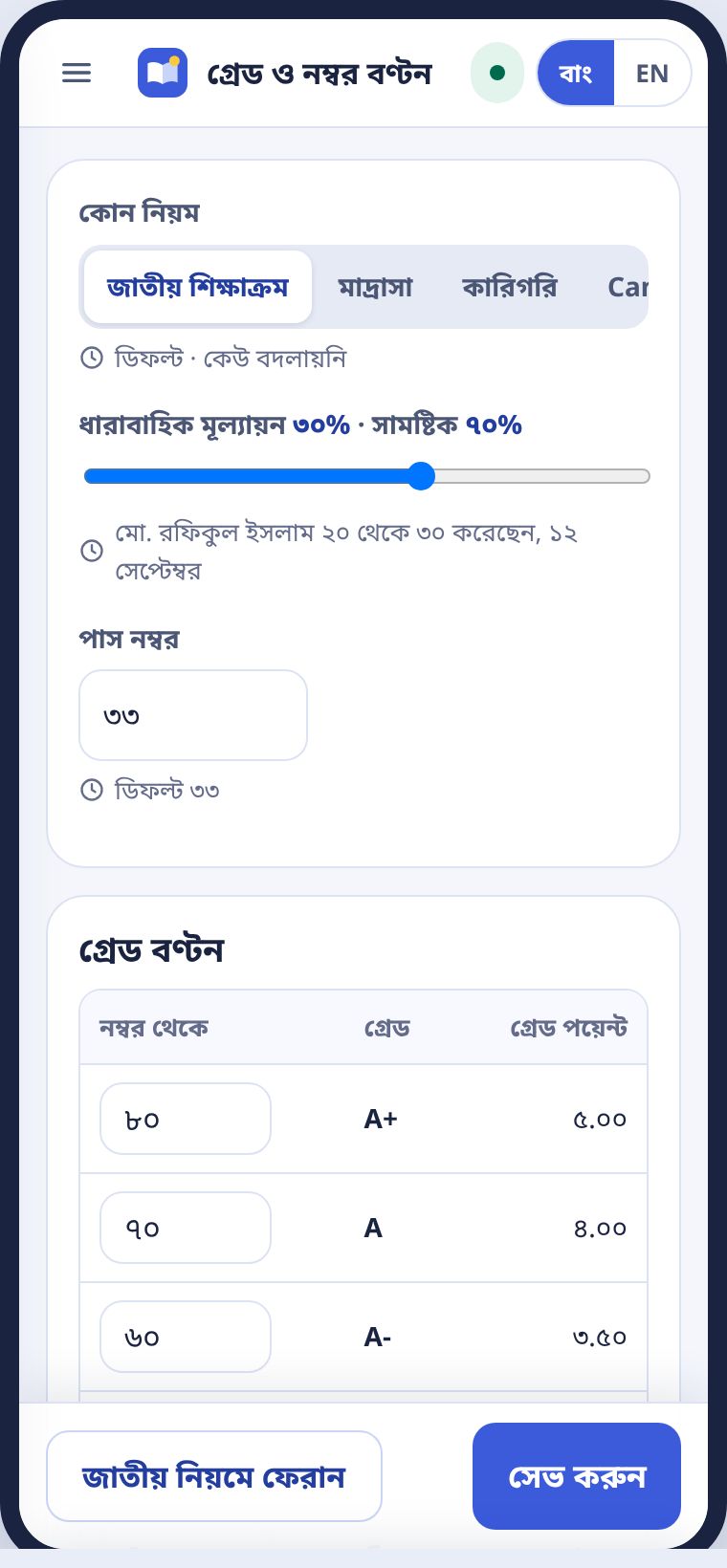
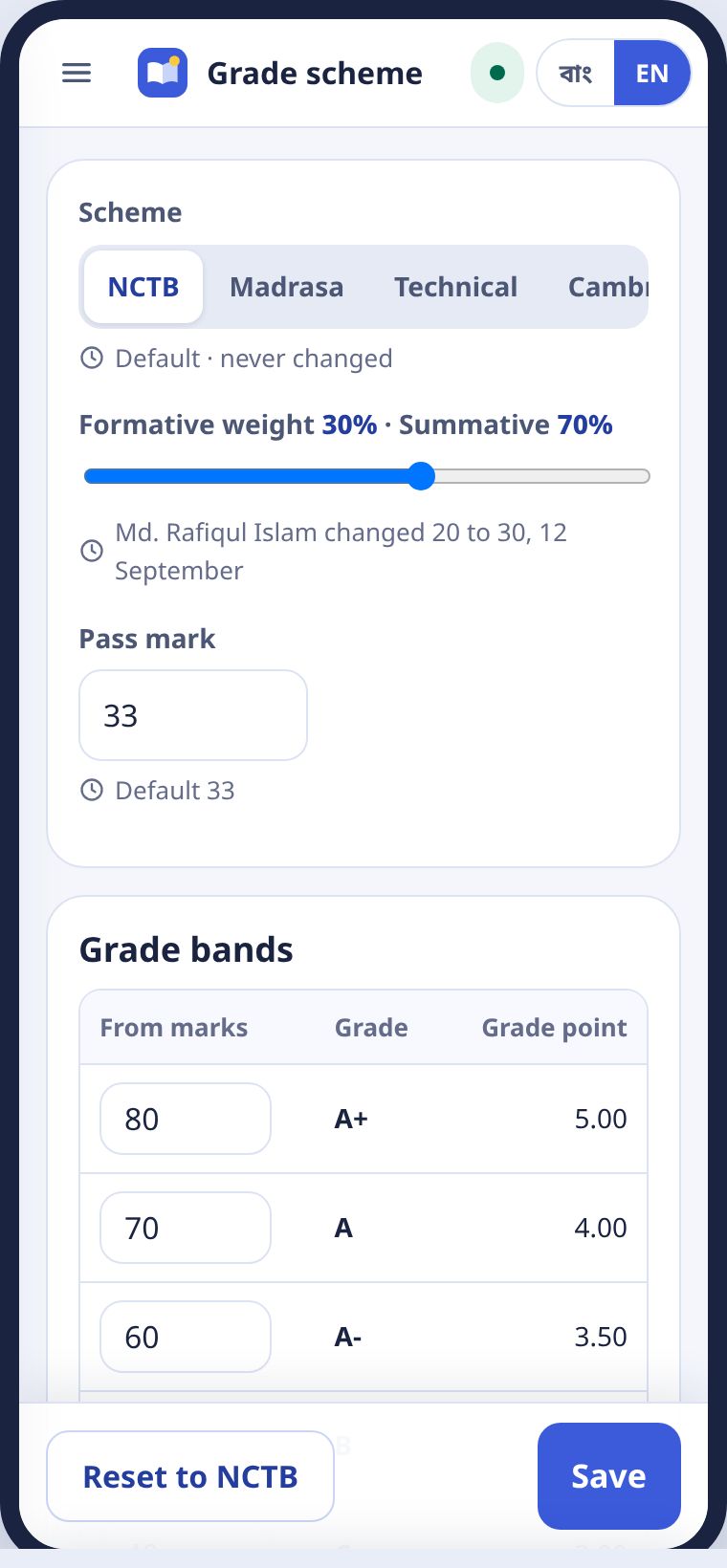
সেভ করলে এই টার্মের সব রেজাল্ট শিট নতুন নিয়মে আবার হিসাব হয়। কতটা শিট বদলালো, সারো জানায়। ভুল হলে জাতীয় নিয়মে ফেরান।
Saving recalculates every result sheet for the term, and Shaaro tells you how many changed. If you make a mistake, press Reset to NCTB.
রেজাল্ট অনুমোদন আর রিপোর্ট কার্ডApproving results and report cards
এক ট্যাপে অনুমোদন।Approval in one tap.
- ড্যাশবোর্ডের নীল বার্তায় বা মেনুর রেজাল্ট অনুমোদন-এ ট্যাপ করুন।Tap the blue message on the dashboard, or Approve results in the menu.
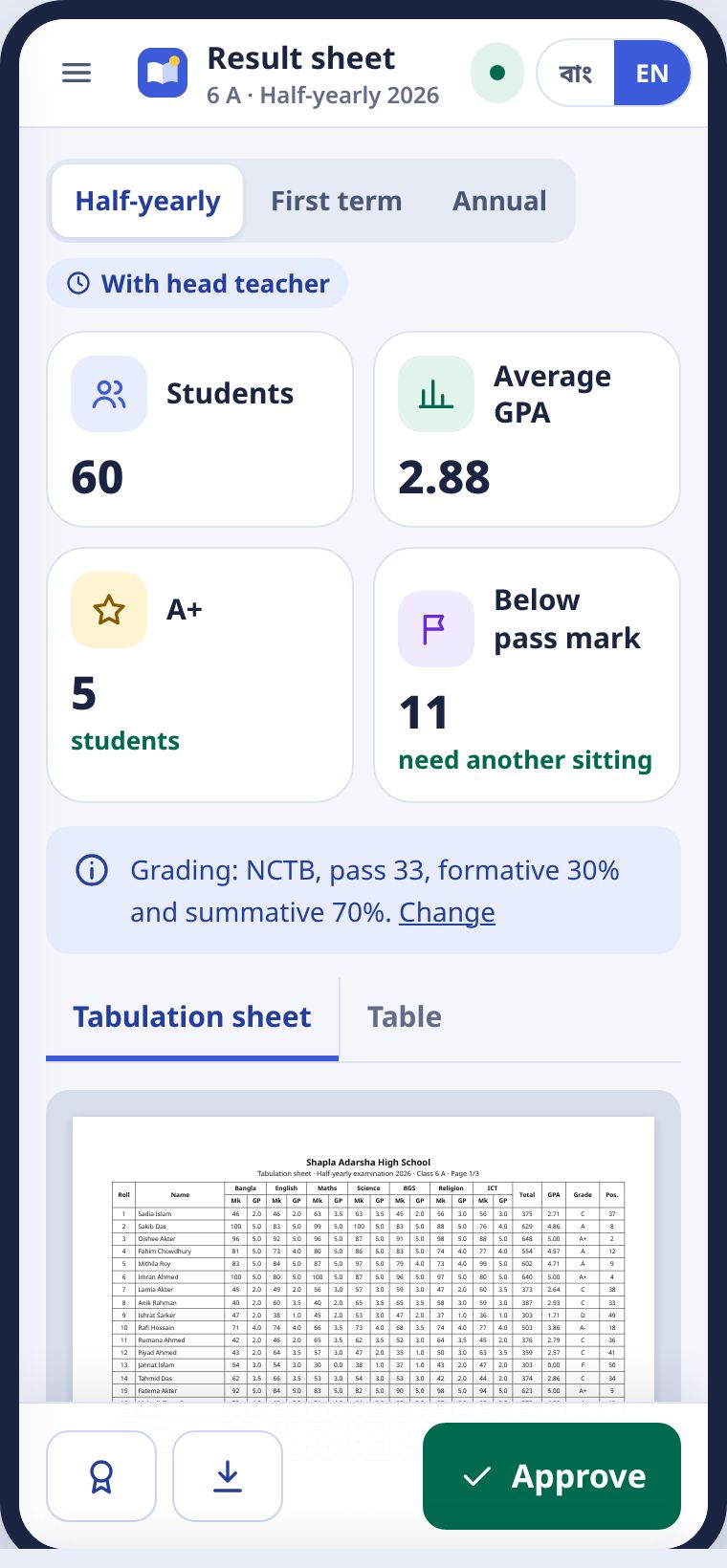
- টেবুলেশন শিট দেখুন। তালিকা ট্যাবে ফোনের মাপে।Look over the tabulation sheet, or the Table tab for a phone-sized view.
- অনুমোদন দিন চাপুন। শিক্ষক সাথে সাথে জানতে পারেন।Press Approve. The teacher is told at once.
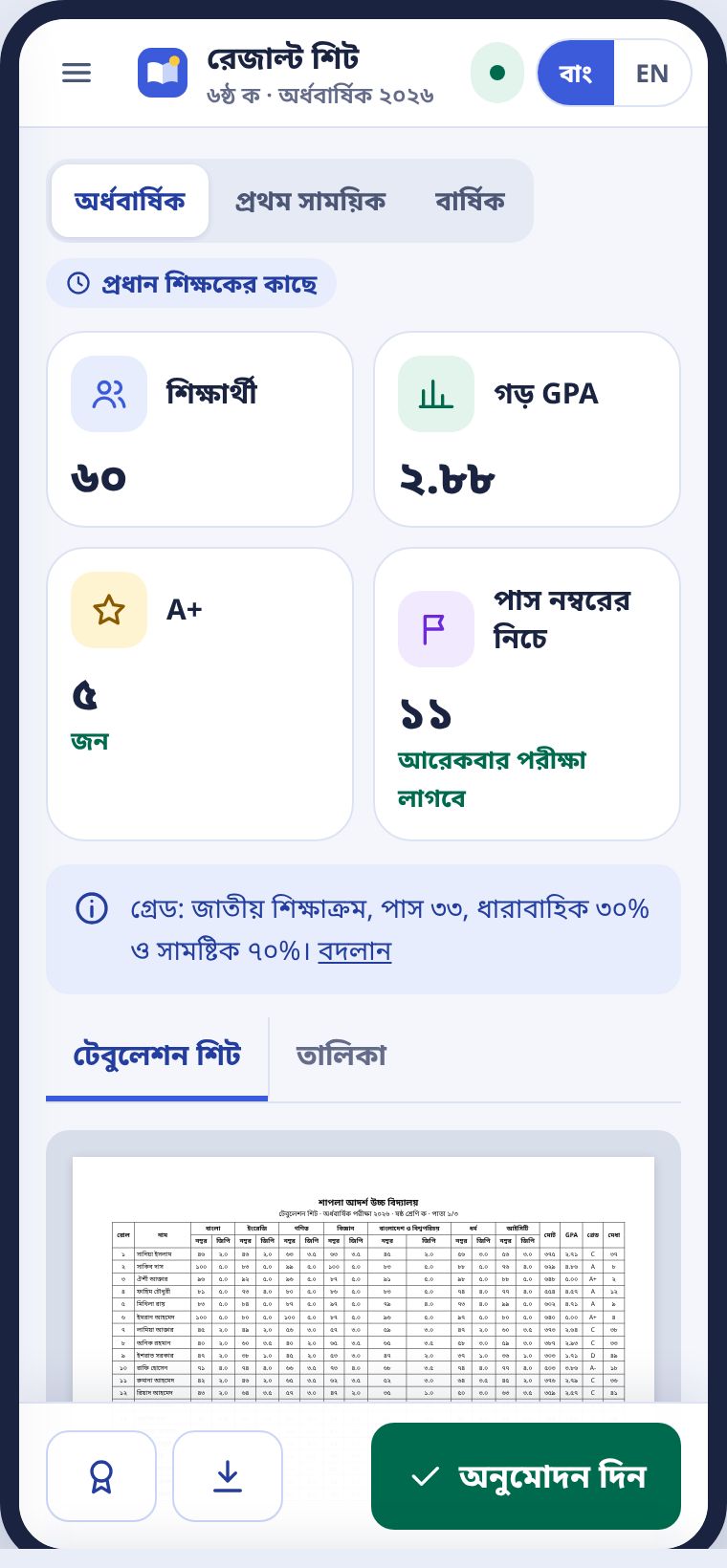
অনুমোদনের পর রিপোর্ট কার্ড তৈরি। পুরো শাখার কার্ড এক PDF-এ। অভিভাবক SMS-এর লিংক থেকেও নামাতে পারেন। মেধাক্রম অভিভাবকের কপিতে ছাপা হয় না, স্কুল চাইলে চালু করতে পারে।
After approval, report cards are ready, a whole section in one PDF. Guardians can also download them from the SMS link. Class rank is not printed on the guardian copy unless the school switches it on.
পরীক্ষা ব্যবস্থাপনাRunning exams
রুটিন, আসন বিন্যাস আর প্রবেশপত্র।Routine, seat plan and admit cards.
পরীক্ষার রুটিনThe exam routine
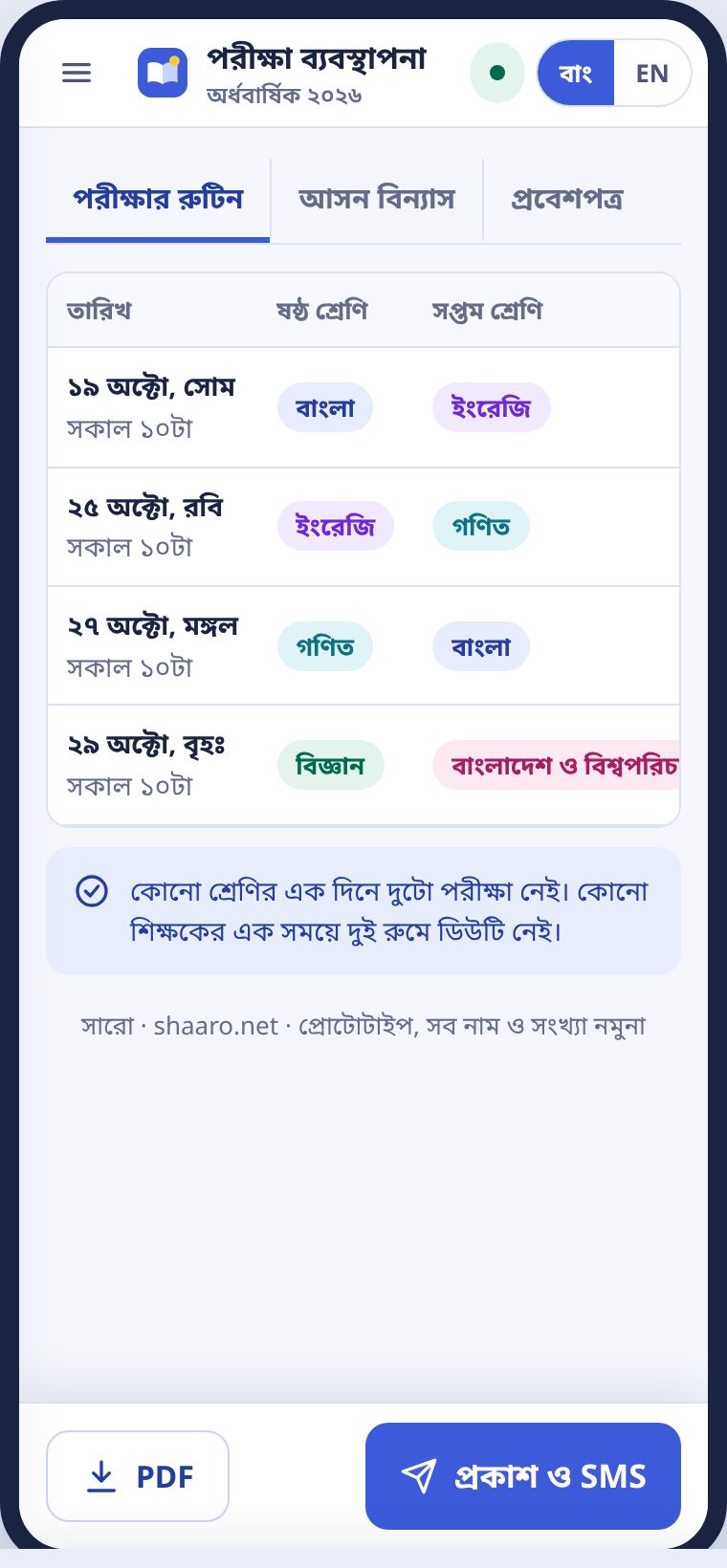
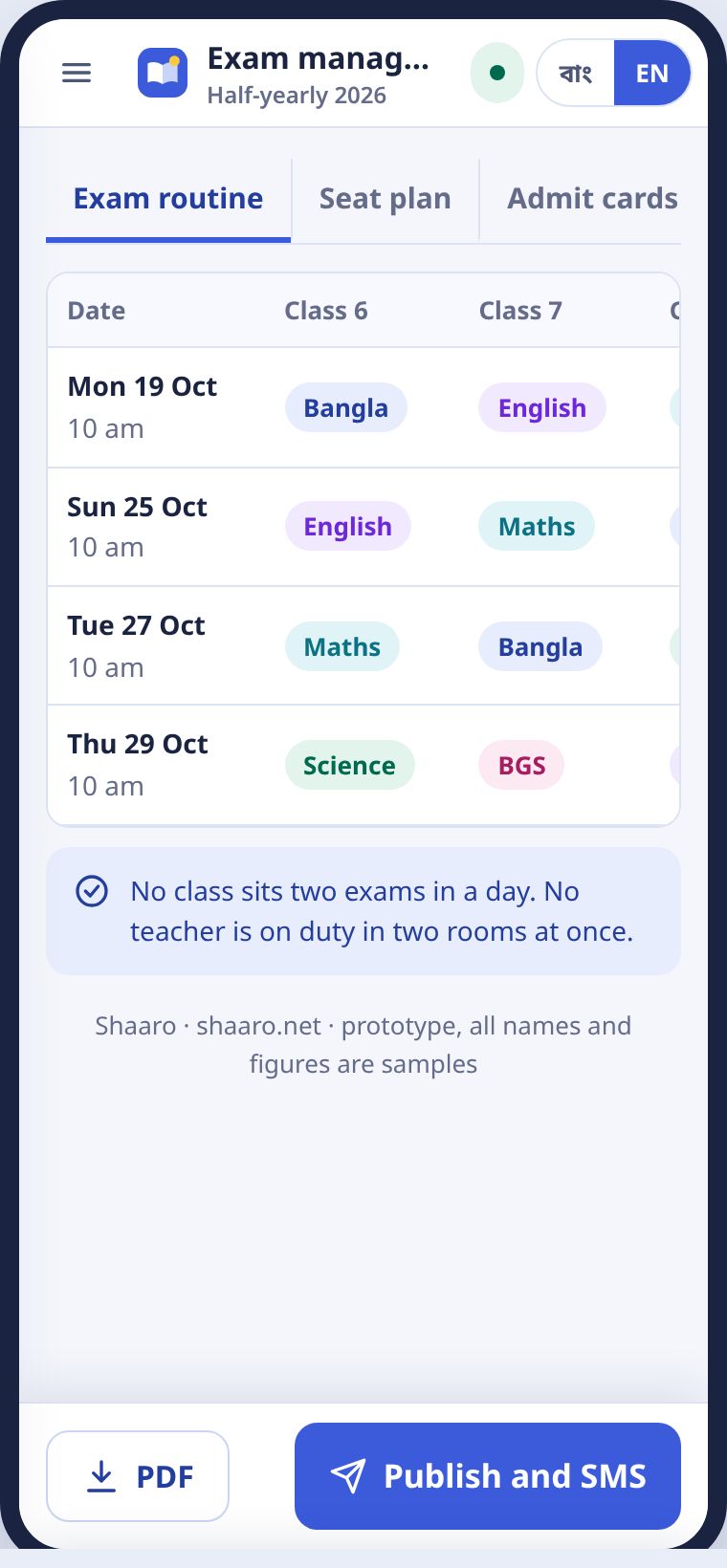
তারিখ আর শ্রেণির ছকে বিষয় বসান। সারো দেখে নেয়, কোনো শ্রেণির এক দিনে দুটো পরীক্ষা বা কোনো শিক্ষকের এক সময়ে দুই রুমে ডিউটি পড়লো কি না। প্রকাশ ও SMS চাপলে রুটিন ক্যালেন্ডারে ওঠে আর অভিভাবকেরা জানতে পারেন।
Put subjects into the date and class grid. Shaaro checks that no class has two exams in a day and no teacher is in two rooms at once. Publish and SMS puts the routine on the calendar and tells guardians.
আসন বিন্যাসSeat plan
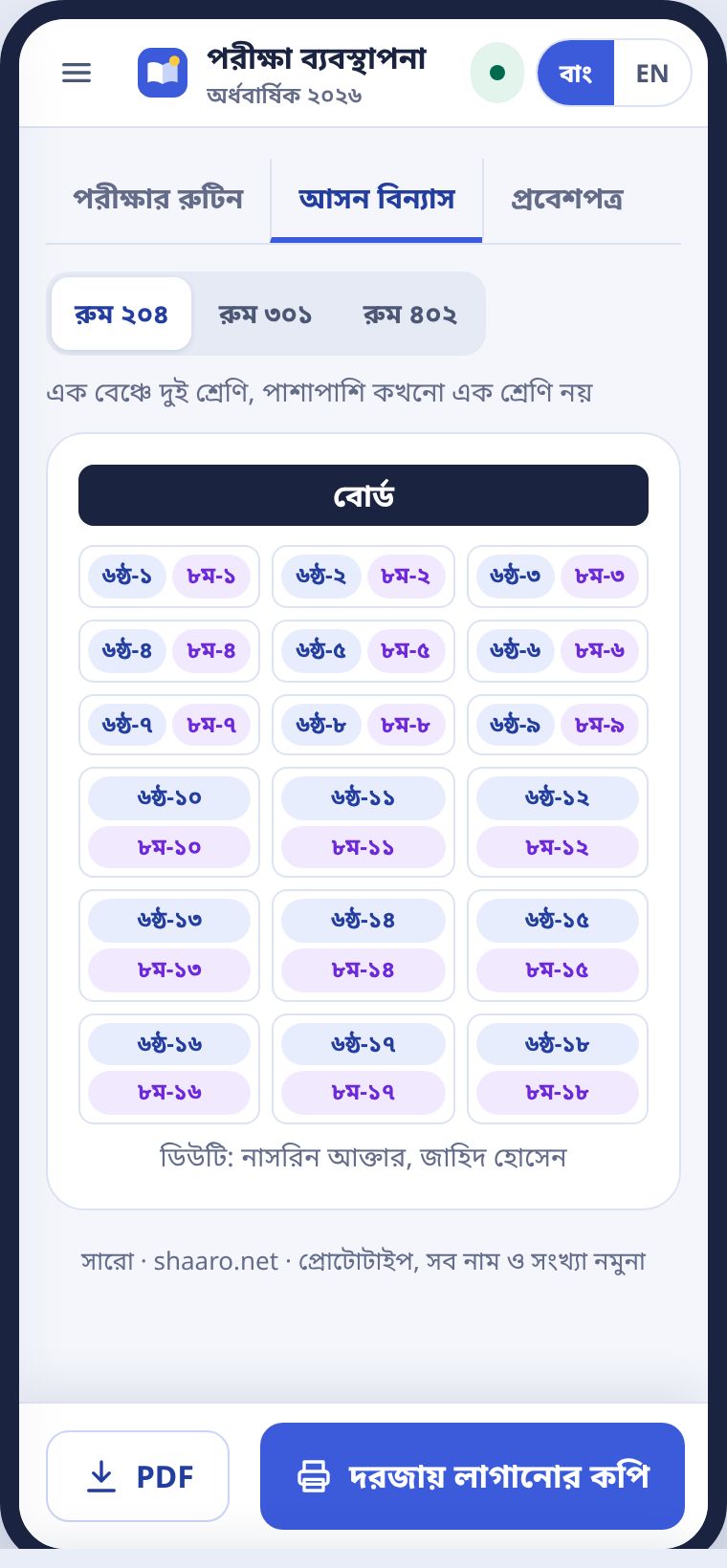
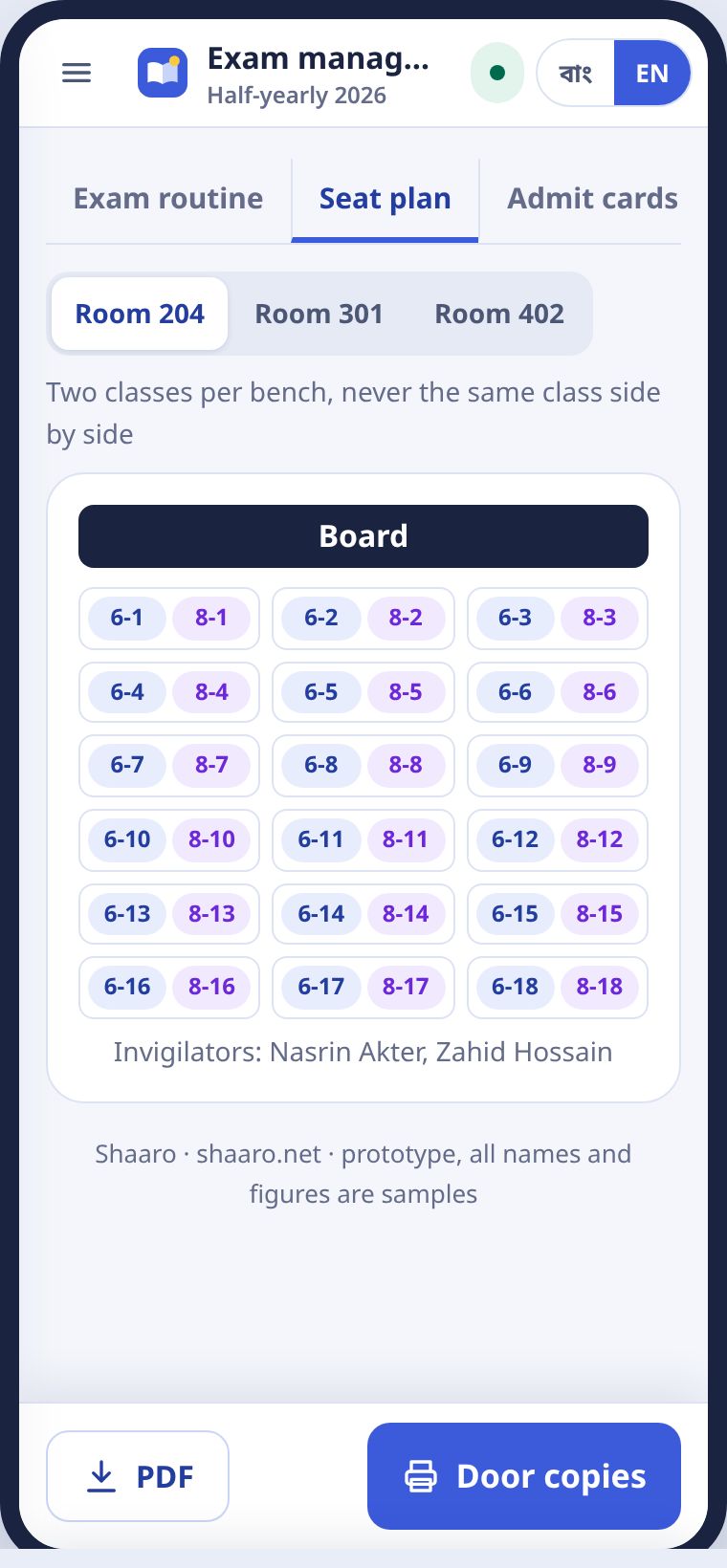
প্রতি বেঞ্চে দুই শ্রেণির দুজন বসে। পাশাপাশি কখনো একই শ্রেণি না। রুম বাছুন, দরজায় লাগানোর কপি প্রিন্ট করুন।
Each bench seats two students from two different classes, never the same class side by side. Pick a room and print the copy for the door.
প্রবেশপত্রAdmit cards
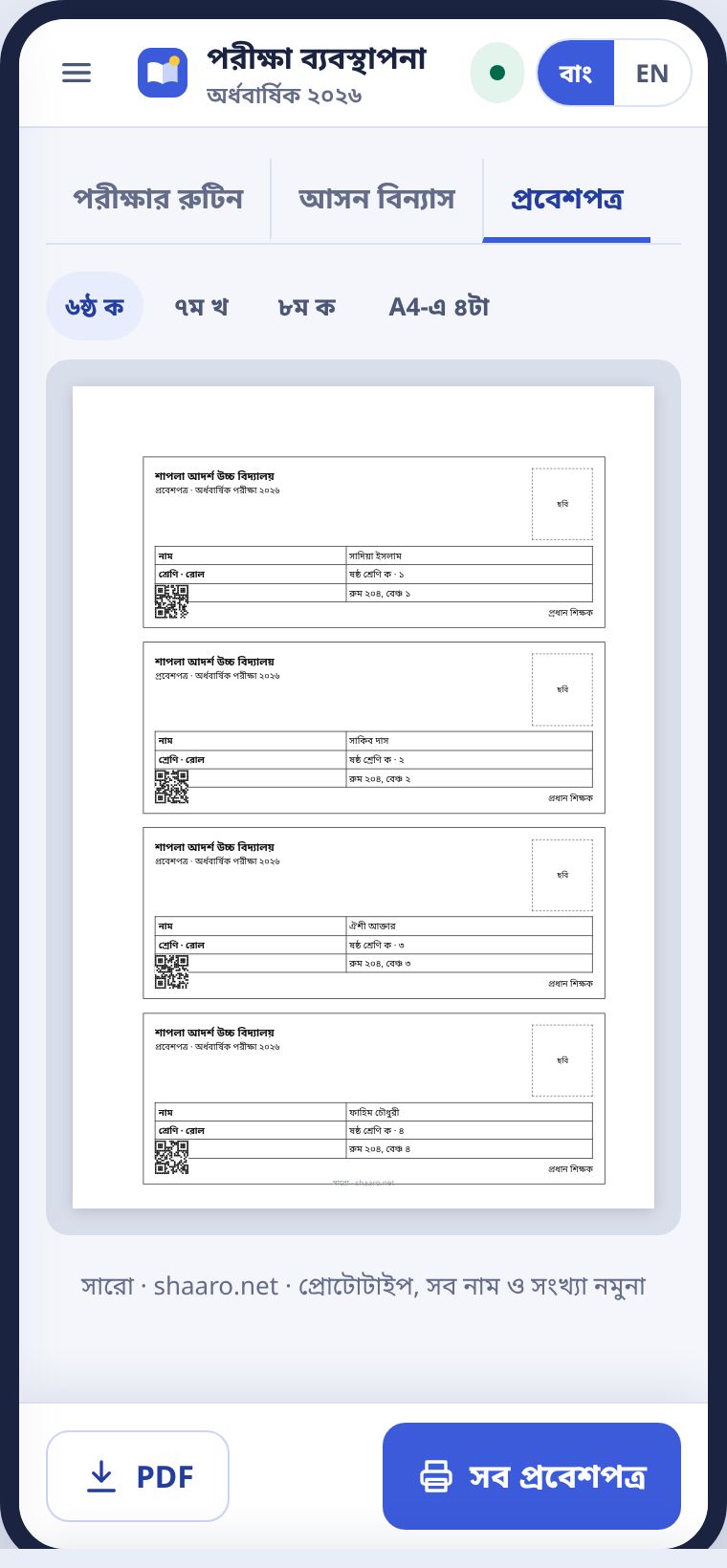
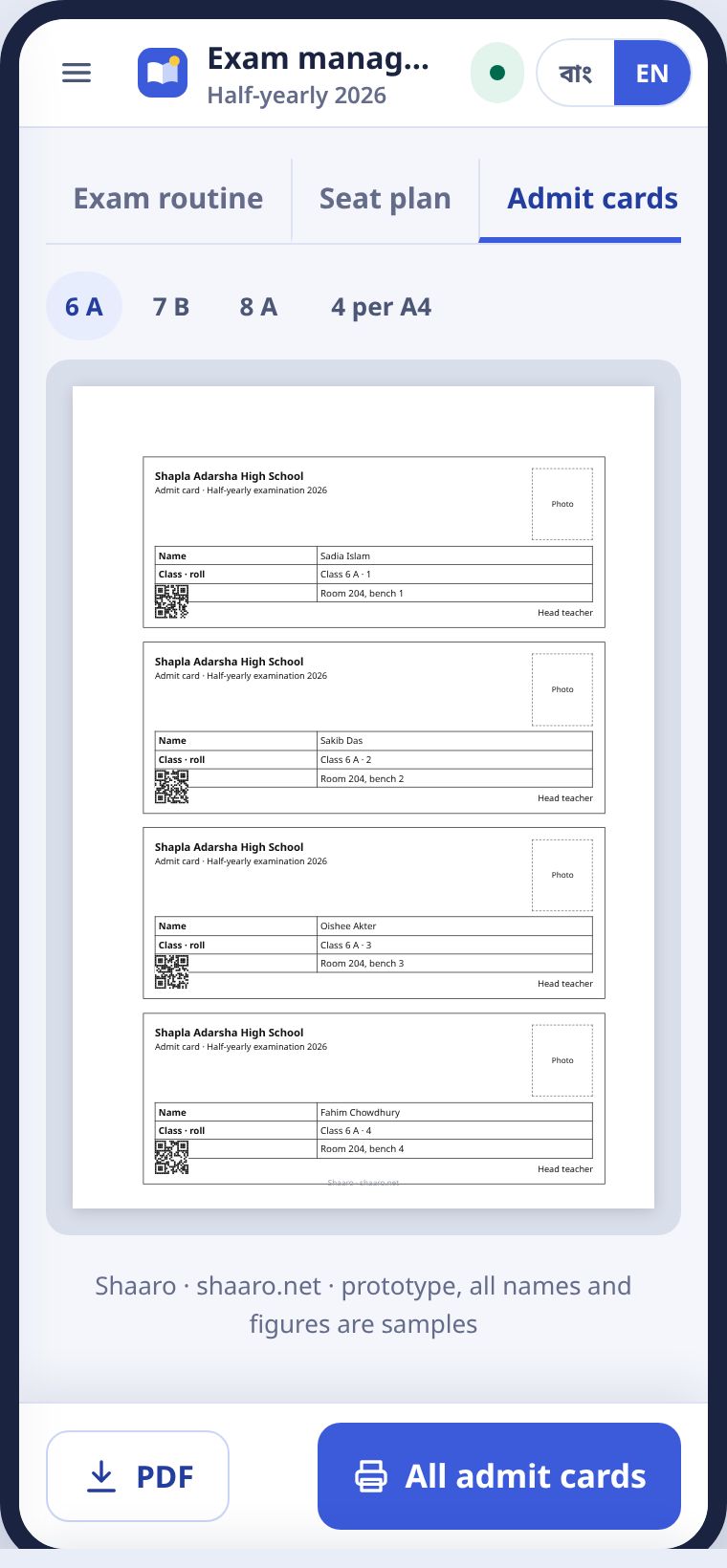
শাখা বাছুন। এক A4-এ চারটা প্রবেশপত্র, নাম, রোল, আসন আর QR সহ।
Pick a section. Four admit cards per A4 page, with name, roll, seat and a QR code.
ক্যালেন্ডার আর নোটিশCalendar and notices
ছুটি, পরীক্ষা, সভা, আর পুরো স্কুলের নোটিশ।Holidays, exams, meetings and whole-school notices.
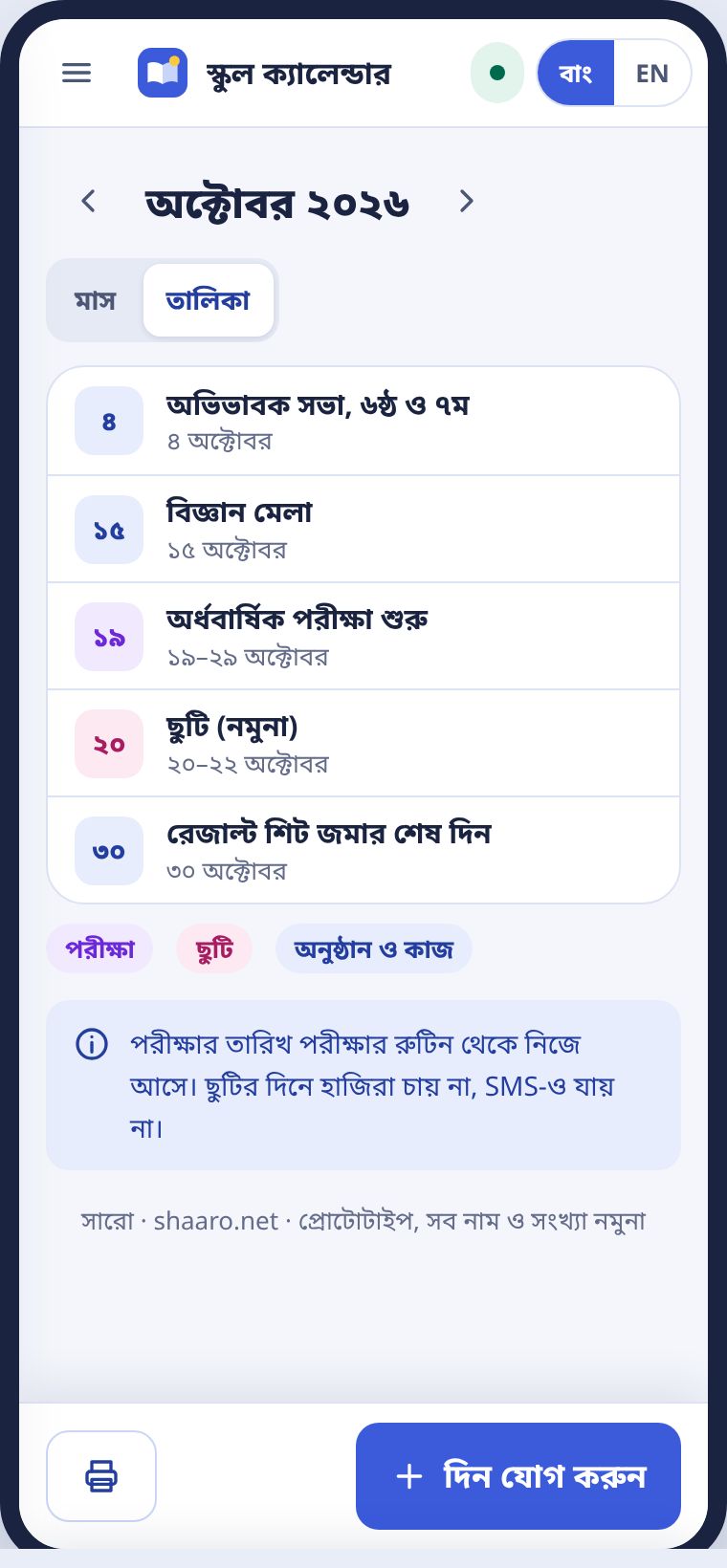
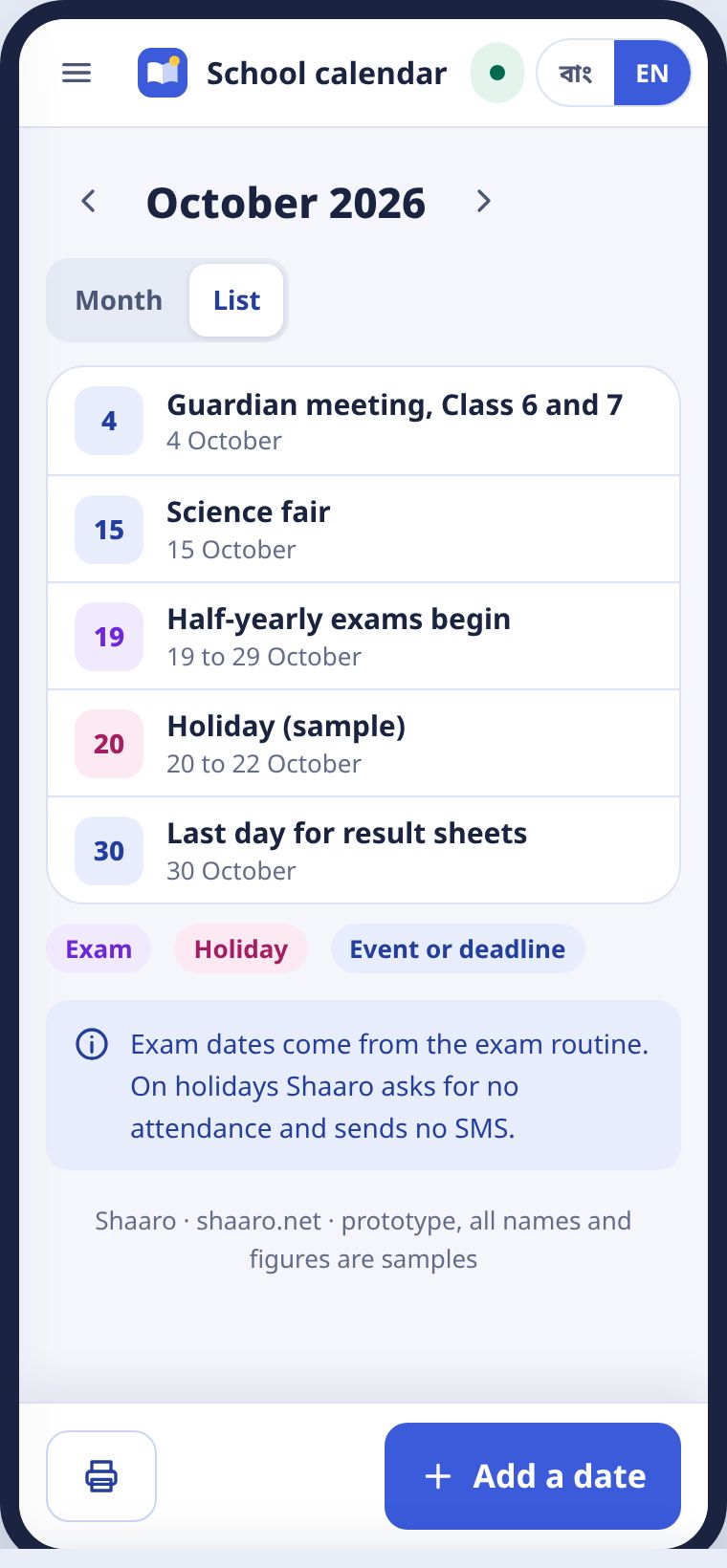
স্কুল ক্যালেন্ডারে পরীক্ষা বেগুনি, ছুটি গোলাপি, অনুষ্ঠান নীল। পরীক্ষার তারিখ রুটিন থেকে নিজে আসে। ছুটির দিনে সারো হাজিরা চায় না, SMS-ও পাঠায় না।
On the school calendar, exams are purple, holidays pink and events blue. Exam dates come from the routine. On holidays Shaaro asks for no attendance and sends no SMS.
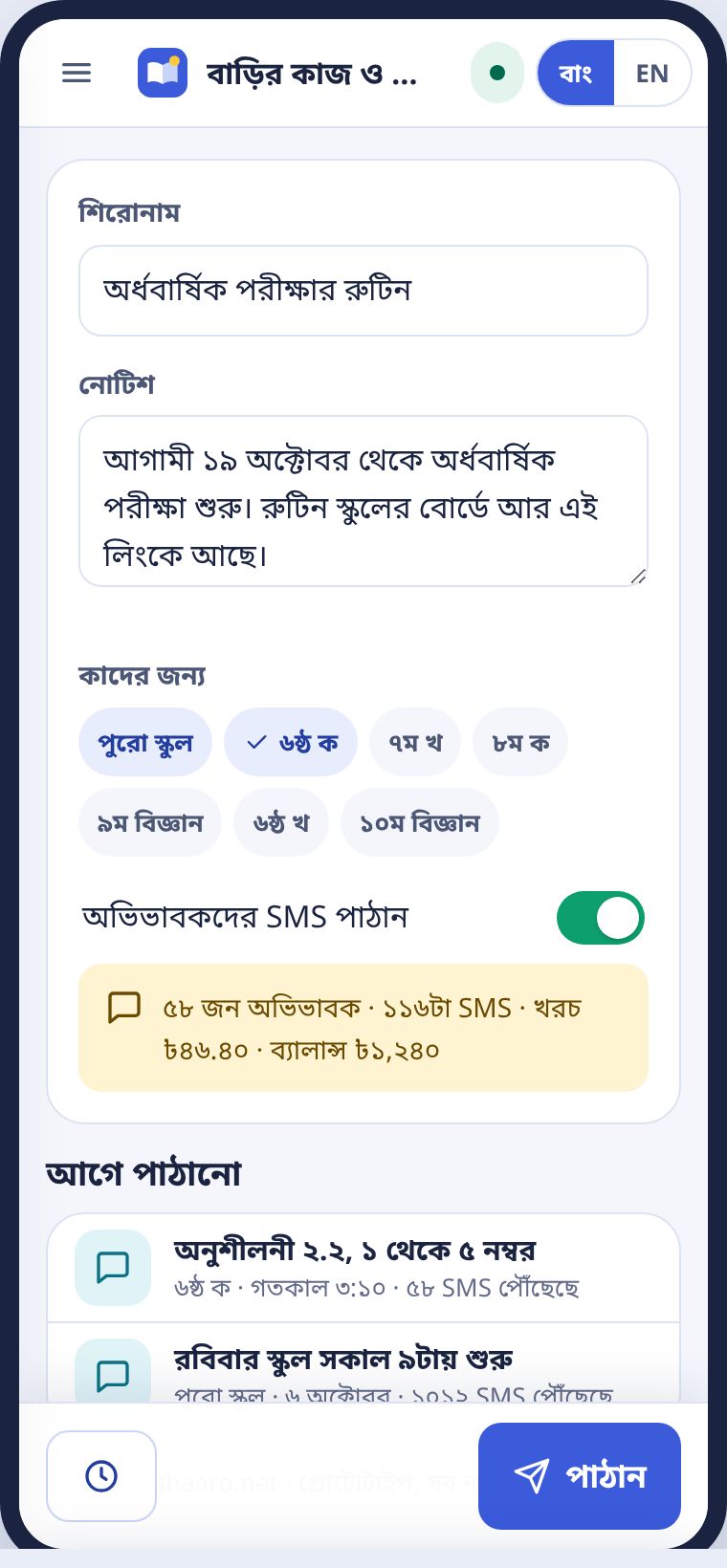
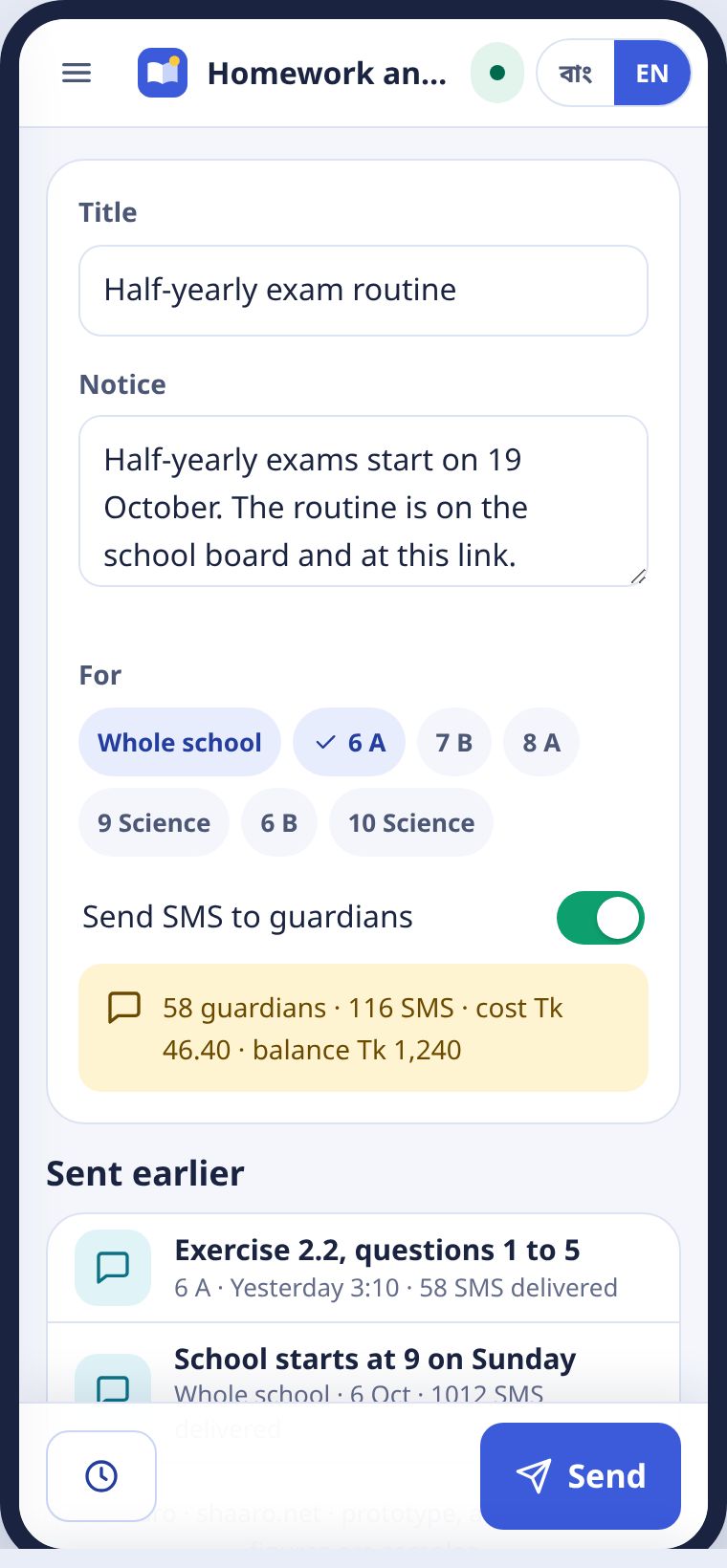
নোটিশ থেকে পুরো স্কুল বা কয়েকটা শাখায় নোটিশ দিন। চাইলে SMS-এ ছোট করে যায়, খরচ আগে দেখায়।
From Notices, post to the whole school or chosen sections. A short version can go by SMS, and the cost shows first.
অফিস রিপোর্টOffice reports
উপজেলায় যা পাঠাতে হয়, এক ট্যাপে।What the upazila needs, in one tap.
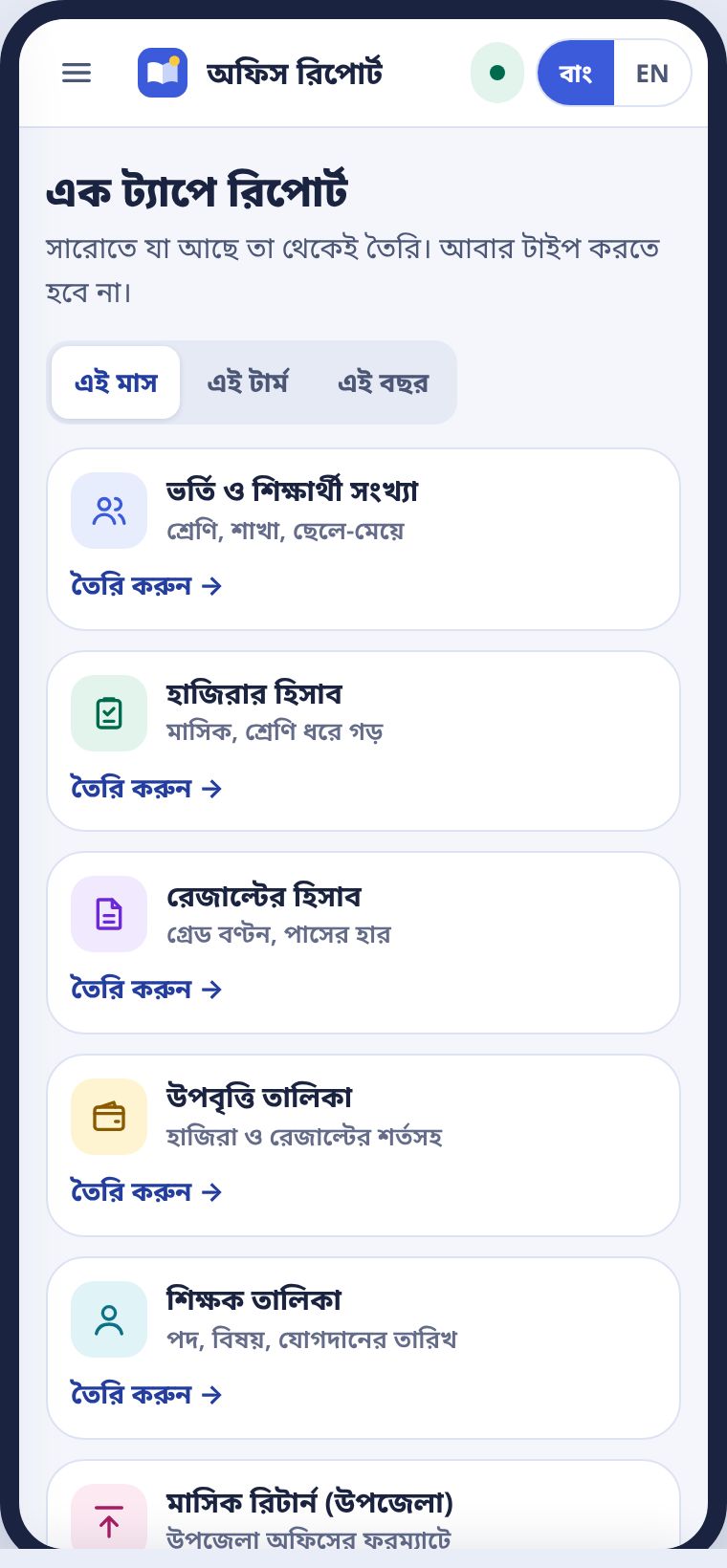
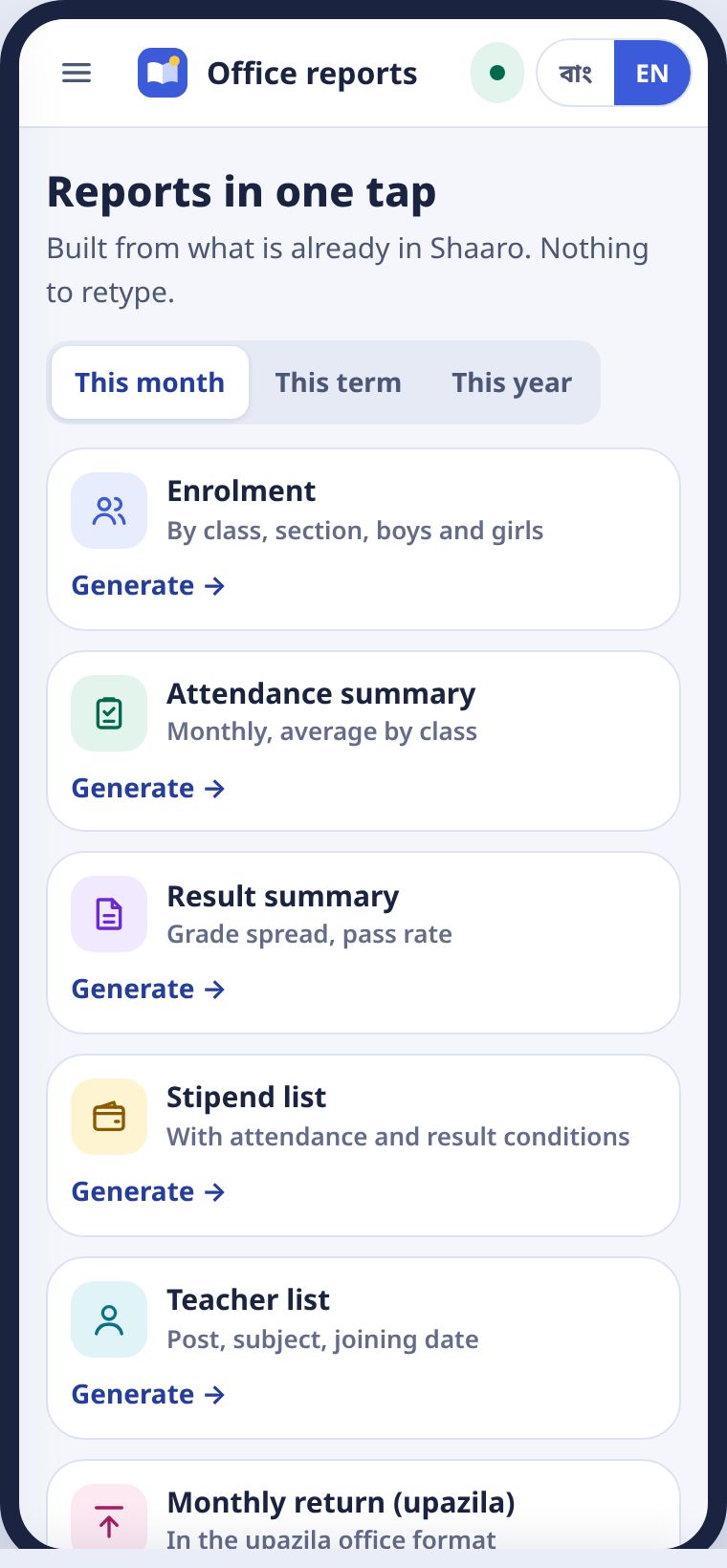
ছয়টা রিপোর্ট তৈরি থাকে: ভর্তি ও শিক্ষার্থী সংখ্যা, হাজিরার হিসাব, রেজাল্টের হিসাব, উপবৃত্তি তালিকা, শিক্ষক তালিকা আর উপজেলার মাসিক রিটার্ন। সময় বাছুন, রিপোর্টে ট্যাপ করুন।
Six reports are ready: enrolment, attendance summary, result summary, stipend list, teacher list and the upazila monthly return. Pick the period and tap a report.
- রিপোর্টে ট্যাপ করুন। স্কুলের নাম আর EIIN সহ A4 প্রিভিউ আসে।Tap a report. An A4 preview with the school name and EIIN appears.
- PDF বা CSV নামান।Download PDF or CSV.
- উপজেলায় পাঠান চাপলে সোজা উপজেলা অফিসের ড্যাশবোর্ডে যায়।Send to upazila sends it straight to the upazila office dashboard.
সংখ্যা আসে শিক্ষকদের তোলা হাজিরা আর নম্বর থেকে। তাই আলাদা করে কিছু গুনতে হয় না।
The numbers come from the attendance and marks teachers have already entered, so nothing needs counting again.
ফিFees
বাকির তালিকা, পেমেন্ট লিংক, রসিদ।Due lists, payment links, receipts.
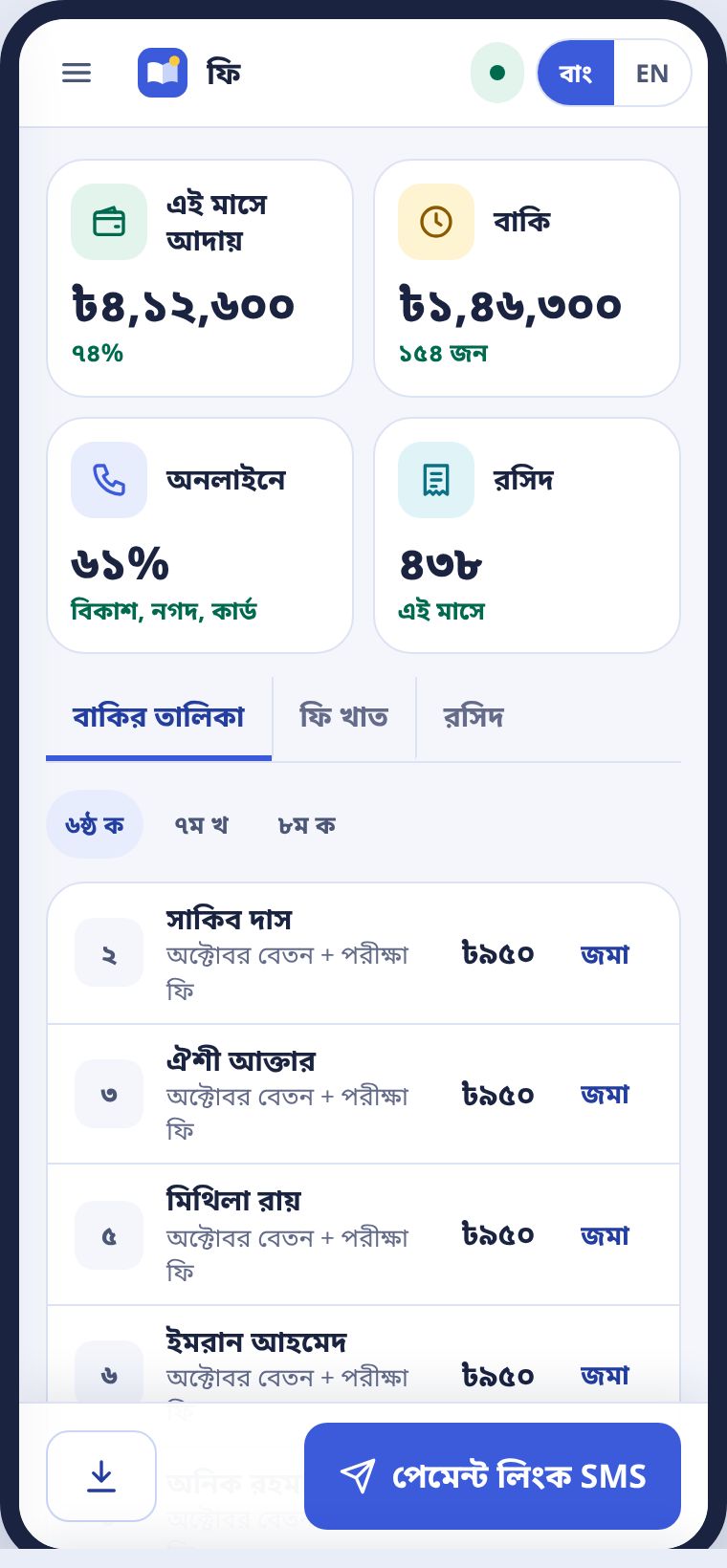
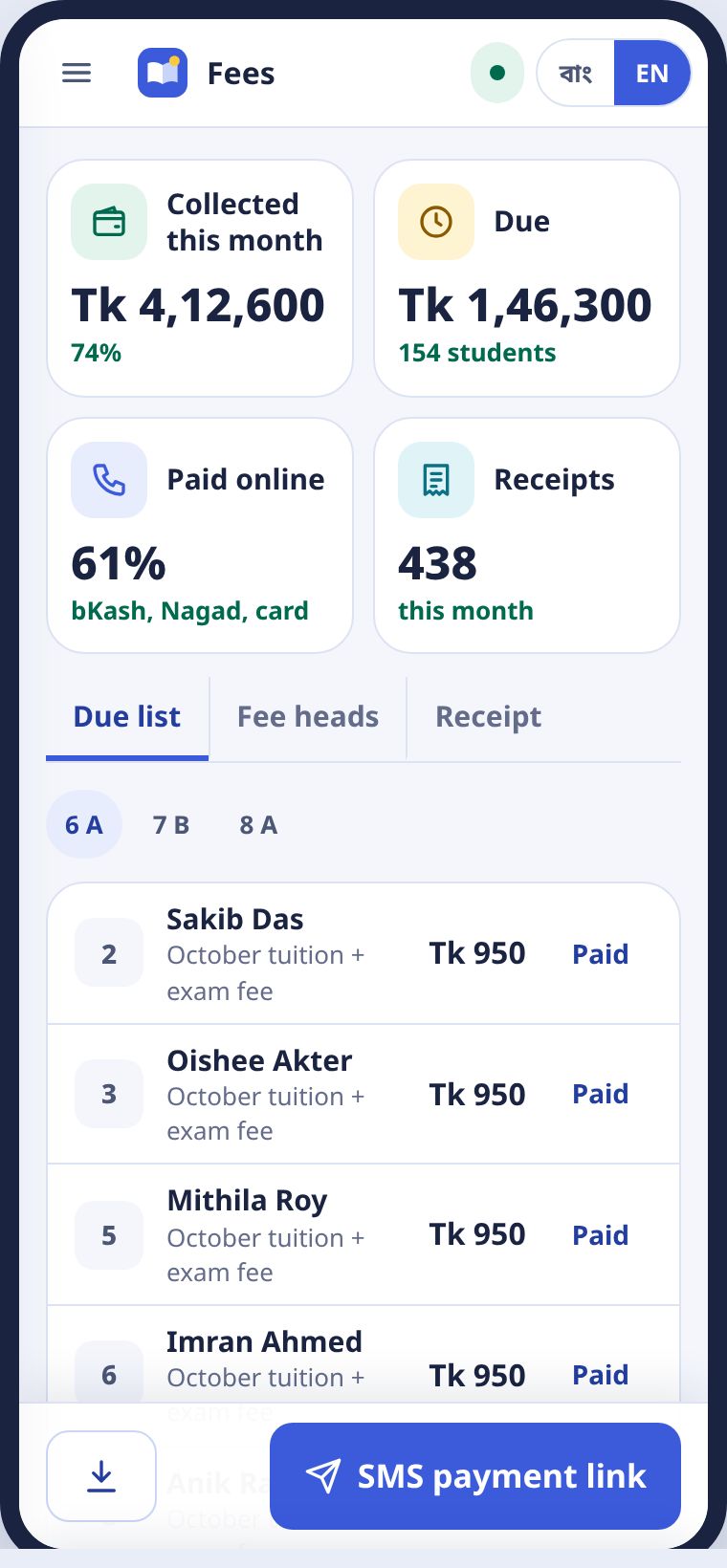
বাকির তালিকা-য় শাখা ধরে কার কত বাকি। কেউ কাউন্টারে দিলে জমা চাপুন, রসিদ নিজেই তৈরি হয়। ফি খাত ট্যাবে বেতন, পরীক্ষা ফি আর অন্য খাত ঠিক করুন।
The Due list shows who owes what, by section. When someone pays at the counter, press Paid and the receipt is made. Set tuition, exam fees and other heads in the Fee heads tab.
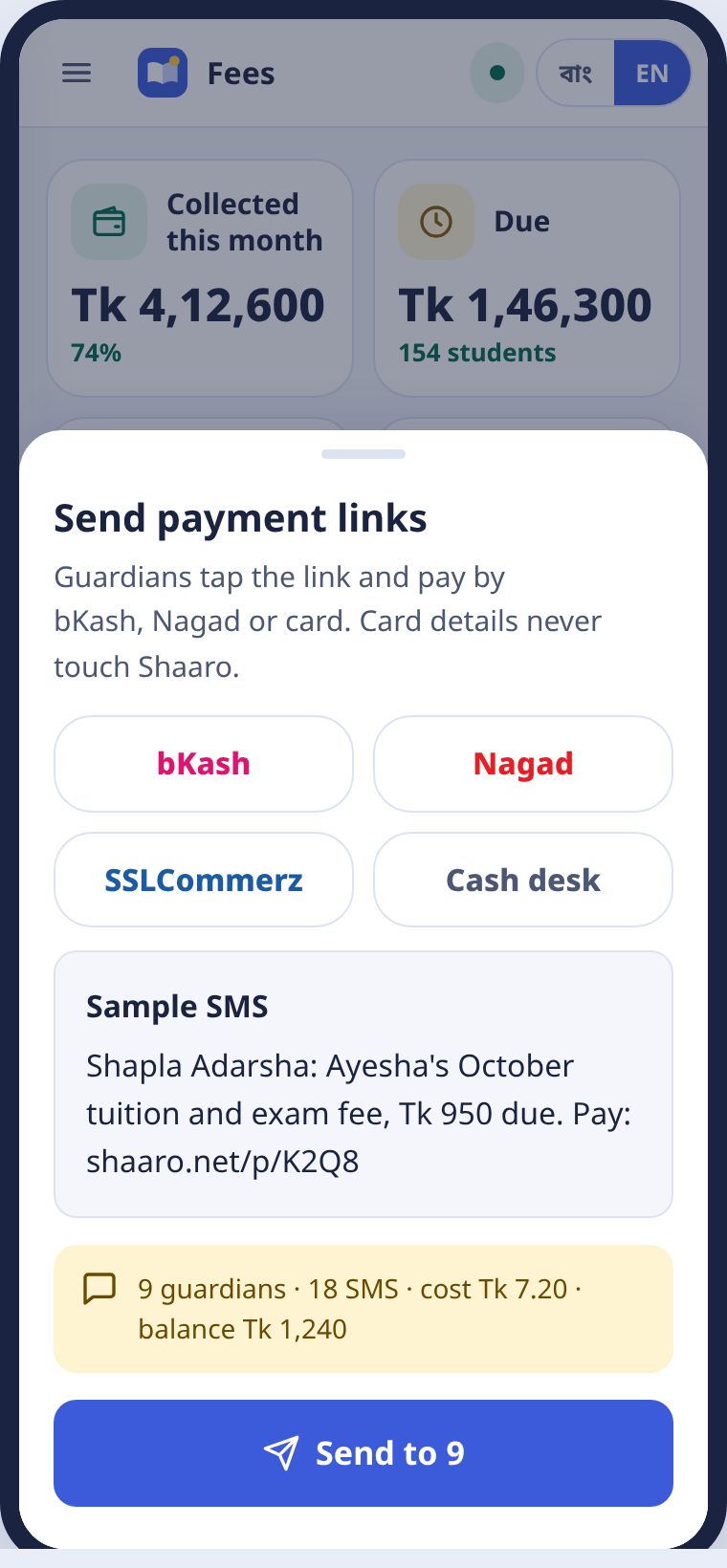
- পেমেন্ট লিংক SMS চাপুন।Press SMS payment link.
- নমুনা SMS আর খরচ দেখে নিন।Check the sample SMS and the cost.
- পাঠান। অভিভাবক লিংকে চাপ দিয়ে বিকাশ, নগদ বা কার্ডে দেন।Send. Guardians tap the link and pay by bKash, Nagad or card.
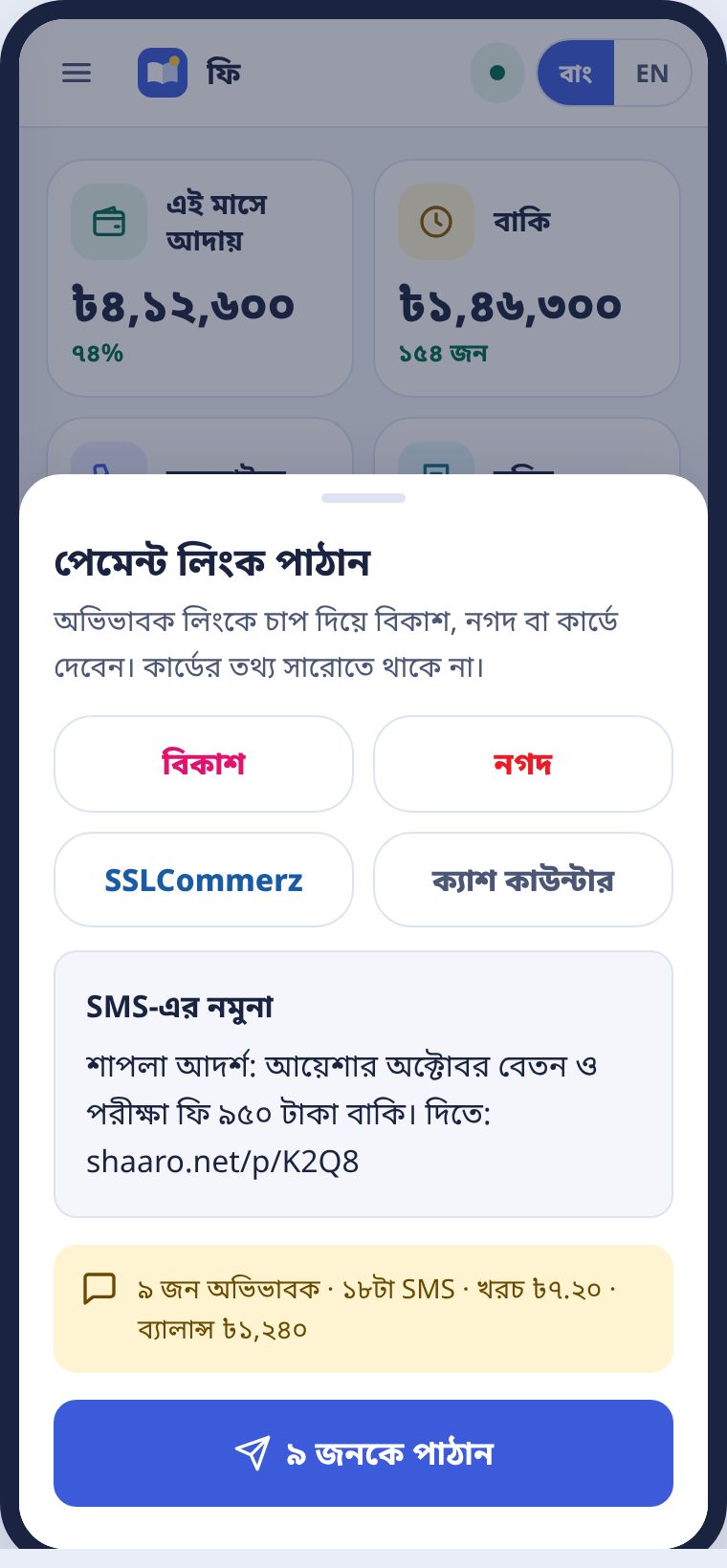
কার্ডের তথ্য সারোতে থাকে না। পেমেন্ট হয় পেমেন্ট কোম্পানির নিজের পাতায়।
Card details never reach Shaaro. Payment happens on the payment company's own page.
SMS ও ক্রেডিটSMS and credit
কী গেলো, কত খরচ, কারা বন্ধ করেছেন।What went, what it cost, who opted out.
পাঠানো SMS-এ প্রতিটা বার্তা কতজনের কাছে পৌঁছালো। ক্রেডিট হিসাব-এ জমা আর খরচ। বন্ধ তালিকা-য় যে অভিভাবকেরা STOP লিখেছেন। তাঁদের কাছে কিছু যায় না, খরচও হয় না।
Outbox shows how many people each message reached. Credit ledger shows credit in and out. Opt-outs lists guardians who replied STOP. Nothing goes to them and nothing is charged.
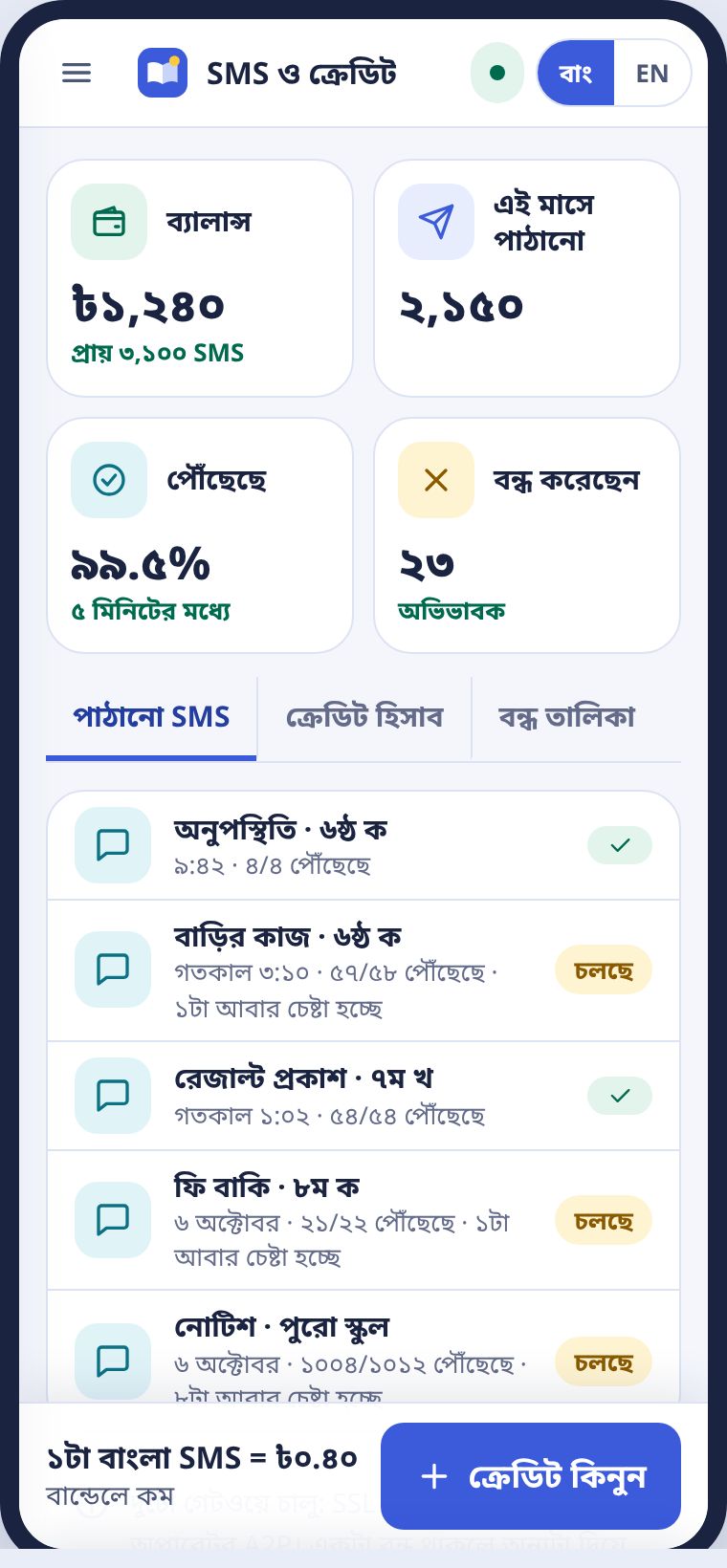
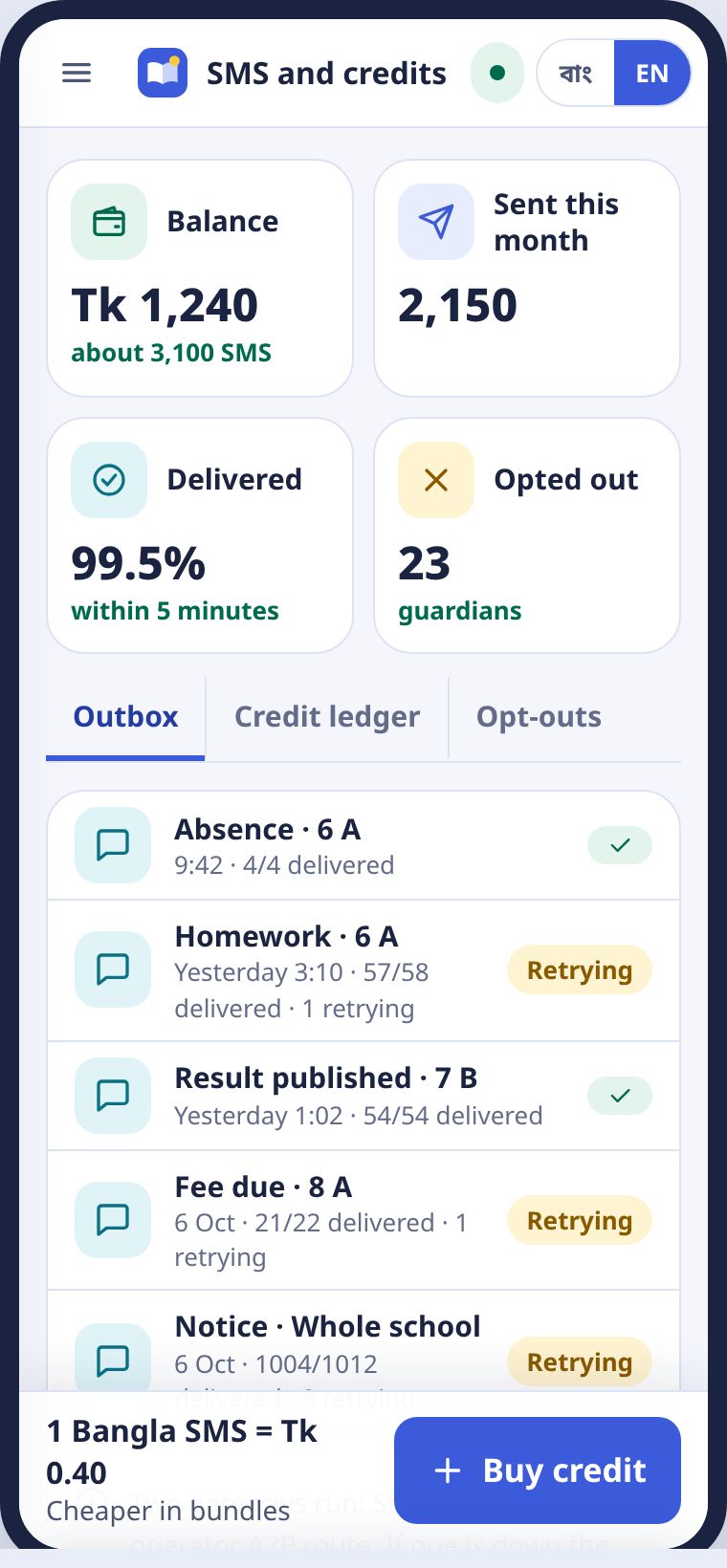
ক্রেডিট কমে গেলে ক্রেডিট কিনুন। বড় বান্ডেলে প্রতি SMS-এর খরচ কম।
When credit runs low, press Buy credit. Larger bundles cost less per SMS.
প্রশংসাপত্র ও ছাড়পত্রTestimonials and transfer certificates
ক্রমিক নম্বর আর QR সহ, এক ট্যাপে।With a serial number and QR, in one tap.
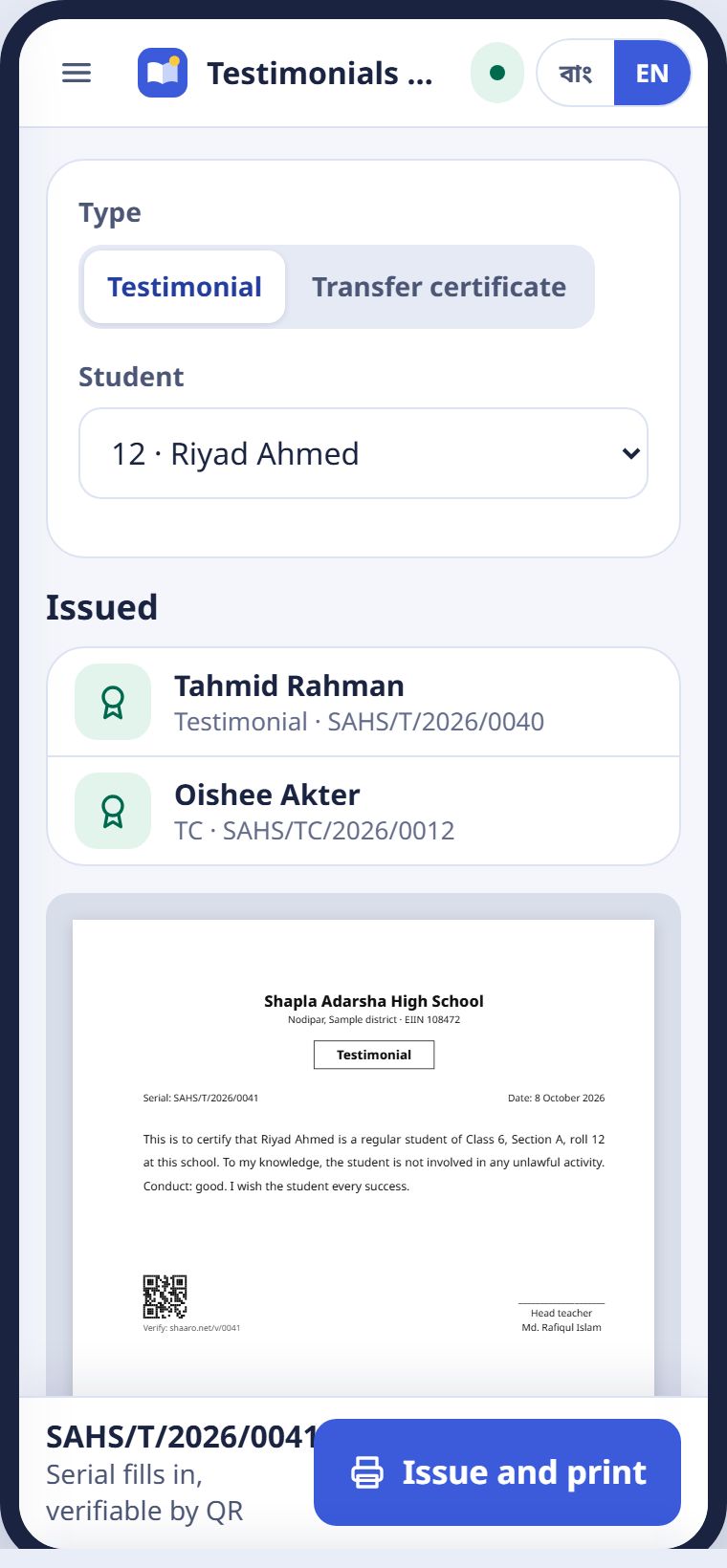
- মেনু থেকে প্রশংসাপত্র ও TC।Choose Testimonials and TC from the menu.
- ধরন আর শিক্ষার্থী বাছুন।Pick the type and the student.
- প্রিভিউ দেখে ইস্যু ও প্রিন্ট। ক্রমিক নম্বর নিজে বসে, রেজিস্টারে লেখা থাকে।Check the preview and press Issue and print. The serial fills in and the issue is logged.
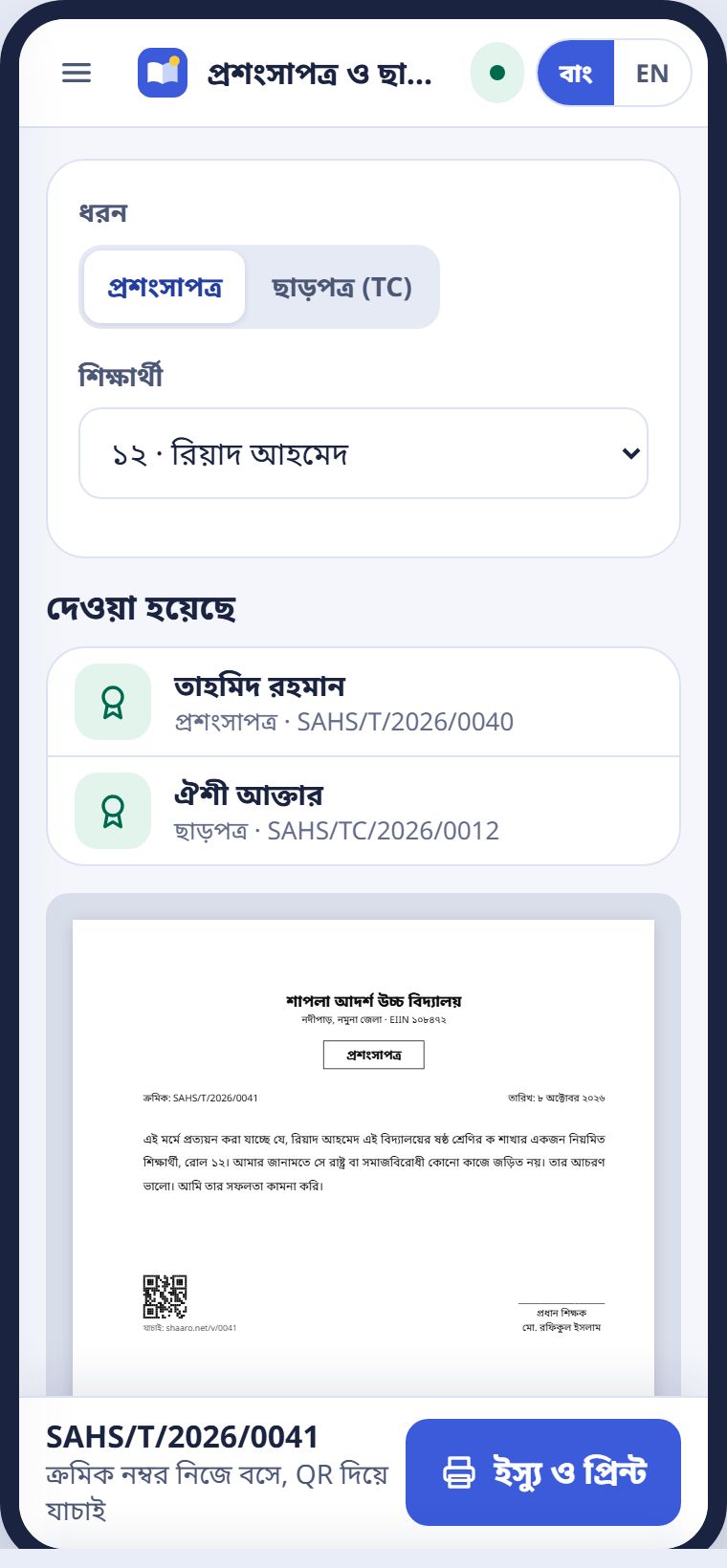
TC দিলে শিক্ষার্থী তালিকা থেকে সরে আর্কাইভে যায়। ফি বাকি থাকলে সারো আগে জানায়।
Issuing a TC moves the student to the archive. Shaaro warns you first if fees are due.
কে কী দেখেনWho sees what
শিক্ষার্থীর তথ্য স্কুলের ভেতরেই থাকে।Student data stays inside the school.
| ভূমিকাRole | দেখেনSees | দেখেন নাDoes not see |
|---|---|---|
| শিক্ষকTeacher | নিজের শাখার নাম, নম্বর, হাজিরাNames, marks and attendance in their own sections | অন্য শাখা, ফি, কাগজপত্রOther sections, fees, documents |
| অফিসOffice | তালিকা, ফি, SMS, কাগজপত্রRegisters, fees, SMS, documents | গ্রেডের নিয়ম বদলানোChanging grading rules |
| প্রধান শিক্ষকHead teacher | পুরো স্কুলThe whole school | অন্য স্কুলOther schools |
| উপজেলা, জেলা, সদর দপ্তরUpazila, district, HQ | স্কুল ধরে মোট সংখ্যাTotals by school | কোনো শিক্ষার্থীর নাম বা নম্বরAny student's name or marks |
| অভিভাবকGuardian | শুধু নিজের সন্তানের রেজাল্ট আর হাজিরাOnly their own child's results and attendance | মেধাক্রম, দক্ষতা গ্রুপRank, skill groups |
রেজাল্ট আর গ্রেডের প্রতিটা পরিবর্তন অডিট লগে থাকে: কে, কখন, কী বদলালেন। এক্সপোর্টও লেখা থাকে।
Every change to results and grading is in the audit log: who, when and what. Exports are logged too.
সমস্যা আর প্রশ্নProblems and questions
যা প্রায়ই জিজ্ঞেস করা হয়।What people often ask.
একজন শিক্ষক SMS পাননি।A teacher never got the SMS.
শিক্ষক তালিকায় নম্বরটা মিলিয়ে পিন আবার পাঠান চাপুন। তবুও না এলে Google দিয়ে ঢুকতে বলুন।
Check the number in the teacher list and press Resend PIN. If it still does not arrive, ask them to sign in with Google.
অনুমোদনের পর শিটে ভুল পেলাম।I found a mistake after approving.
শিটে গিয়ে ঠিক করুন। কে কী বদলালো, অডিটে থাকে। রিপোর্ট কার্ড নিজেই নতুন হয়।
Correct it on the sheet. The change is in the audit log and the report cards update themselves.
আমাদের স্কুলের রেজিস্টার অন্যরকম দেখতে।Our register looks different.
স্কুলের ছাপা ফরমের একটা ছবি hello@shaaro.net-এ পাঠান। ফরম্যাট মিলিয়ে দেবো।
Send a photo of your printed form to hello@shaaro.net and the layout will be matched.
কম্পিউটার অপারেটর নেই।We have no computer operator.
সমস্যা নেই। সব কাজ ফোনেই হয়। প্রধান শিক্ষক বা যেকোনো শিক্ষককে অফিসের ভূমিকা দেওয়া যায়।
No problem. Everything works on a phone. The head teacher or any teacher can be given the office role.
উপজেলা থেকে আলাদা ফরম্যাট চেয়েছে।The upazila asked for a different format.
CSV নামিয়ে দিন, বা ফরম্যাটটা আমাদের পাঠান। পরের বার রিপোর্টের তালিকায় যোগ হবে।
Send the CSV, or send us the format and it will be added to the report list.