এক পাতায় সারোShaaro on one page
সারো কী করে, আর আপনার দিনে কী বদলায়।What Shaaro does, and what changes in your day.
সারো একটা স্কুল ব্যবস্থাপনার অ্যাপ। ঠিকানা shaaro.net। এর একটাই বড় কাজ: শিক্ষকের প্রশ্নপত্র, নম্বর আর রেজাল্ট শিট কাগজ থেকে ফোনে আনা। যা আগে রাত জেগে হাতে যোগ করতেন, সারো তা নিজে হিসাব করে।
Shaaro is a school management app. Its address is shaaro.net. It has one big job: to move a teacher's question papers, marks and result sheets off paper and onto the phone. What you used to add up by hand late at night, Shaaro now calculates for you.
আপনি যা করবেন, সারো যা করবেWhat you do, what Shaaro does
| আপনিYou | সারোShaaro |
|---|---|
| প্রশ্নে টিক দেনTick the questions | প্রশ্নপত্র, সেট আর উত্তরমালা বানায়Builds the paper, the sets and the answer key |
| অনুপস্থিতদের ট্যাপ করেনTap the absent students | রেজিস্টার পূরণ করে, অভিভাবককে SMS পাঠায়Fills the register and texts the guardians |
| রোল ধরে নম্বর তোলেনEnter marks by roll | মোট, GPA, গ্রেড আর মেধাক্রম বের করেWorks out totals, GPA, grades and rank |
| একবার পাঠানSend once | টেবুলেশন শিট, রিপোর্ট কার্ড আর দক্ষতা গ্রুপ তৈরি করেMakes the tabulation sheet, report cards and skill groups |
ইন্টারনেট না থাকলেও চলেIt works without internet
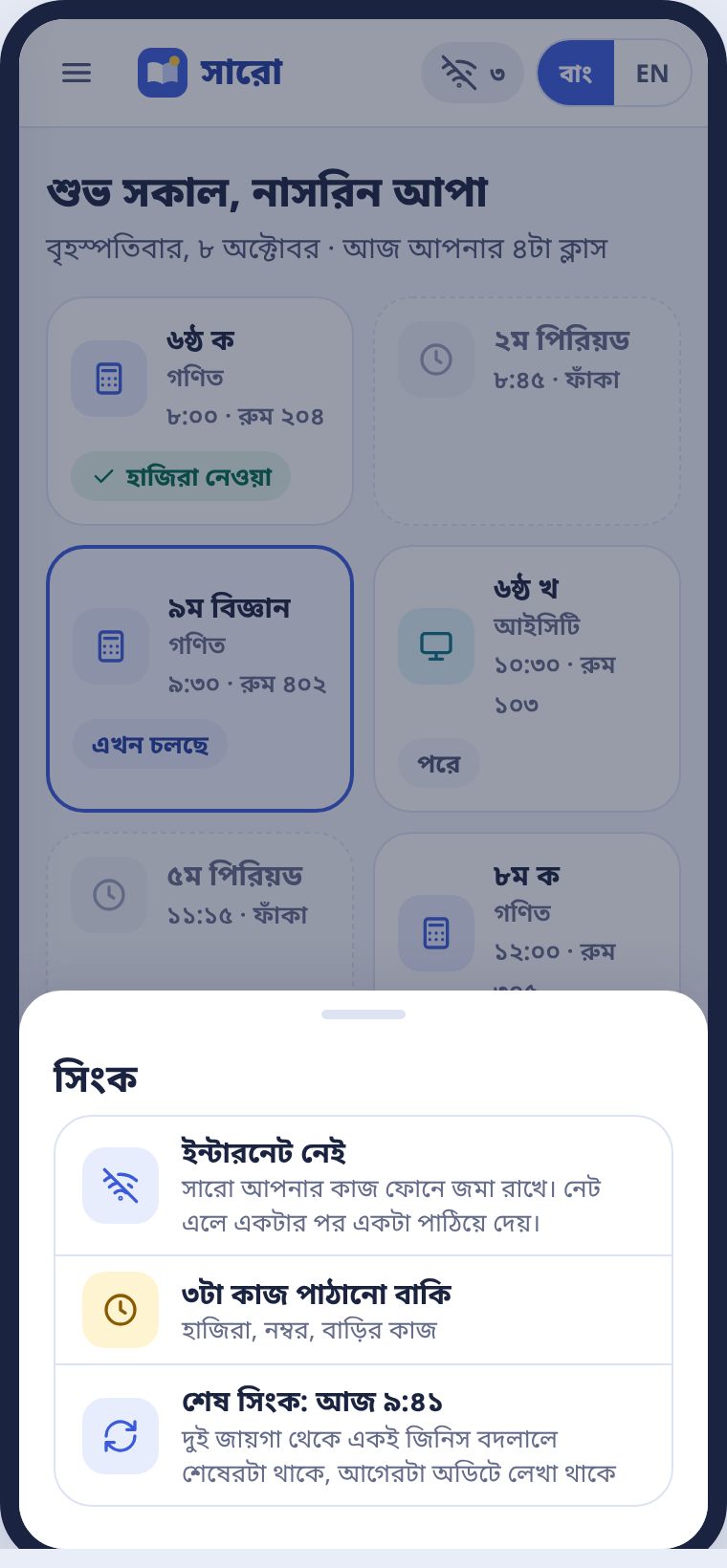
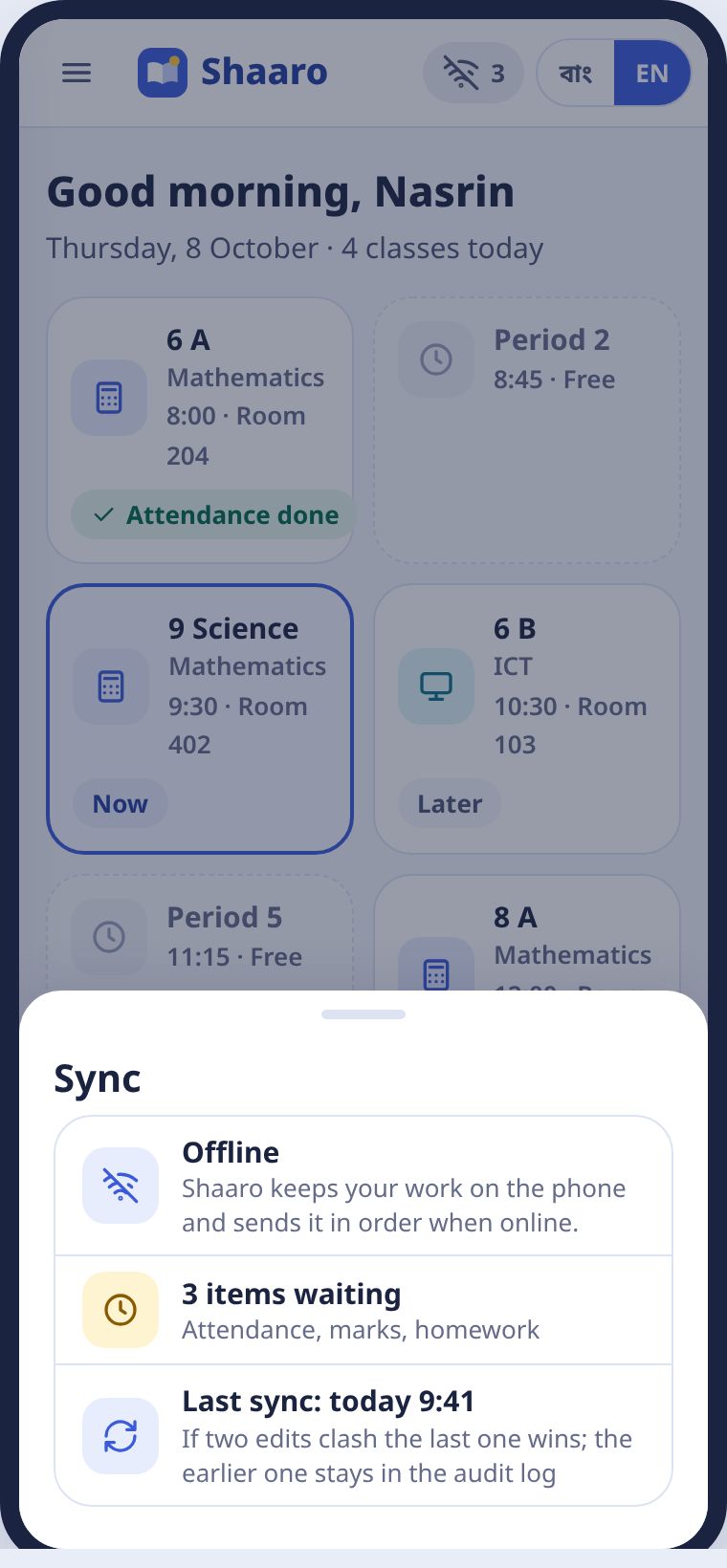
সারো আপনার কাজ আগে ফোনে জমা রাখে। নেট এলে একটার পর একটা পাঠিয়ে দেয়। ওপরের কোণে একটা ছোট বিন্দু থাকে। সবুজ মানে সব পাঠানো হয়েছে। হলুদ মানে কয়েকটা কাজ এখনো ফোনে আছে। ধূসর মানে এখন নেট নেই। কোনোটাতেই ভয়ের কিছু নেই।
Shaaro saves your work on the phone first and sends it, one item after another, when the signal returns. A small dot sits in the top corner. Green means everything is sent. Yellow means a few items are still on the phone. Grey means there is no signal right now. None of these is a problem.
ভাষাLanguage
সারো বাংলায় খোলে। ওপরের বাং / EN বোতামে এক ট্যাপে ইংরেজি হয়। ইংলিশ ভার্সন, কেমব্রিজ আর এডেক্সেল স্কুলে সারো নিজে থেকে ইংরেজিতে খোলে।
Shaaro opens in Bangla. The বাং / EN button at the top switches to English in one tap. In English version, Cambridge and Edexcel schools, Shaaro opens in English.
সারো কখনো কোনো শিক্ষার্থীকে দুর্বল বা ফেল বলে না। দক্ষতার দল তিনটা: ভালো পারে, কিছুটা পারে, চেষ্টা করলে পারবে।
Shaaro never calls a student weak or failing. The skill groups are: Doing well, Getting there, Will get there with practice.
আপনার লিংক আর লগইনYour link and logging in
একাউন্ট আগেই বানানো থাকে। কীভাবে ঢুকবেন।Your account is already made. How to get in.
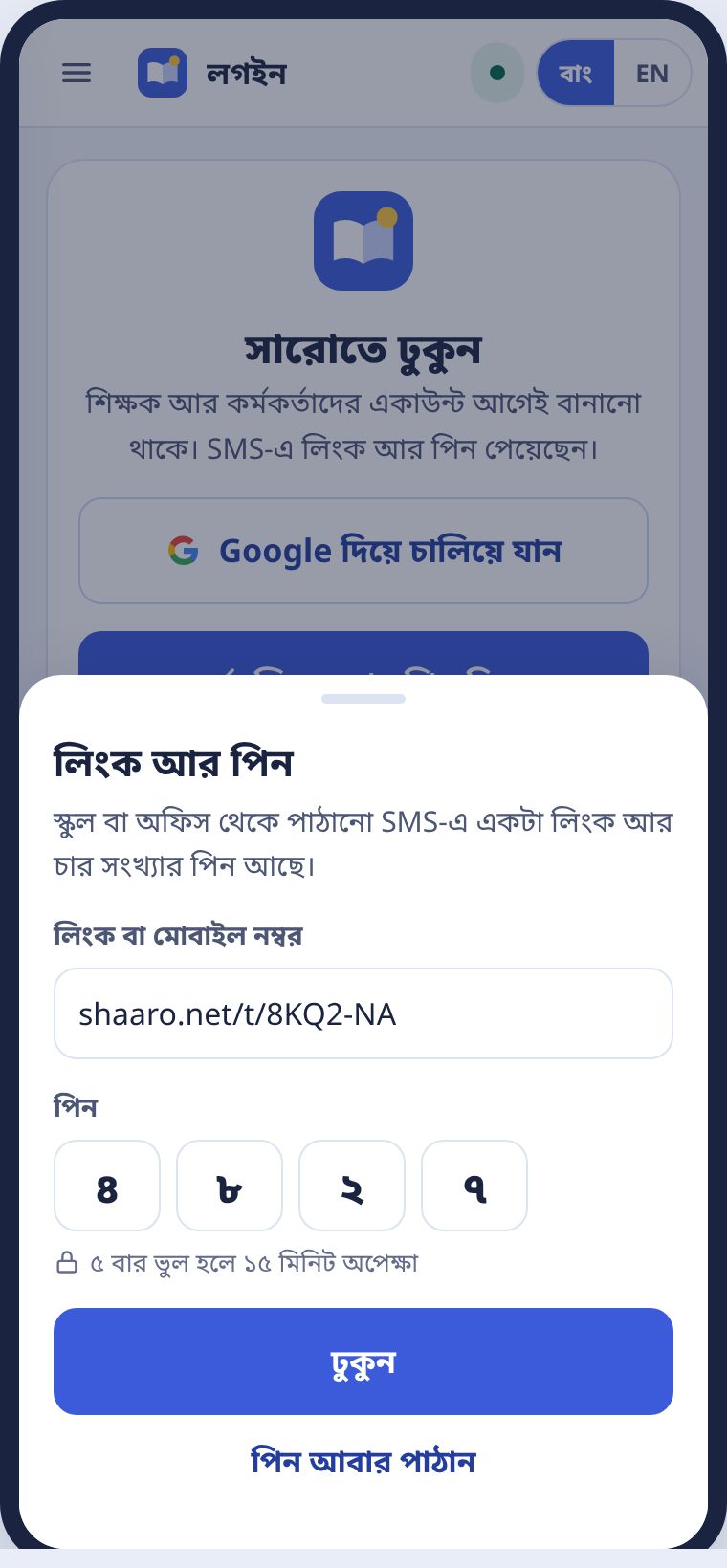
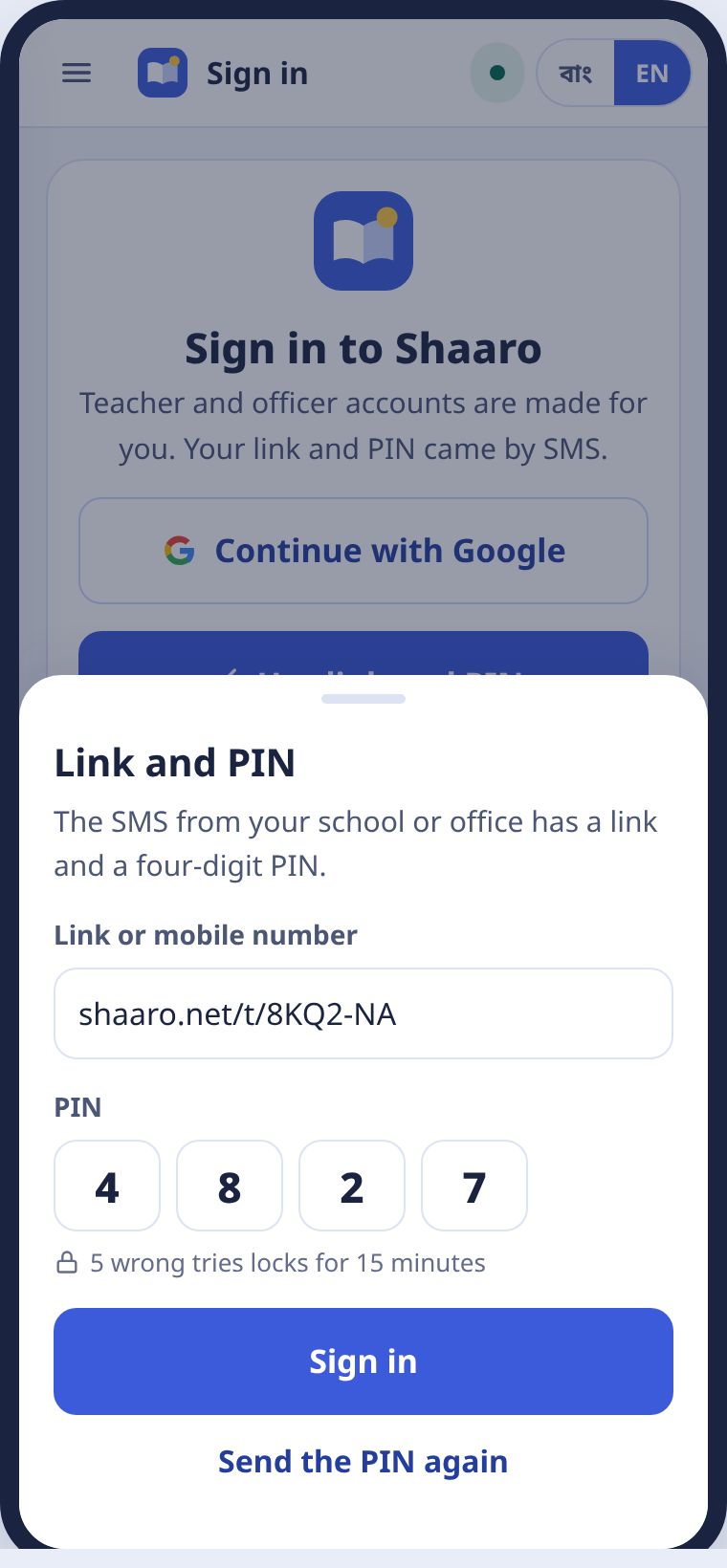
আপনার একাউন্ট স্কুল বা অফিস আগেই বানিয়ে রাখে। আপনার ফোনে একটা SMS আসে। তাতে থাকে একটা লিংক আর চার সংখ্যার পিন। নাম, স্কুল বা ভূমিকা কিছুই আপনাকে বাছতে হয় না।
Your school or office makes your account for you. An SMS arrives on your phone with a link and a four-digit PIN. You never have to choose a name, school or role.
- SMS-এর লিংকে ট্যাপ করুন।Tap the link in the SMS.
- চার সংখ্যার পিন লিখুন।Type the four-digit PIN.
- ঢুকুন চাপুন। আপনার আজকের পাতা খুলবে।Press Sign in. Your Today page opens.
Google একাউন্ট থাকলে Google দিয়ে চালিয়ে যান চাপলেও হয়। নতুন পাসওয়ার্ড মনে রাখতে হয় না।
If you have a Google account, Continue with Google works too. No new password to remember.
লগইন ছাড়াও প্রশ্নপত্রPapers without logging in
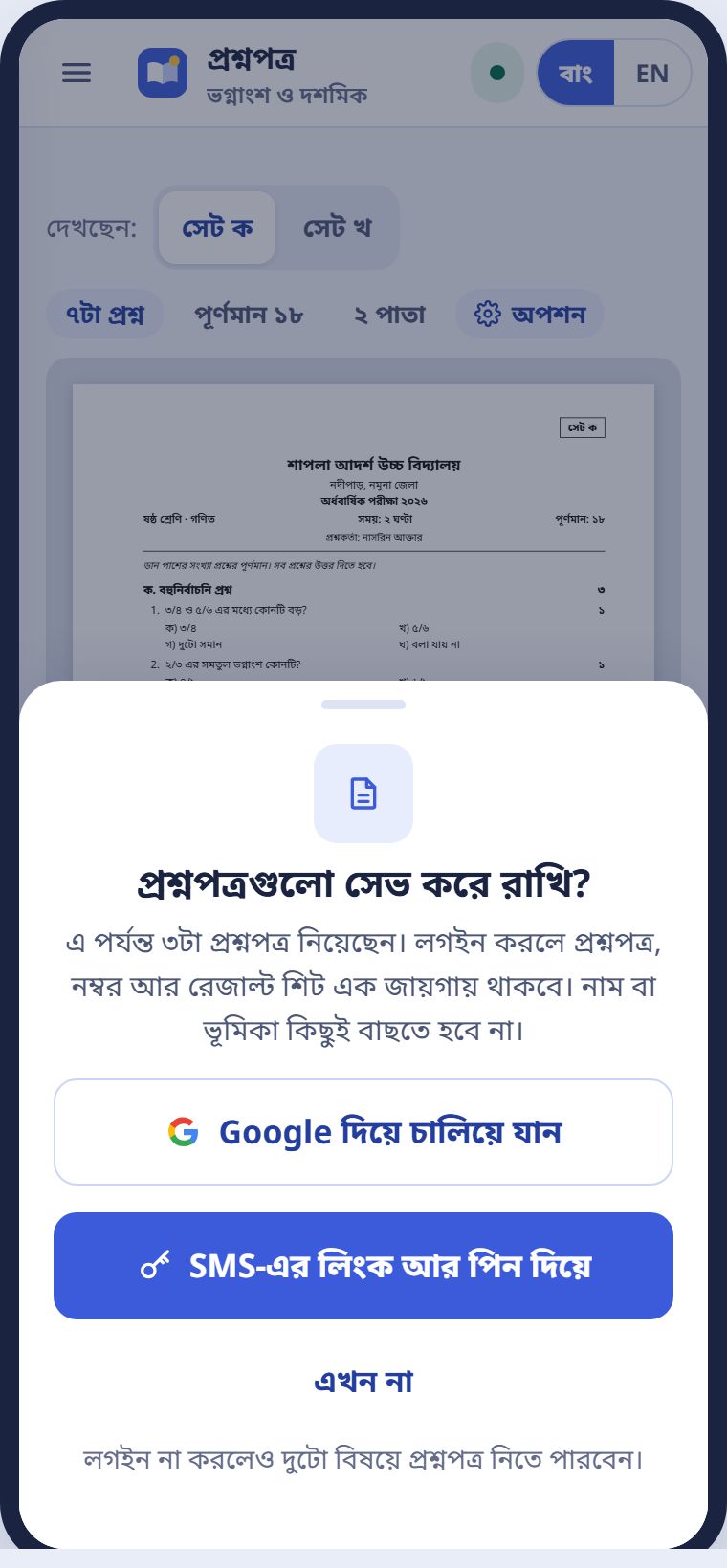
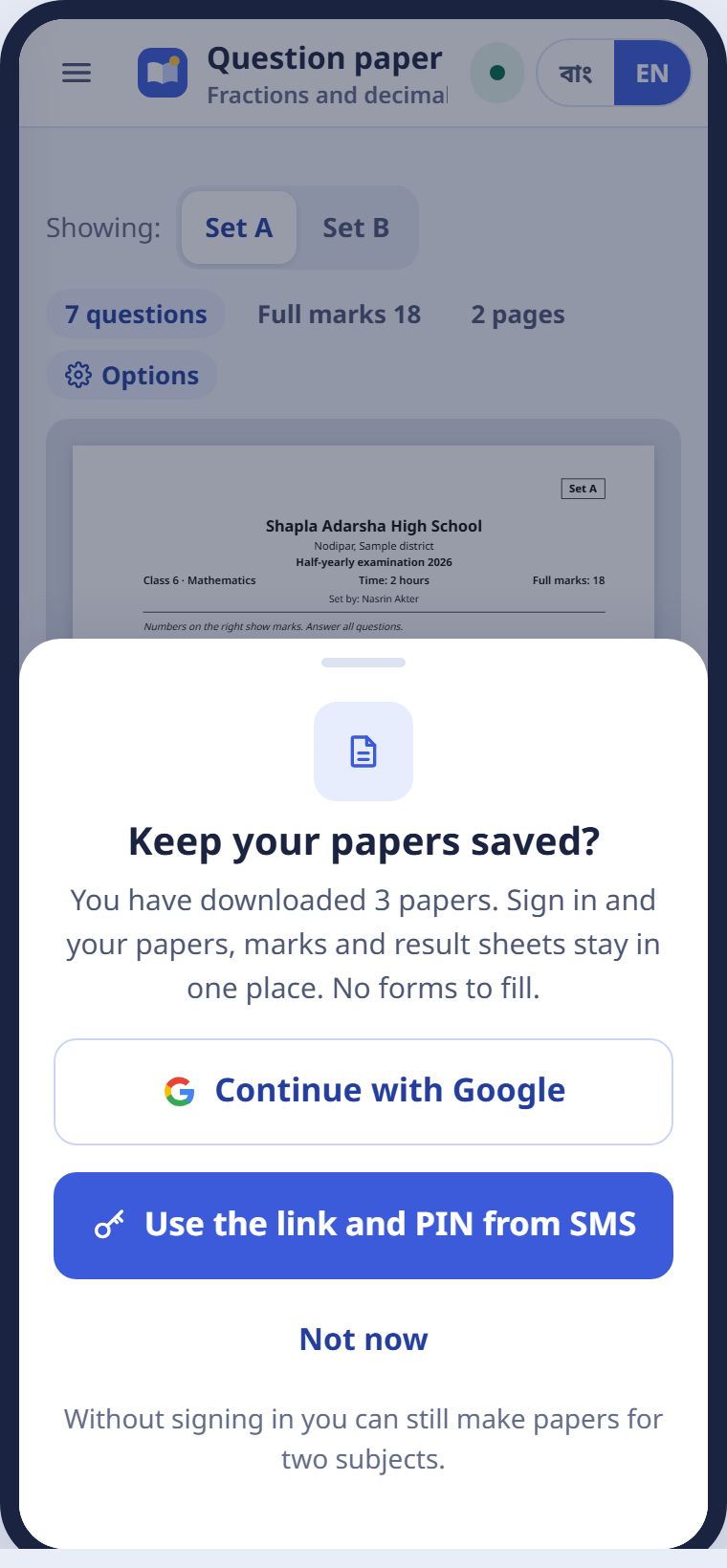
shaaro.net খুলে শ্রেণি আর বিষয় বাছলেই প্রশ্নপত্র বানানো যায়। দুই-তিনটা প্রশ্নপত্র নেওয়ার পর সারো একবার জিজ্ঞেস করে, সেভ করে রাখবে কি না। এখন না চাপলেও কাজ থামে না।
Open shaaro.net, pick a class and subject, and you can make a paper. After two or three papers, Shaaro asks once whether to save them. Press Not now and you can carry on.
স্কুল তালিকায় নেই?School not on the list?
কিন্ডারগার্টেন, নতুন স্কুল বা EIIN নেই এমন স্কুলের শিক্ষকও সারো চালাতে পারেন। লগইন পাতায় স্কুল তালিকায় নেই চাপুন, স্কুলের নাম দিন। সাথে সাথে কাজ শুরু হয়। সারোর টিম পরে মিলিয়ে নেয়।
Teachers at kindergartens, new schools or schools without an EIIN can use Shaaro too. On the sign-in page, press My school is not listed and enter the school name. You can start at once. The Shaaro team matches it later.
পিন কাউকে বলবেন না। সারো বা স্কুল কখনো ফোন করে পিন চাইবে না।
Never share your PIN. Neither Shaaro nor the school will ever call to ask for it.
আজকের পাতাThe Today page
আজ কোন ক্লাস, আর কোন কাজ বাকি।Today's classes and what is waiting.
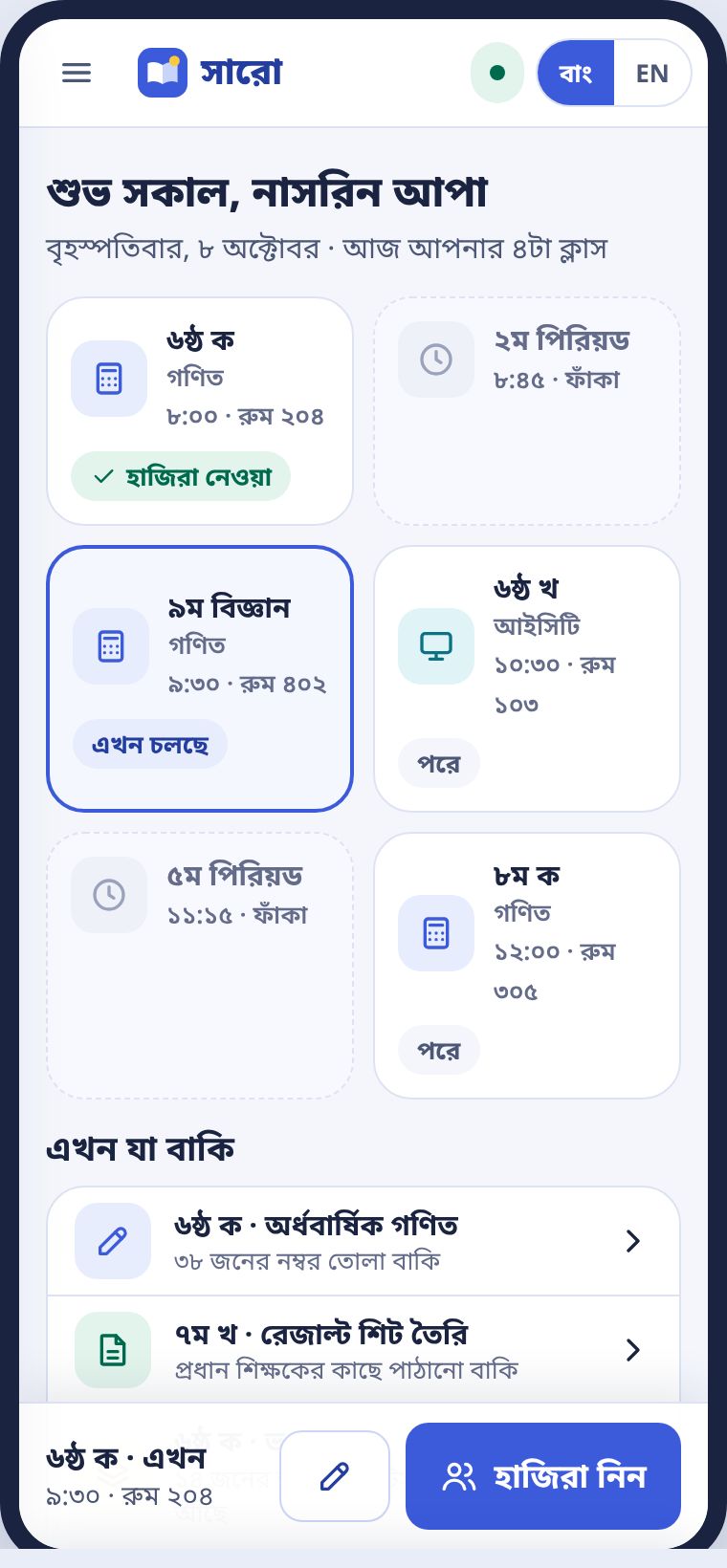
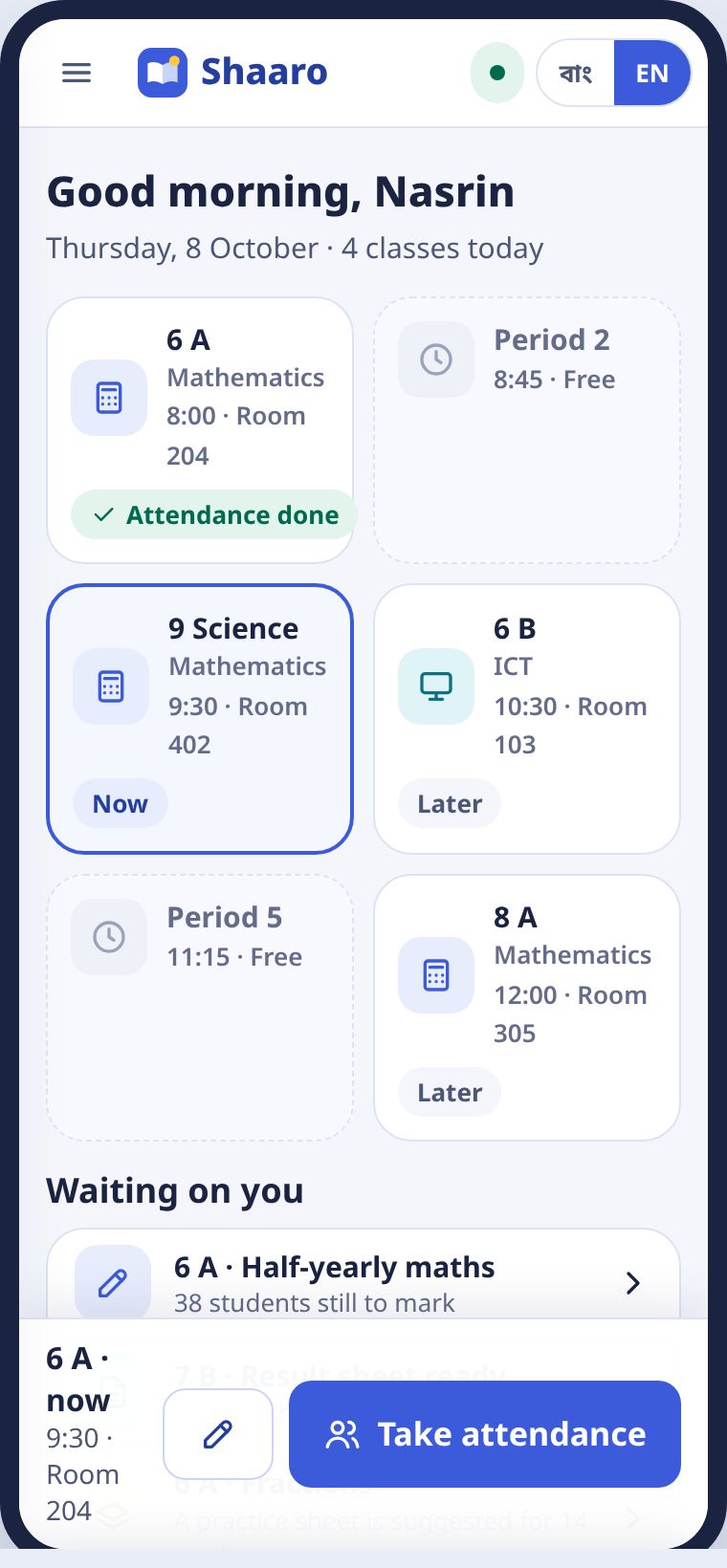
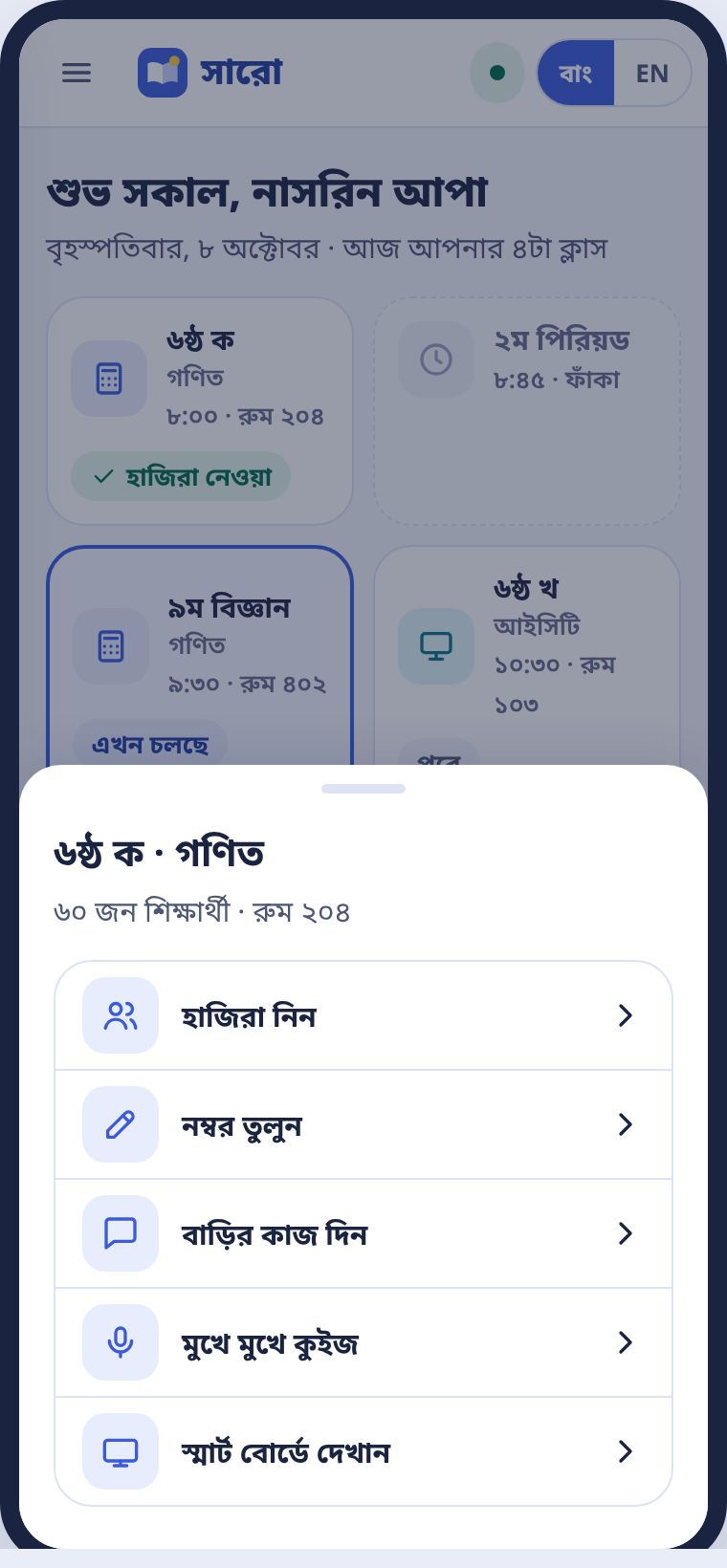
ঢুকলেই আজকের পাতা খোলে। ওপরে আজকের পিরিয়ডগুলো, রুটিন অনুযায়ী। যে ক্লাস এখন চলছে, তার চারপাশে নীল দাগ। নিচের বড় বোতামে সেই ক্লাসের হাজিরা এক ট্যাপে।
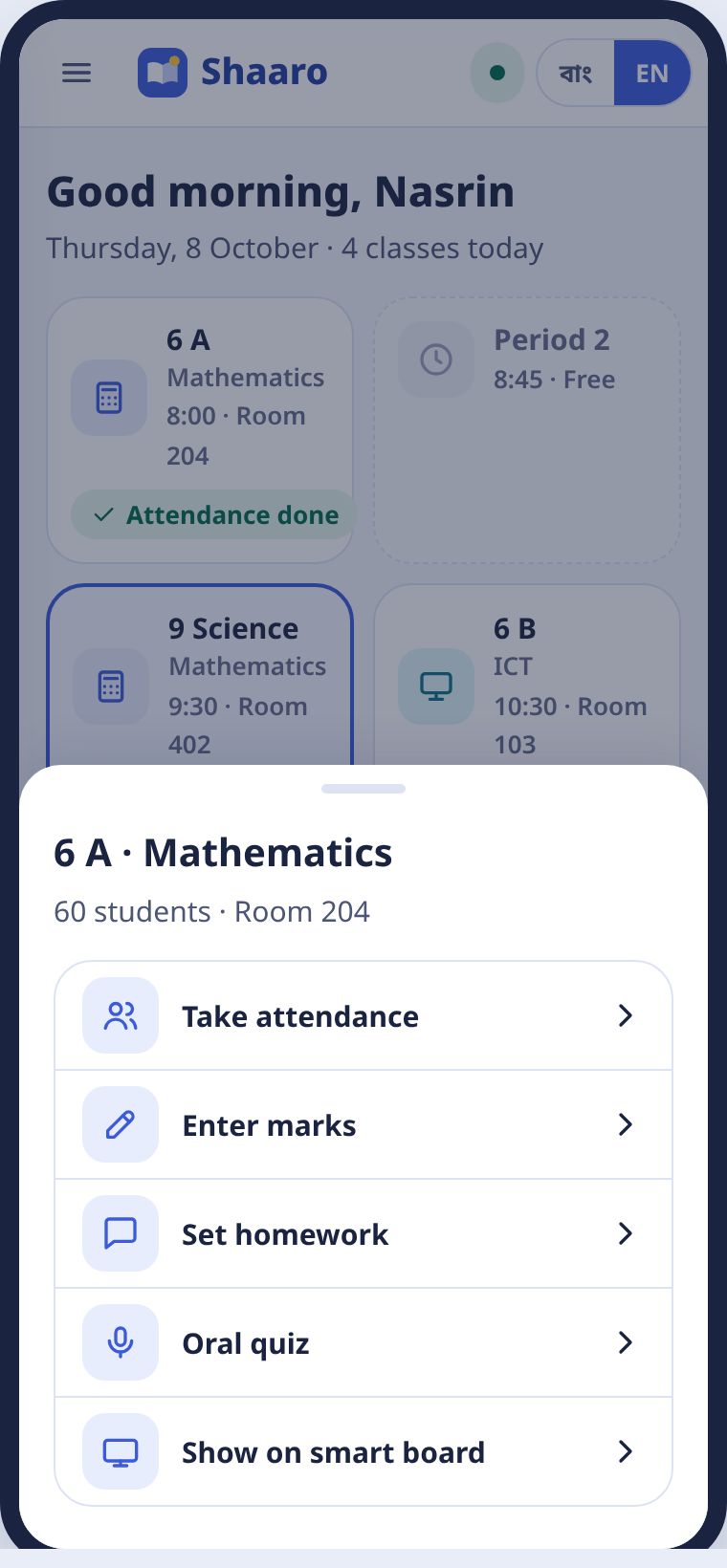
The Today page opens when you sign in. At the top are today's periods, from your routine. The class running now has a blue outline. The big button at the bottom takes attendance for that class in one tap.
এখন যা বাকিWaiting on you
এই তালিকা সারো নিজে বানায়। যেমন কোন শাখার নম্বর তোলা বাকি, কোন রেজাল্ট শিট পাঠানো বাকি, কোন গ্রুপের জন্য প্র্যাকটিস শিট তৈরি। ট্যাপ করলে সোজা সেই কাজে যায়।
Shaaro builds this list for you: which section still needs marks, which result sheet still needs sending, which group has a practice sheet ready. Tap an item to go straight to it.
কোনো পিরিয়ডে ট্যাপ করলে সেই ক্লাসের সব কাজ একসাথে আসে: হাজিরা, নম্বর, বাড়ির কাজ, কুইজ আর স্মার্ট বোর্ড।
Tap any period to see everything for that class: attendance, marks, homework, quiz and smart board.
প্রশ্নপত্র বানানোMaking a question paper
শ্রেণি, বিষয়, অধ্যায়, তারপর প্রশ্নে টিক।Class, subject, chapter, then tick the questions.
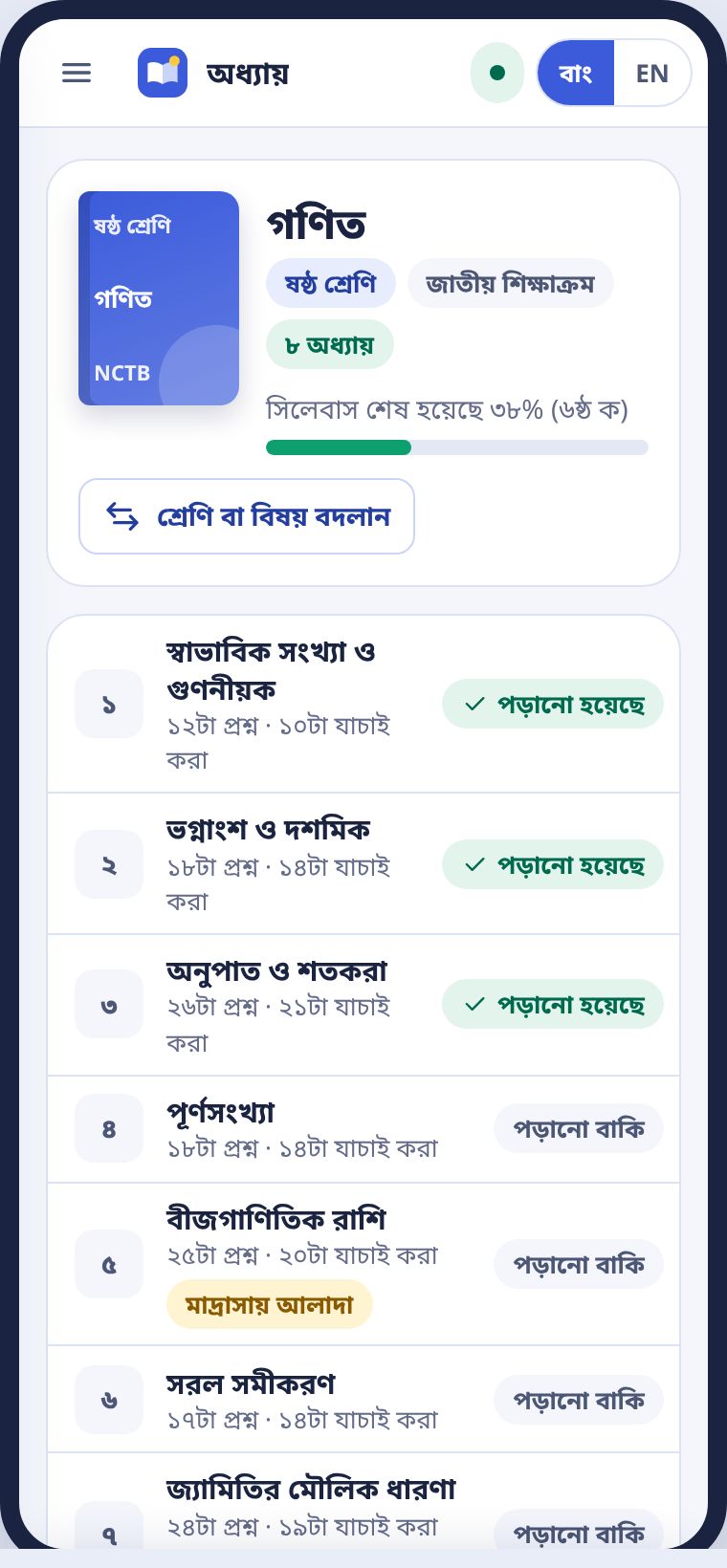
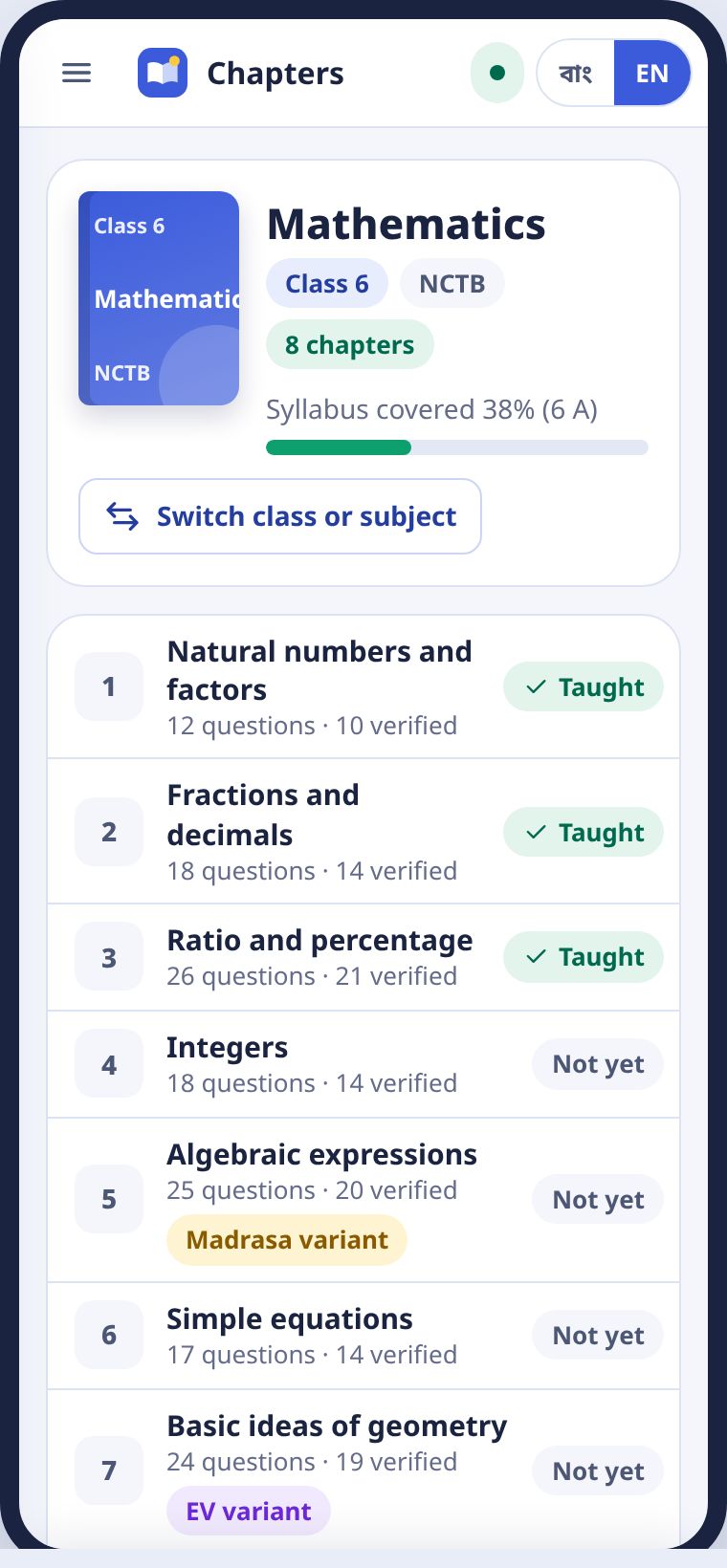
- মেনু থেকে প্রশ্নপত্র বানান চাপুন। বা হোম পাতায় শ্রেণি আর বিষয় বেছে খুলুন।Choose Make a paper from the menu, or pick a class and subject on the home page and press Open.
- অধ্যায়ের তালিকা থেকে একটা অধ্যায় খুলুন।Open a chapter from the list.
- প্রশ্নপত্র বানান চাপুন।Press Make a paper.
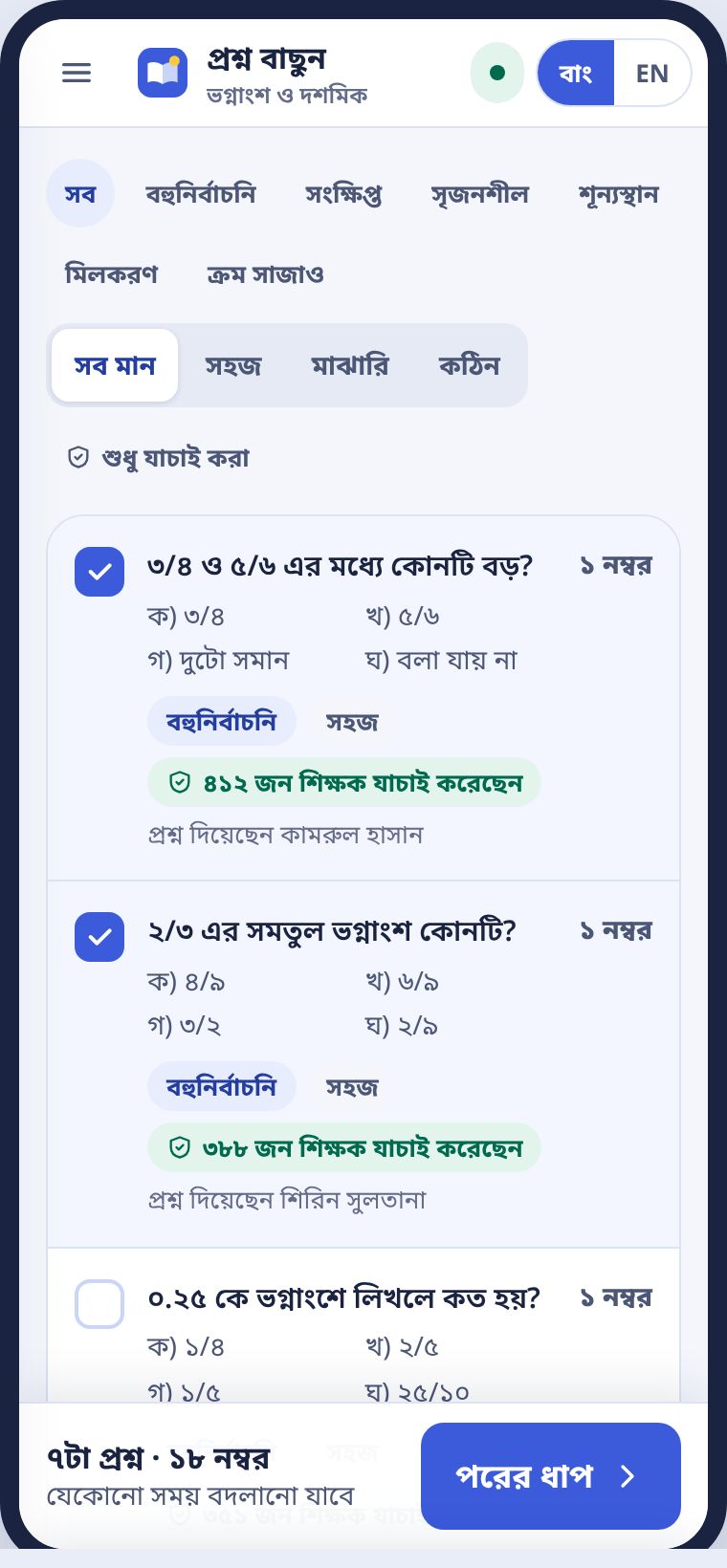
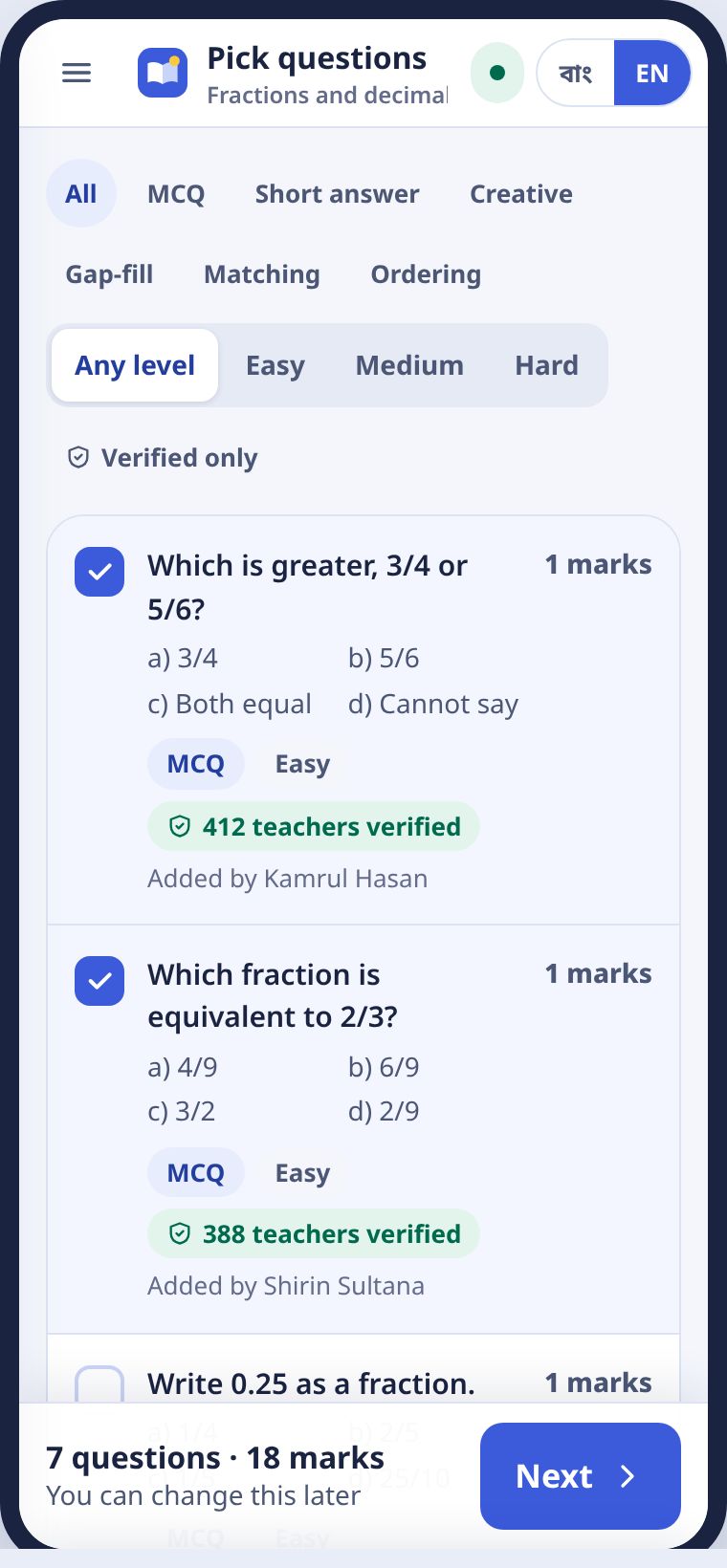
- প্রশ্নে টিক দিন। নিচে মোট প্রশ্ন আর নম্বর দেখাবে।Tick the questions. The total questions and marks show at the bottom.
- পরের ধাপ চাপুন, অপশন ঠিক করুন, তারপর PDF বা Word।Press Next, set the options, then press PDF or Word.
প্রশ্ন বাছাইPicking questions
ওপরের চিপ দিয়ে ধরন বাছুন: বহুনির্বাচনি, সংক্ষিপ্ত, সৃজনশীল, শূন্যস্থান, মিলকরণ, ক্রম সাজাও। মান দিয়েও ছাঁকা যায়: সহজ, মাঝারি, কঠিন। দেখানো সবগুলো নিন চাপলে এক ট্যাপে সব।
Use the chips at the top to pick a type: MCQ, short answer, creative, gap-fill, matching, ordering. You can filter by difficulty too. Pick all shown adds them all in one tap.
| চিপChip | মানেMeaning |
|---|---|
| সবুজ: কতজন যাচাই করেছেনGreen: number of teachers who verified it | দুই স্কুলে যাচাই হয়েছে, আর যত শিক্ষক নামিয়েছেন সবাই একবার করে দেখেছেনChecked in two schools, and each teacher who downloaded it looked at it once |
| হলুদ: আরেক স্কুল বাকিYellow: one more school to go | নিজের স্কুলে যাচাই হয়েছে, আরেক স্কুলের শিক্ষক দেখবেনChecked in its own school, a teacher from another school will check it next |
| ধূসর: নতুনGrey: new | এখনো যাচাই চলছে। চাইলে বাদ দিন।Still being checked. Leave it out if you prefer. |
অপশন আর সেটOptions and sets
একসাথে চারটা পর্যন্ত সেট বানানো যায়। প্রতি সেটে প্রশ্ন আর অপশনের ক্রম আলাদা। পাশাপাশি বসা শিক্ষার্থীর প্রশ্ন মিলবে না। কাগজ A4 বা লিগ্যাল। স্কুলের নাম, আপনার নাম আর শ্রেণি দেখাবেন কি না, সুইচে ঠিক করুন। উত্তরমালা আলাদা পাতায় আসে।
You can make up to four sets at once. Each set changes the order of questions and options, so students sitting side by side get different papers. Choose A4 or legal paper. Use the switches to show or hide the school name, your name and the class. The answer key comes on a separate page.
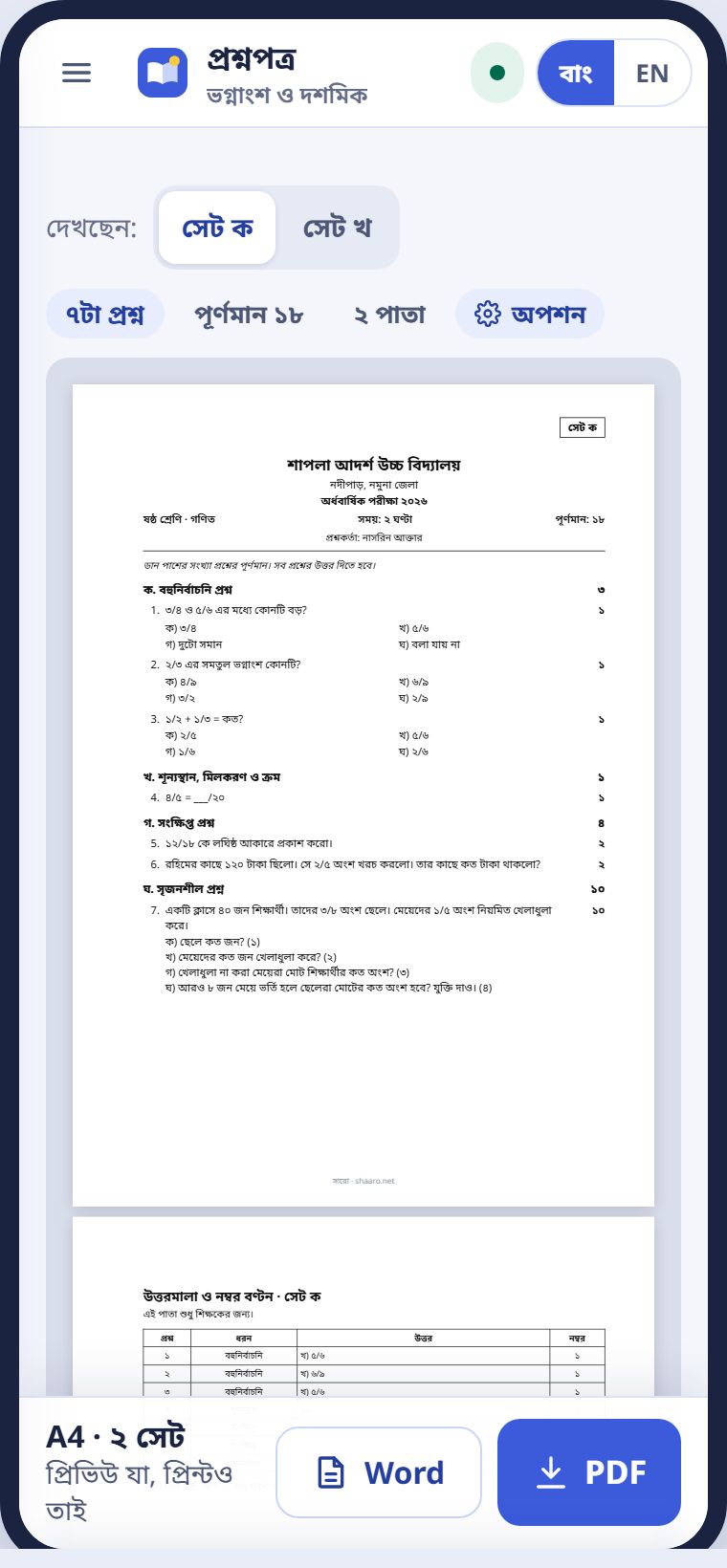
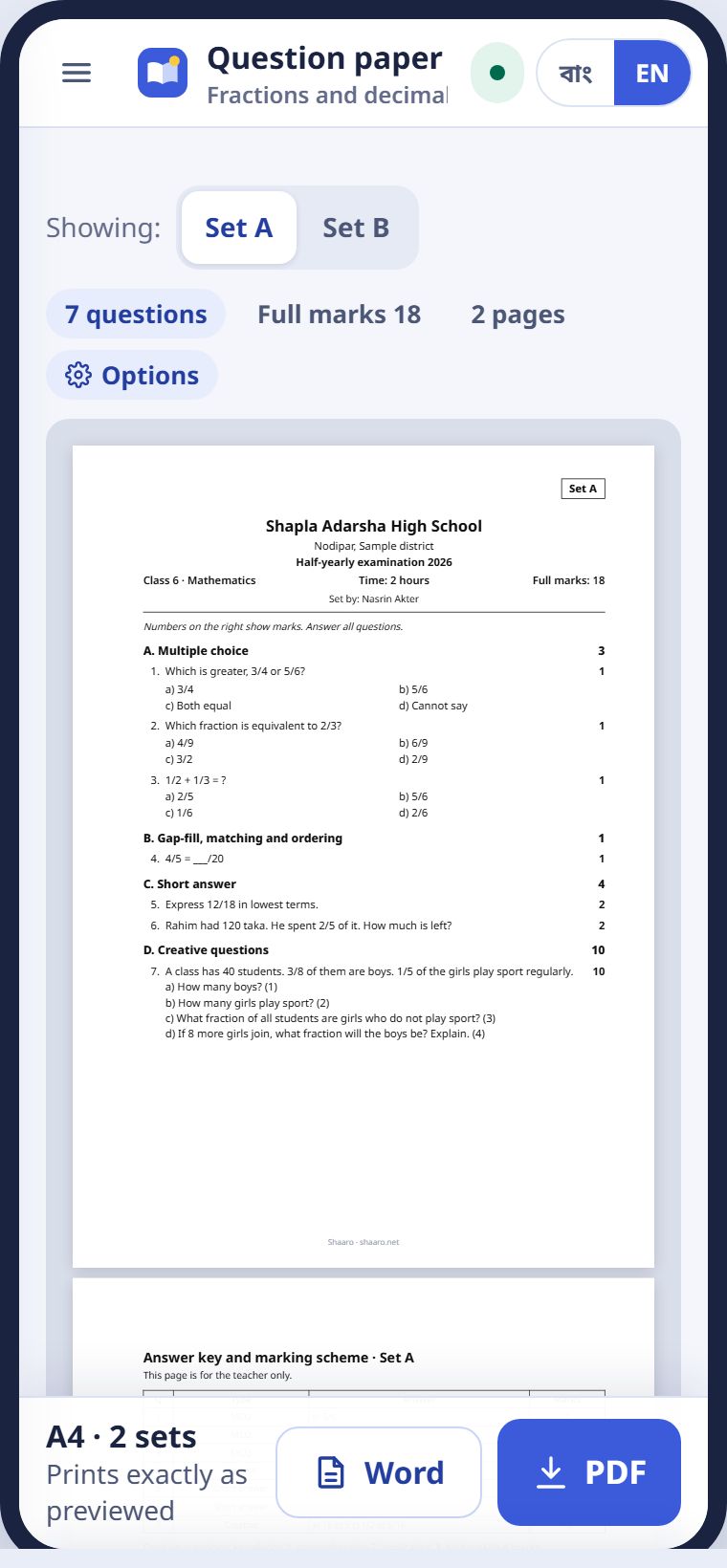
Word ফাইলে নিলে নিজের মতো বদলাতে পারবেন। বাংলা ফন্ট ঠিক থাকে।
Download Word to edit the paper yourself. The Bangla font stays correct.
হাজিরাAttendance
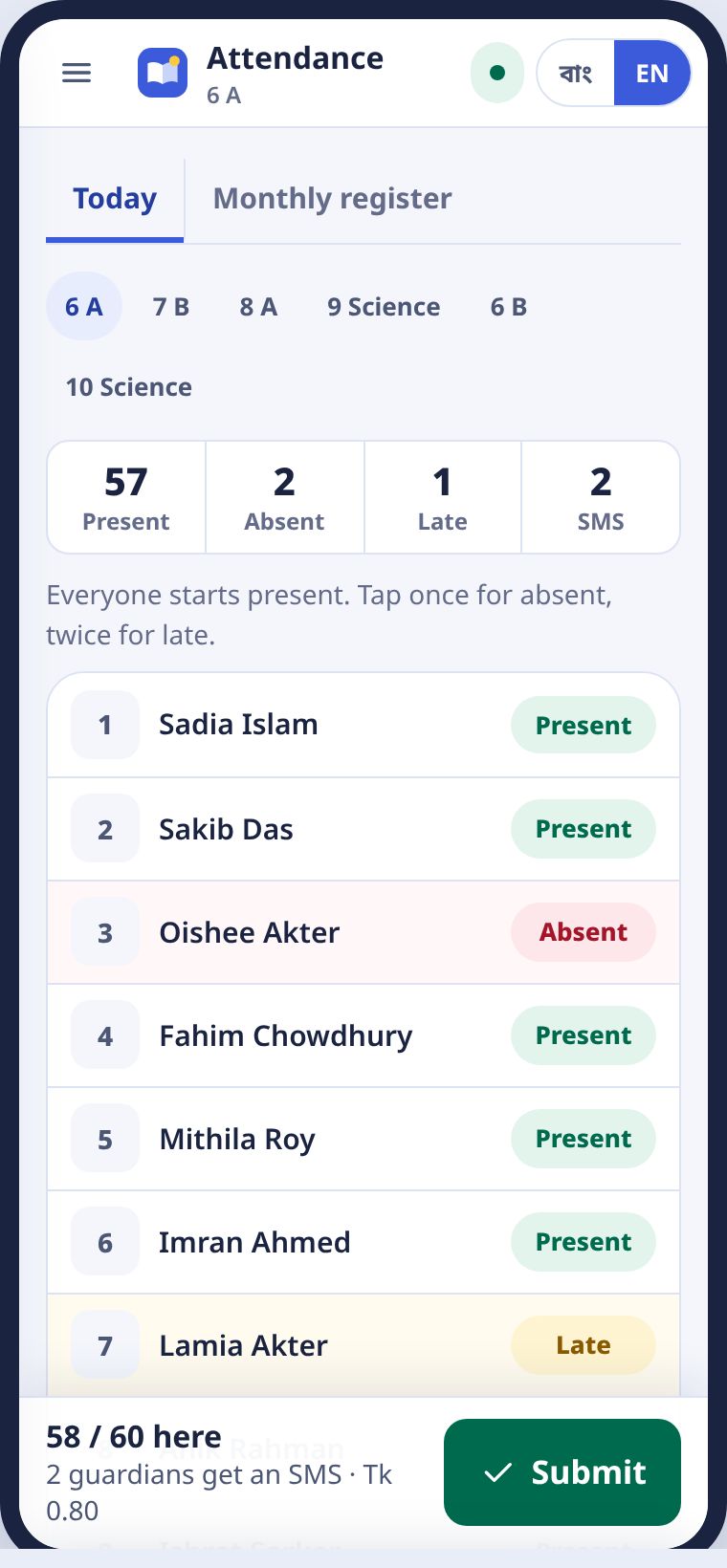
সবাই উপস্থিত ধরা থাকে। শুধু অনুপস্থিতদের ট্যাপ।Everyone starts present. Tap only the absent ones.
- আজকের পাতায় হাজিরা নিন চাপুন।Press Take attendance on the Today page.
- অনুপস্থিত শিক্ষার্থীর নামে একবার ট্যাপ করুন। লাল হবে।Tap an absent student once. The row turns red.
- দেরিতে এলে আরেকবার ট্যাপ করুন। হলুদ হবে। আবার ট্যাপ করলে উপস্থিত।Tap again for late. It turns yellow. Tap once more to mark present.
- জমা দিন চাপুন।Press Submit.
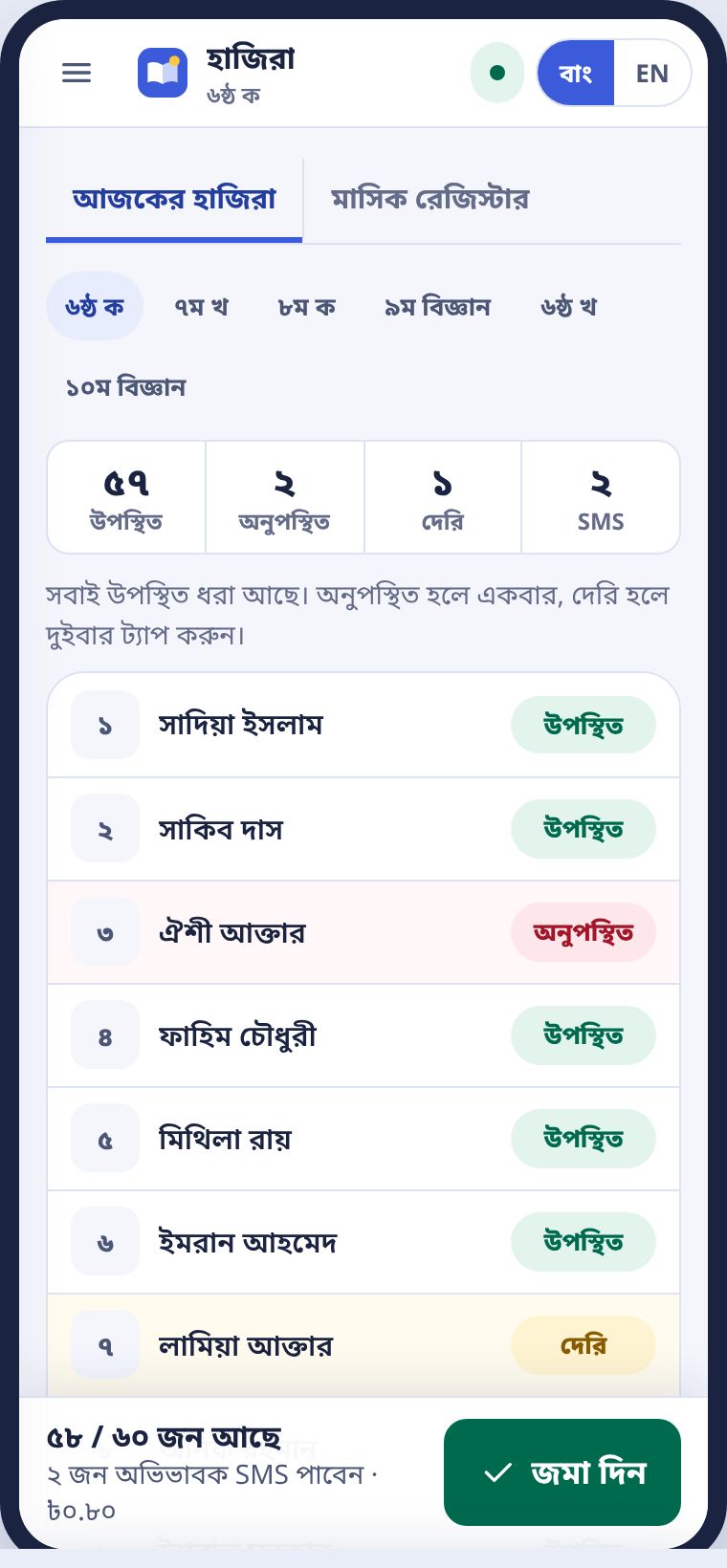
জমা দিলে অনুপস্থিতদের অভিভাবক পাঁচ মিনিটের মধ্যে বাংলায় একটা SMS পান। যে অভিভাবক SMS বন্ধ করেছেন, তিনি পান না। খরচ নিচে লেখা থাকে।
Once you submit, guardians of absent students get a Bangla SMS within five minutes. Guardians who opted out get nothing. The cost is shown at the bottom.
মাসিক রেজিস্টারThe monthly register
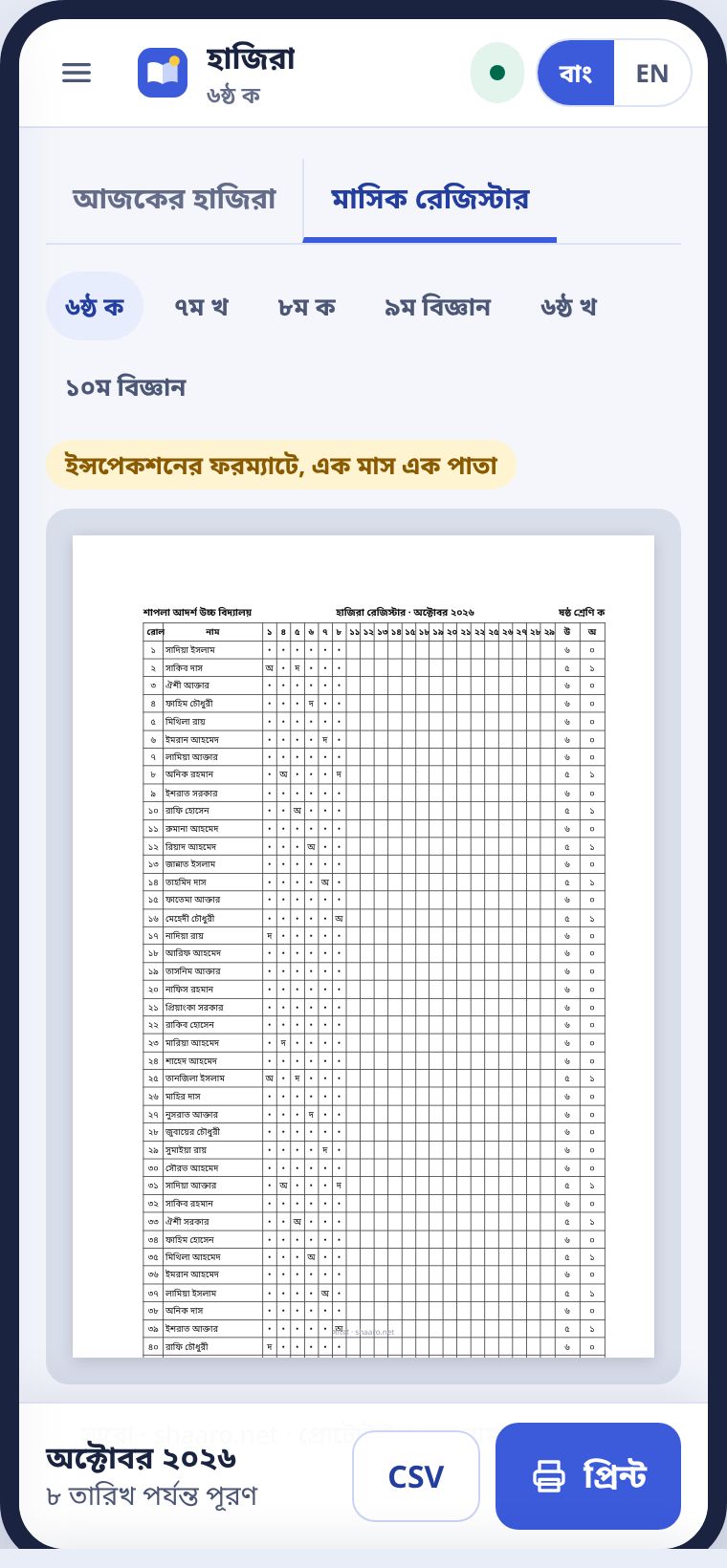
মাসিক রেজিস্টার ট্যাবে পুরো মাসের হাজিরা পরিদর্শনের ফরম্যাটে আসে। এক মাস এক A4 পাতায়। প্রিন্ট করে সই দিলেই হয়।
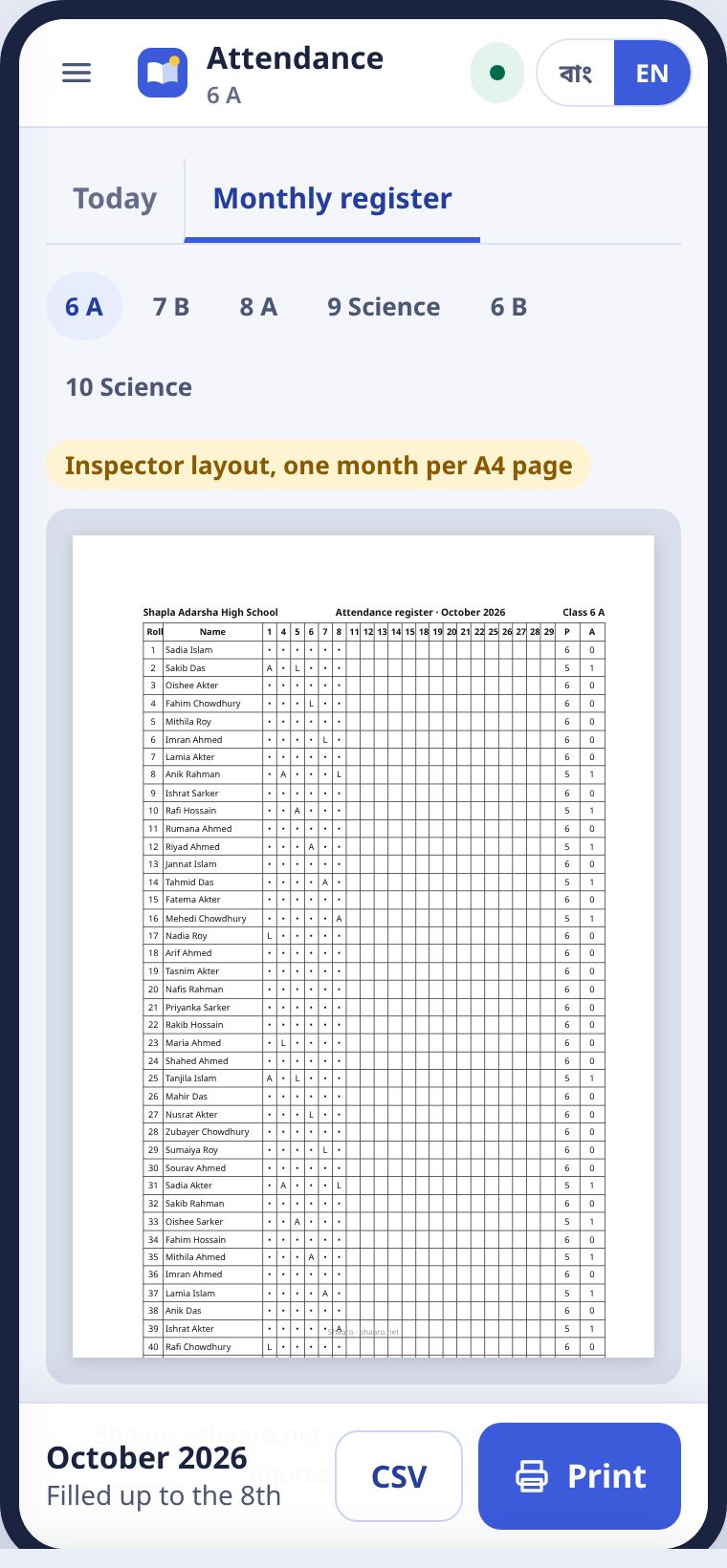
The Monthly register tab shows the whole month in the inspection layout, one month on one A4 page. Print it and sign it.
নম্বর তোলাEntering marks
রোল ধরে, কিপ্যাডে। পরের জন নিজেই আসে।By roll, on a keypad. The next student comes up on its own.
ষাট জনের নম্বর পাঁচ মিনিটের মধ্যে তোলার জন্য এই পাতা বানানো। ওপরে তালিকা, নিচে বড় কিপ্যাড। যার নম্বর তুলছেন, তার সারি নীল।
This page is built to enter sixty students' marks in under five minutes. The list is at the top and a large keypad at the bottom. The current student's row is blue.
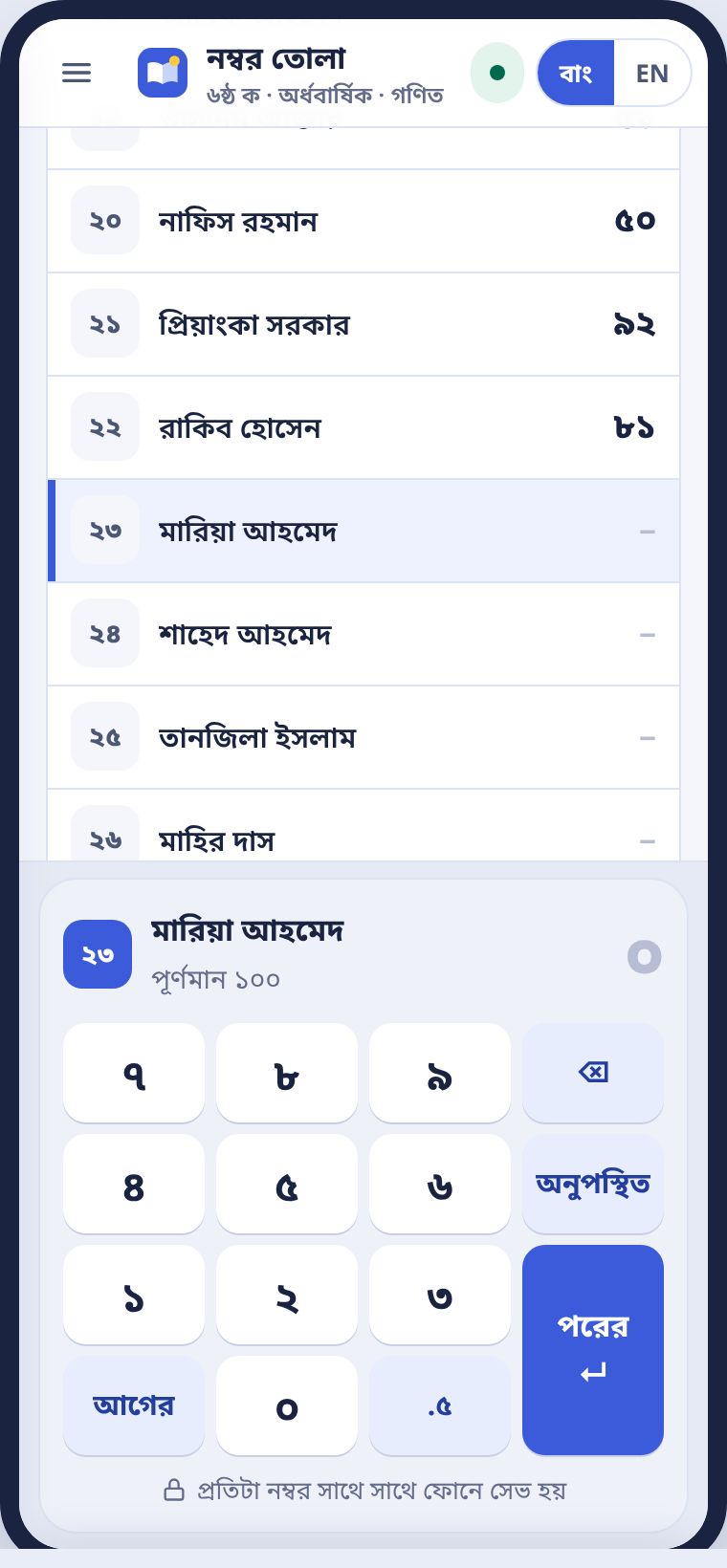
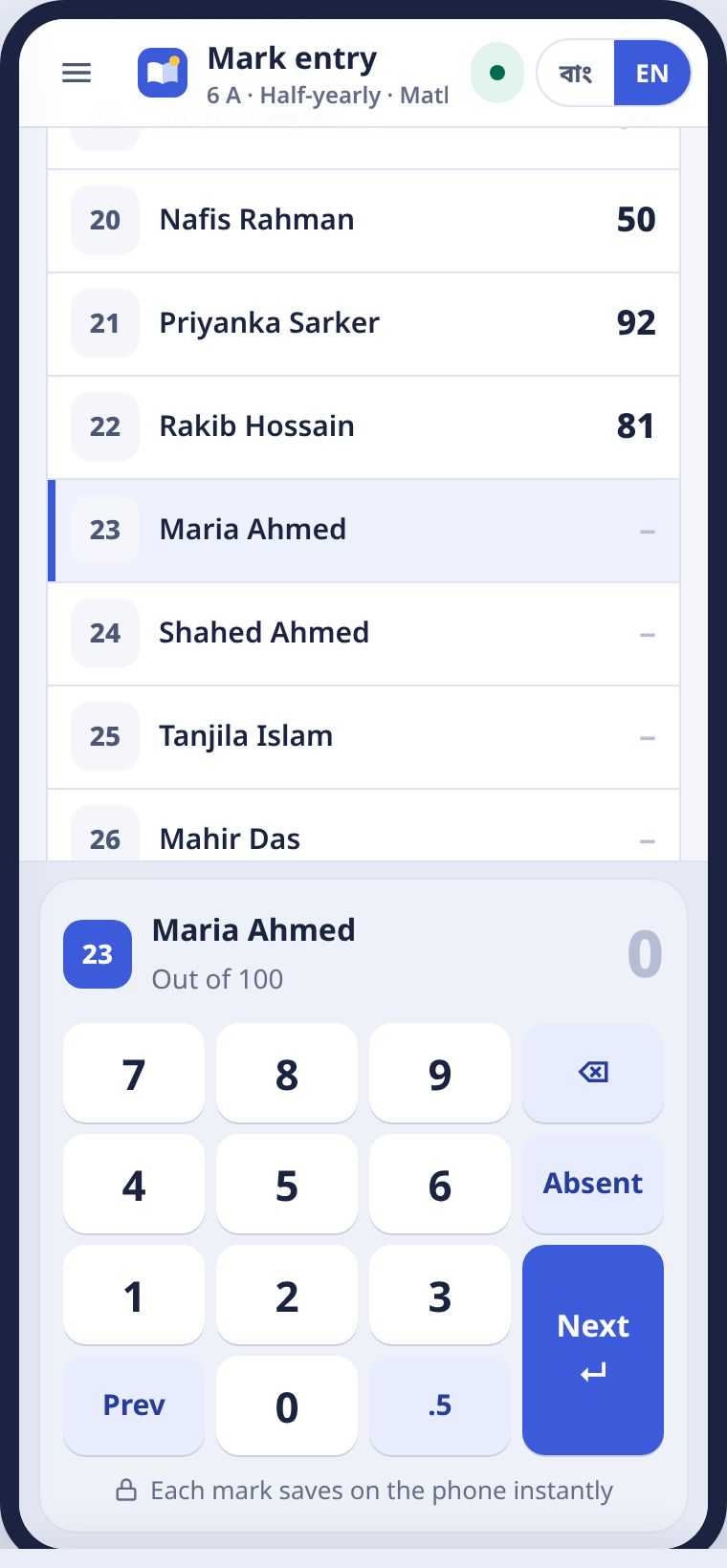
- নম্বর টাইপ করুন। যেমন ৭৪।Type the mark, for example 74.
- আর অঙ্ক বসার জায়গা না থাকলে সারো নিজেই পরের রোলে যায়। নইলে পরের চাপুন।When no more digits fit, Shaaro moves to the next roll on its own. Otherwise press Next.
- কেউ পরীক্ষা না দিলে অনুপস্থিত চাপুন।If a student missed the exam, press Absent.
- ভুল হলে ⌫ চাপুন, বা তালিকায় সেই নামে ট্যাপ করে আবার লিখুন।For a mistake, press ⌫, or tap the name in the list and type again.
কম্পিউটারে কিবোর্ডেই চলে: সংখ্যা, Backspace, Enter, আর অনুপস্থিতের জন্য A।
On a computer, the keyboard works: numbers, Backspace, Enter, and A for absent.
পূর্ণমানের বেশি নম্বর সারো নেয় না। প্রতিটা নম্বর সাথে সাথে ফোনে সেভ হয়। নেট গেলেও হারায় না।
Shaaro will not accept more than the full marks. Every mark is saved on the phone at once, so nothing is lost if the signal drops.
রেজাল্ট শিট আর রিপোর্ট কার্ডResult sheets and report cards
নম্বর তোলা শেষ হলেই শিট তৈরি।The sheet is ready as soon as marks are in.
সব বিষয়ের নম্বর এলে সারো টেবুলেশন শিট বানায়: মোট, প্রতি বিষয়ের জিপি, GPA, গ্রেড আর মেধাক্রম। গ্রেডের নিয়ম স্কুল ঠিক করে, ডিফল্ট জাতীয় শিক্ষাক্রম।
When every subject's marks are in, Shaaro builds the tabulation sheet: totals, grade points per subject, GPA, letter grade and rank. The school sets the grading rules. The default is the national curriculum.
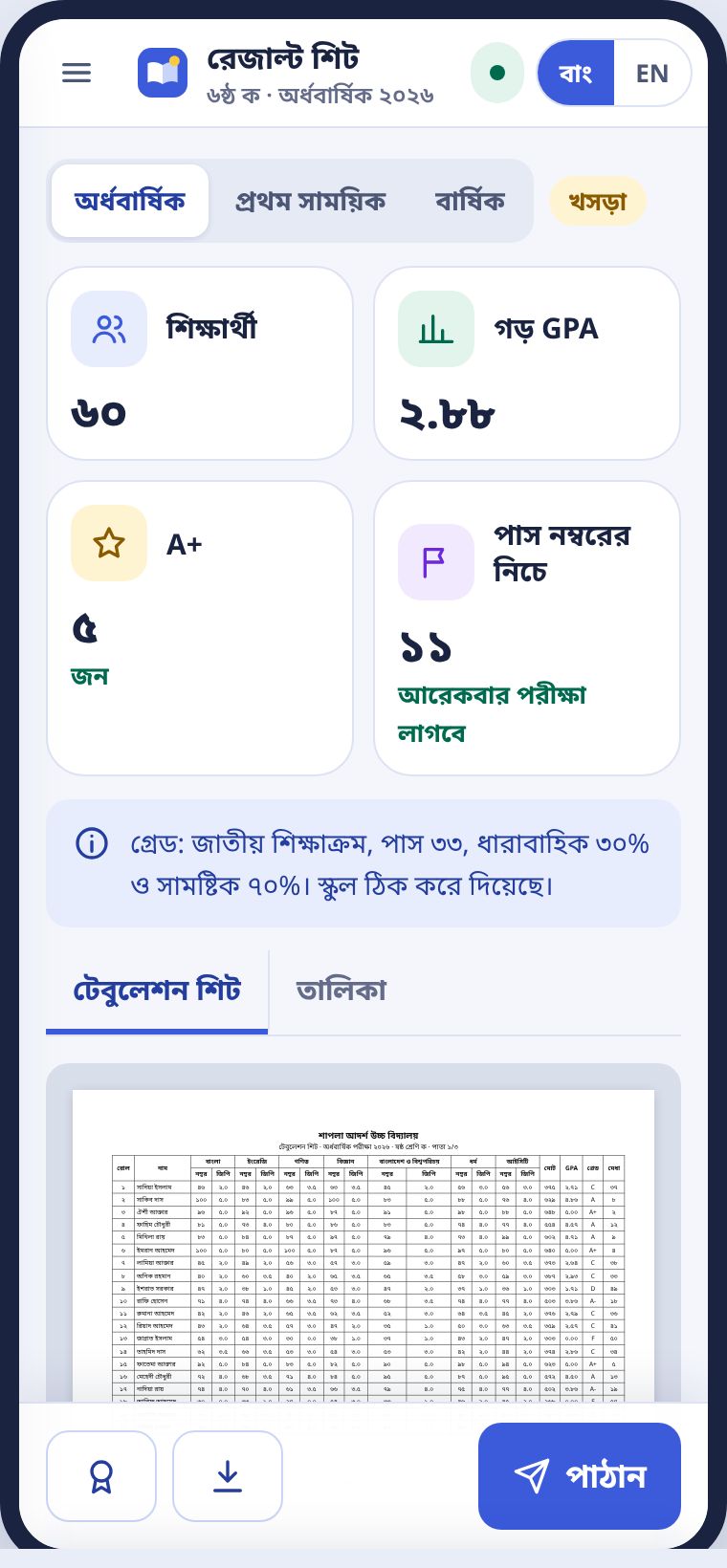
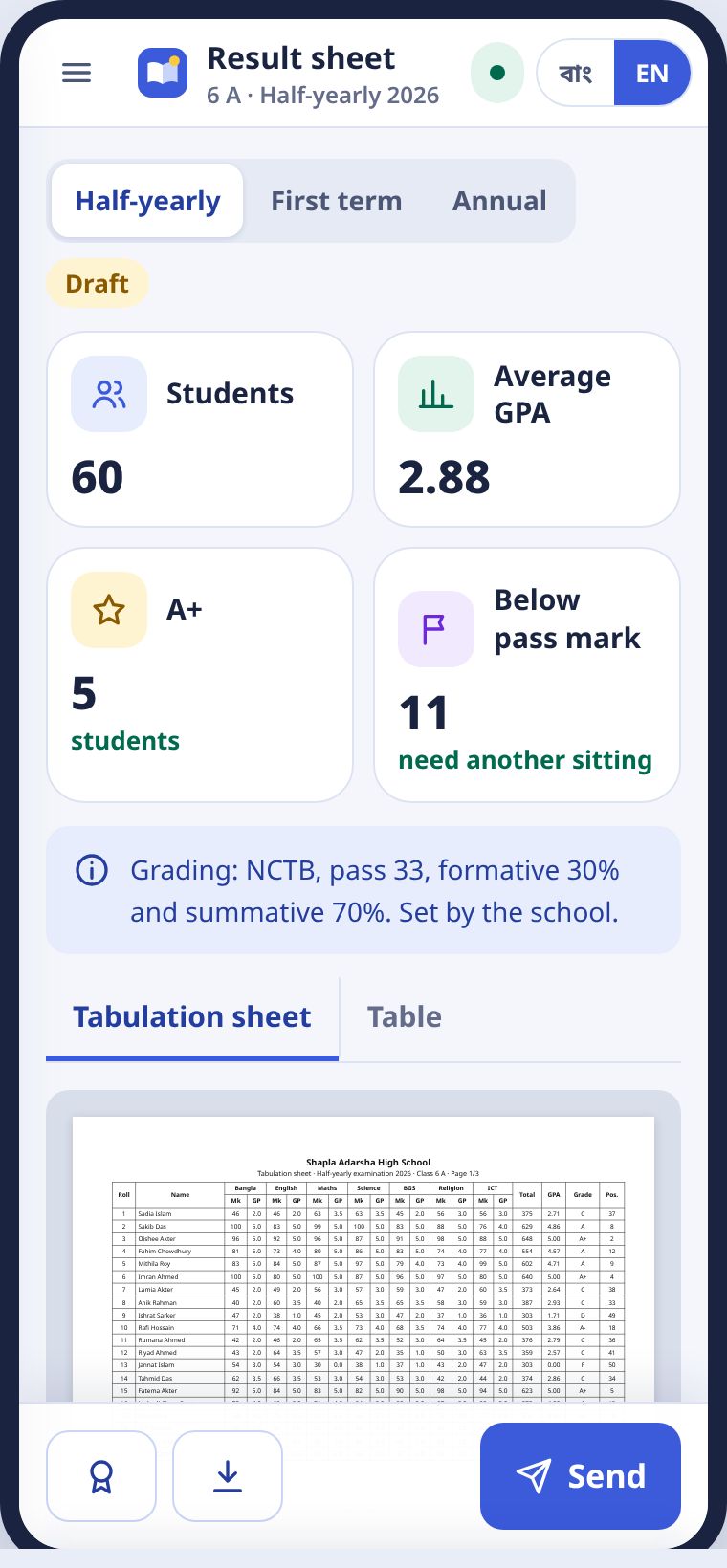
- মেনু থেকে রেজাল্ট শিট খুলুন।Open Result sheets from the menu.
- ওপরে পরীক্ষা বাছুন: প্রথম সাময়িক, অর্ধবার্ষিক বা বার্ষিক।Pick the exam at the top: first term, half-yearly or annual.
- মিলিয়ে দেখুন, তারপর পাঠান চাপুন। শিট প্রধান শিক্ষকের কাছে যায়।Check it, then press Send. The sheet goes to the head teacher.
- অনুমোদন হলে আপনি জানতে পারবেন। তারপর অভিভাবকদের SMS পাঠানো যায়।You are told once it is approved. Then you can text the guardians.
তালিকা ট্যাবে একই শিট ফোনের মাপে। PDF আর Excel দুটোই নামানো যায়।
The Table tab shows the same sheet sized for a phone. You can download PDF and Excel.
রিপোর্ট কার্ডReport cards
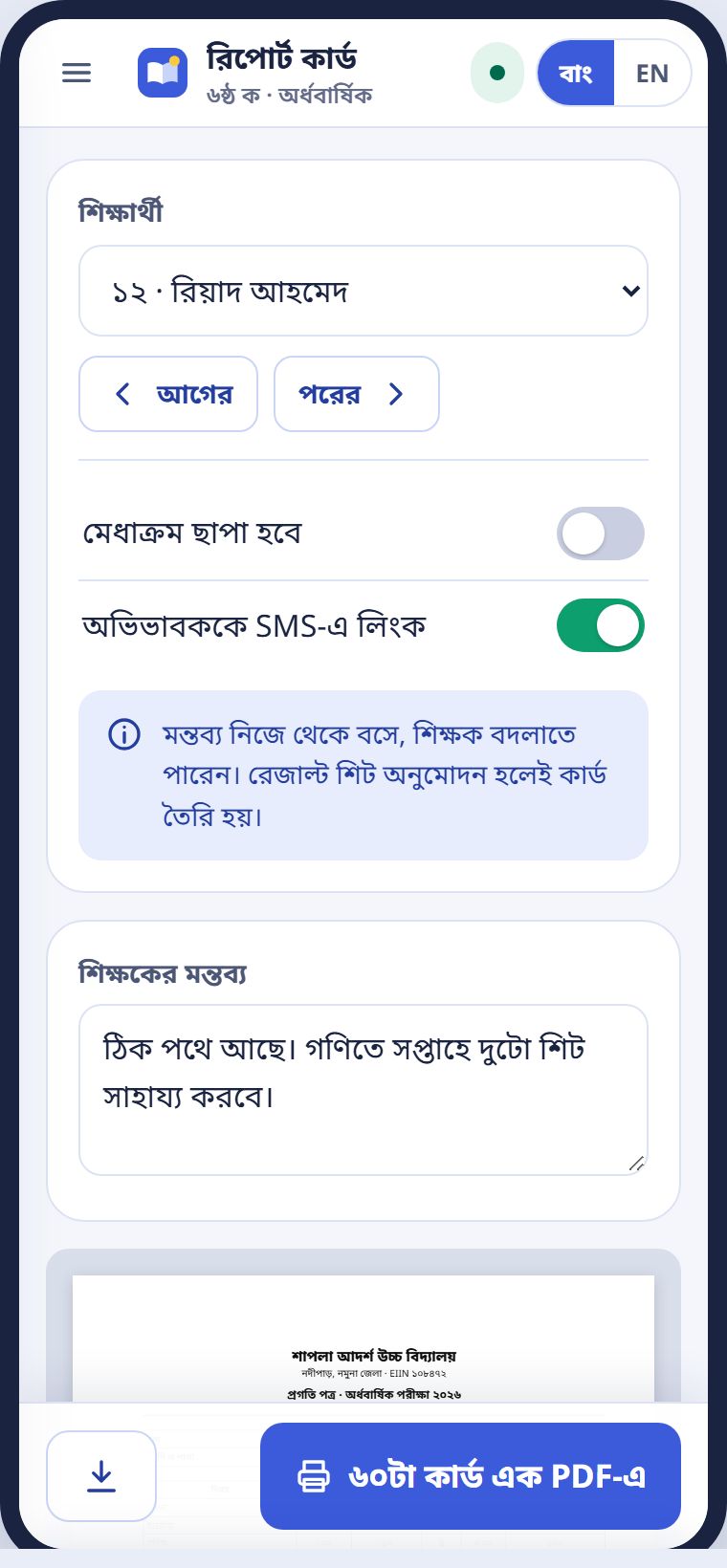
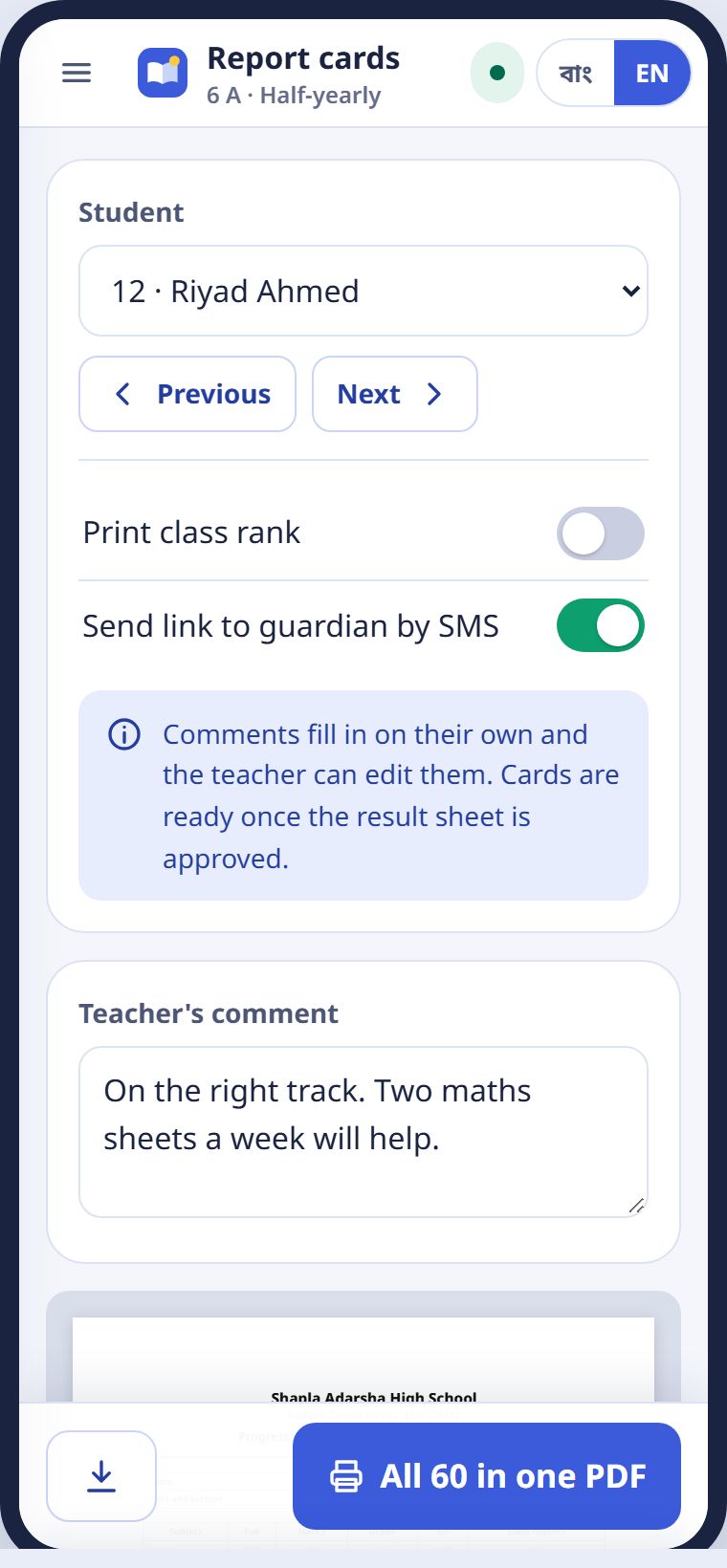
প্রতি শিক্ষার্থীর জন্য এক পাতার কার্ড, অভিভাবকের হাতে দেওয়ার মতো। বিষয় ধরে নম্বর, গ্রেড, শ্রেণির সর্বোচ্চ, হাজিরা আর আপনার মন্তব্য। মন্তব্য সারো নিজে বসায়, আপনি বদলাতে পারেন। ৬০টা কার্ড এক PDF-এ চাপলে পুরো শাখার কার্ড একসাথে।
A one-page card for each student, ready to hand to the guardian: marks and grade by subject, the class highest, attendance and your comment. Shaaro fills in the comment and you can change it. All 60 in one PDF prints the whole section at once.
দক্ষতা গ্রুপ আর প্র্যাকটিসSkill groups and practice
কে কোন অধ্যায় পারছে, কাকে কী দেবেন।Who has each chapter, and what to give whom.
নম্বর তোলার পর সারো অধ্যায় ধরে শাখাকে তিন দলে ভাগ করে: ভালো পারে, কিছুটা পারে, চেষ্টা করলে পারবে। কোনো শিক্ষার্থীর নামের পাশে আলাদা তকমা থাকে না। নামগুলো দেখতে চাইলে নামগুলো দেখুন চাপুন।
After marks are in, Shaaro splits the section into three groups for each chapter: Doing well, Getting there and Will get there with practice. No label appears beside any student's name. Press See names to see who is in a group.
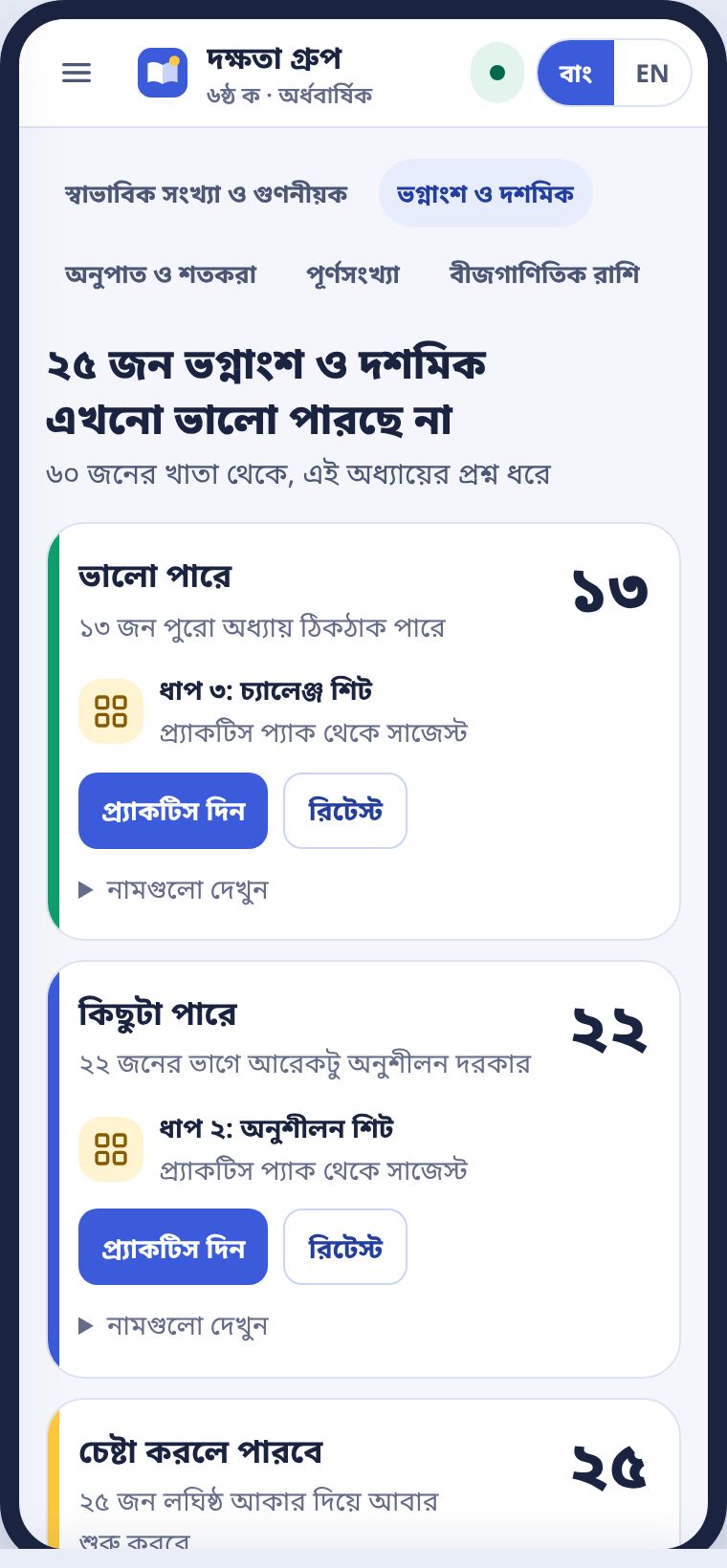
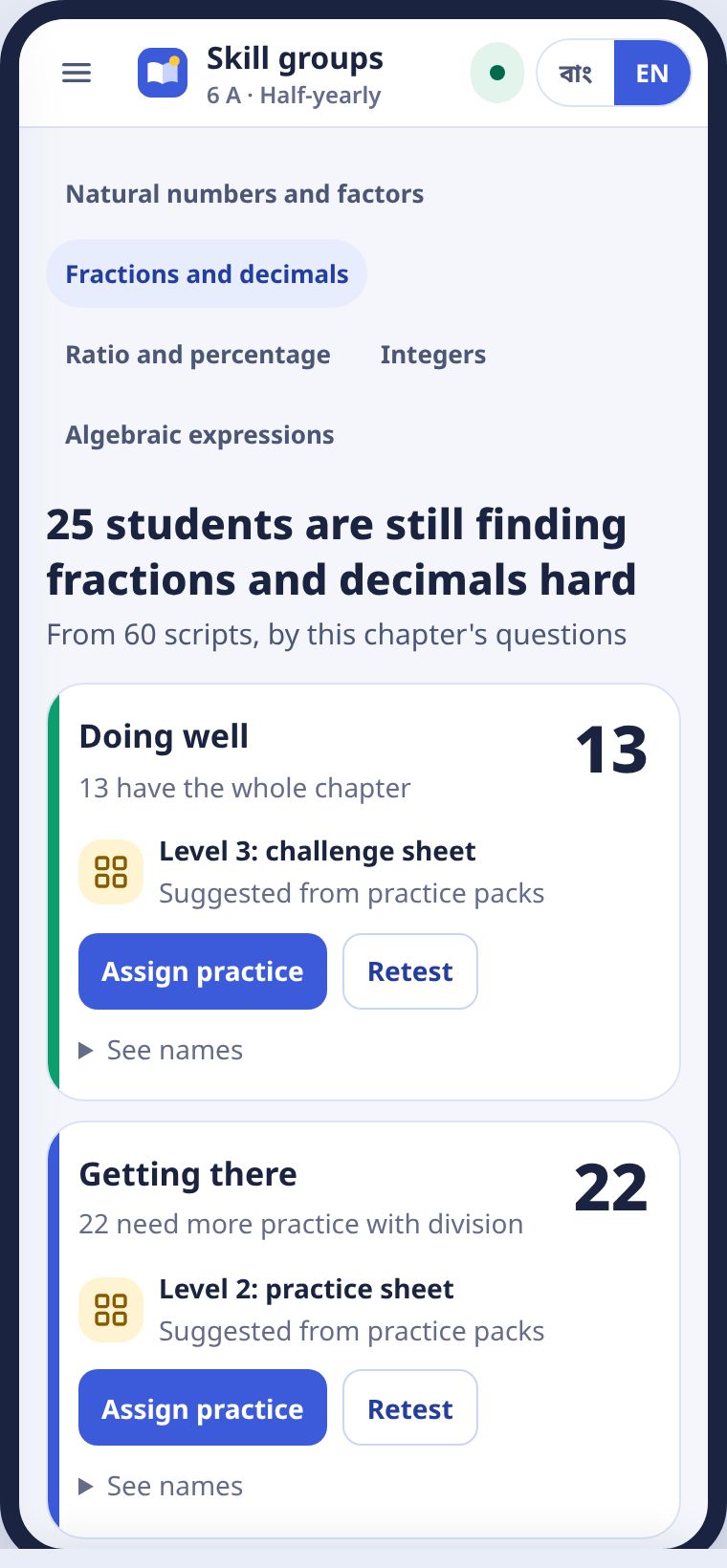
- একটা দলের প্র্যাকটিস দিন চাপুন। সেই দলের শিট তৈরি হয়।Press Assign practice on a group. That group's sheet is set.
- চাইলে রিটেস্ট দিন। রিটেস্টের নম্বর তুললে দল নিজেই বদলায়।Or press Retest. When the retest is marked, the groups update on their own.
প্র্যাকটিস প্যাকPractice packs
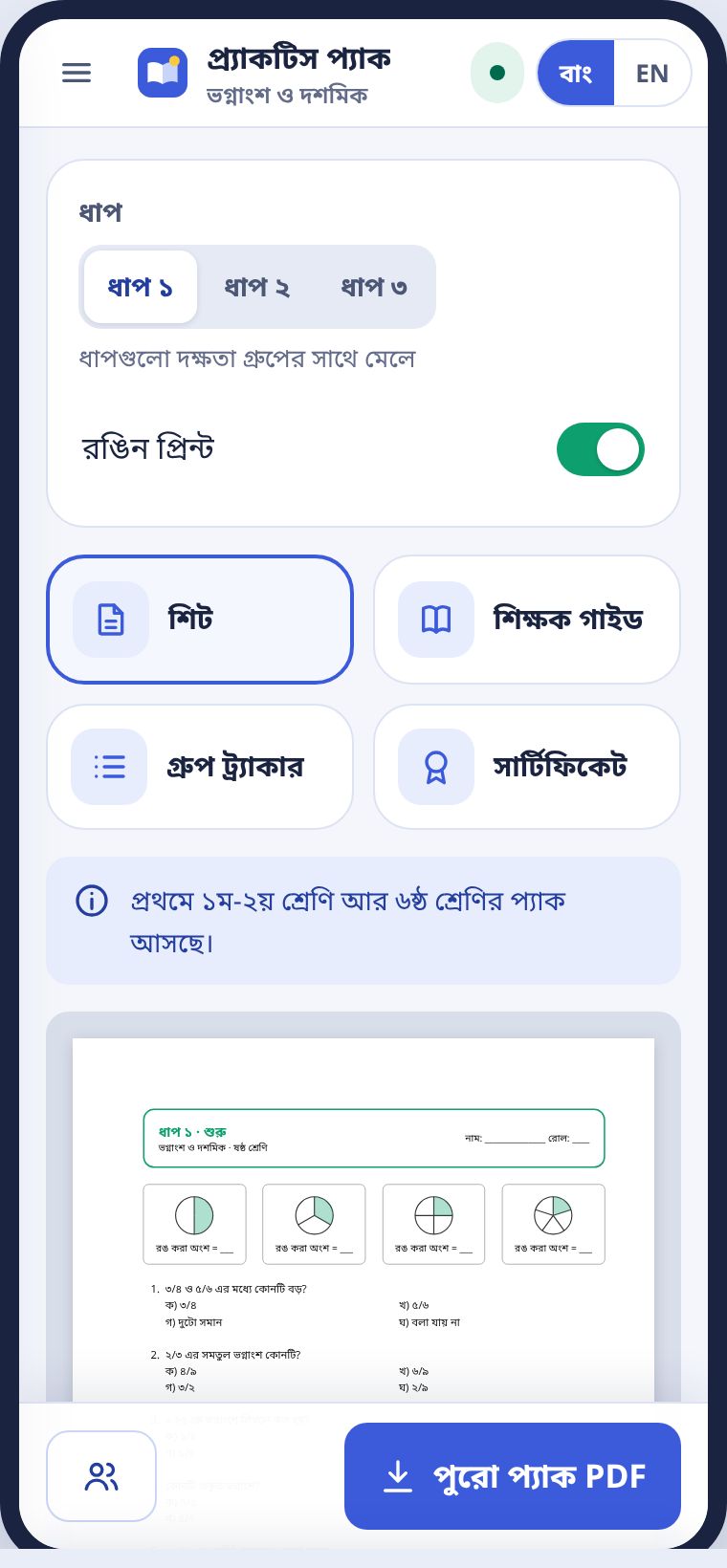
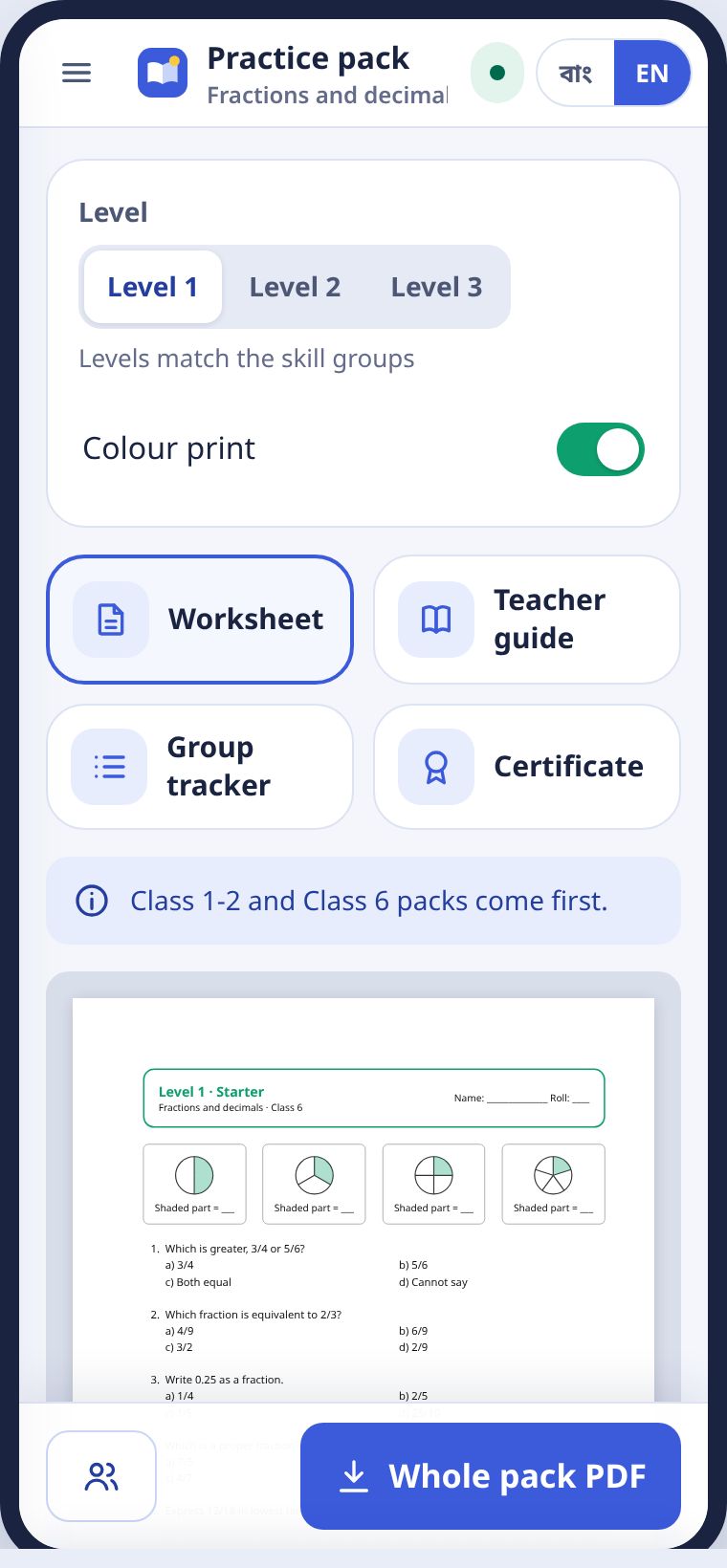
প্রতিটা অধ্যায়ের তিন ধাপের শিট আছে, দলের সাথে মেলানো। সাথে শিক্ষক গাইড, গ্রুপ ট্র্যাকার আর সার্টিফিকেট। রঙিন আর সাদাকালো দুটোই।
Each chapter has sheets at three levels that match the groups, plus a teacher guide, a group tracker and a certificate, in colour or black and white.
অ্যাসাইনমেন্টAssignments
ছবিতে বা খাতায় জমা, রুব্রিক দিয়ে দেখা।Handed in by photo or copybook, marked with a rubric.
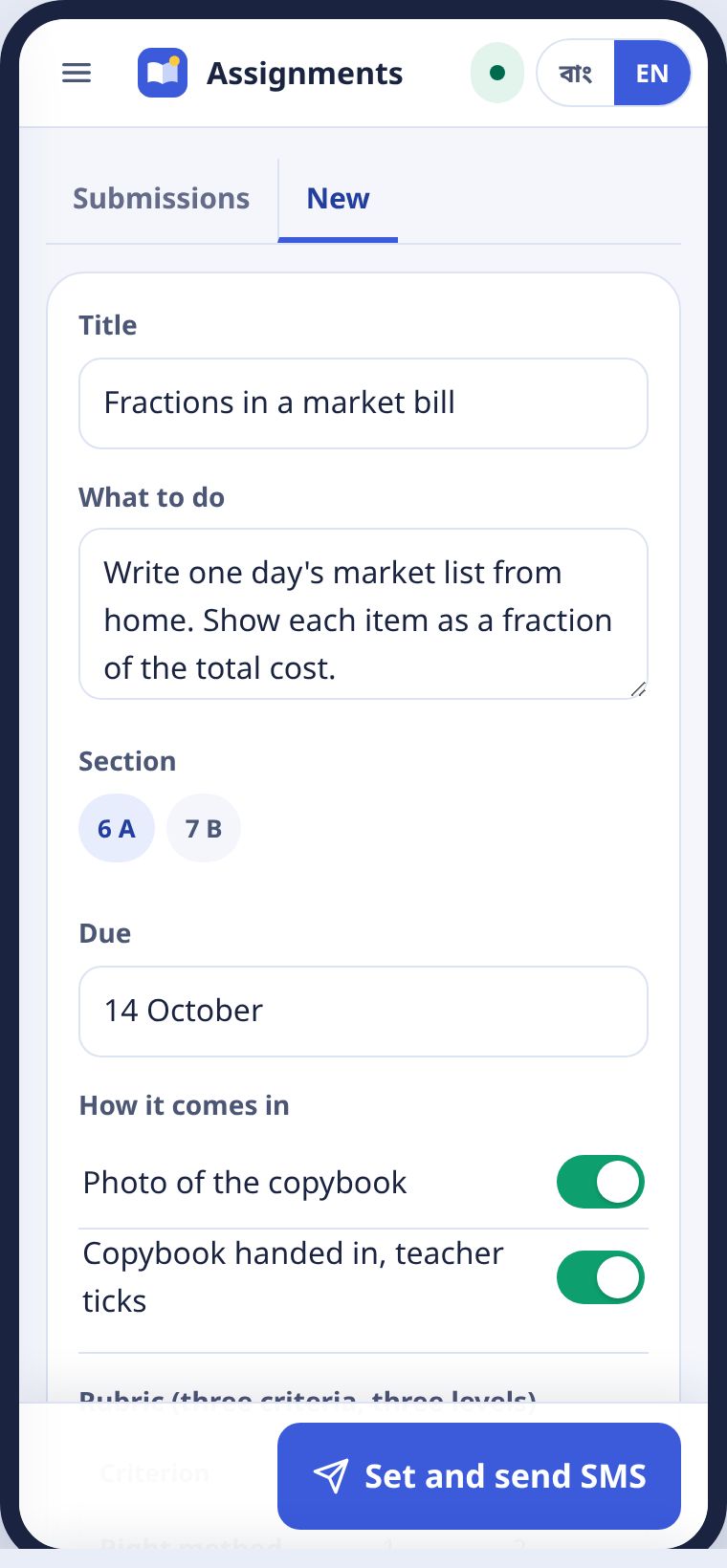
- মেনু থেকে অ্যাসাইনমেন্ট, তারপর নতুন।Choose Assignments from the menu, then New.
- শিরোনাম, কী করতে হবে আর জমার তারিখ লিখুন।Write a title, what to do and the due date.
- রুব্রিক দেখে নিন: তিনটা দিক, প্রতিটার তিন ধাপ।Check the rubric: three criteria, three levels each.
- দিন ও SMS পাঠান চাপুন।Press Set and send SMS.
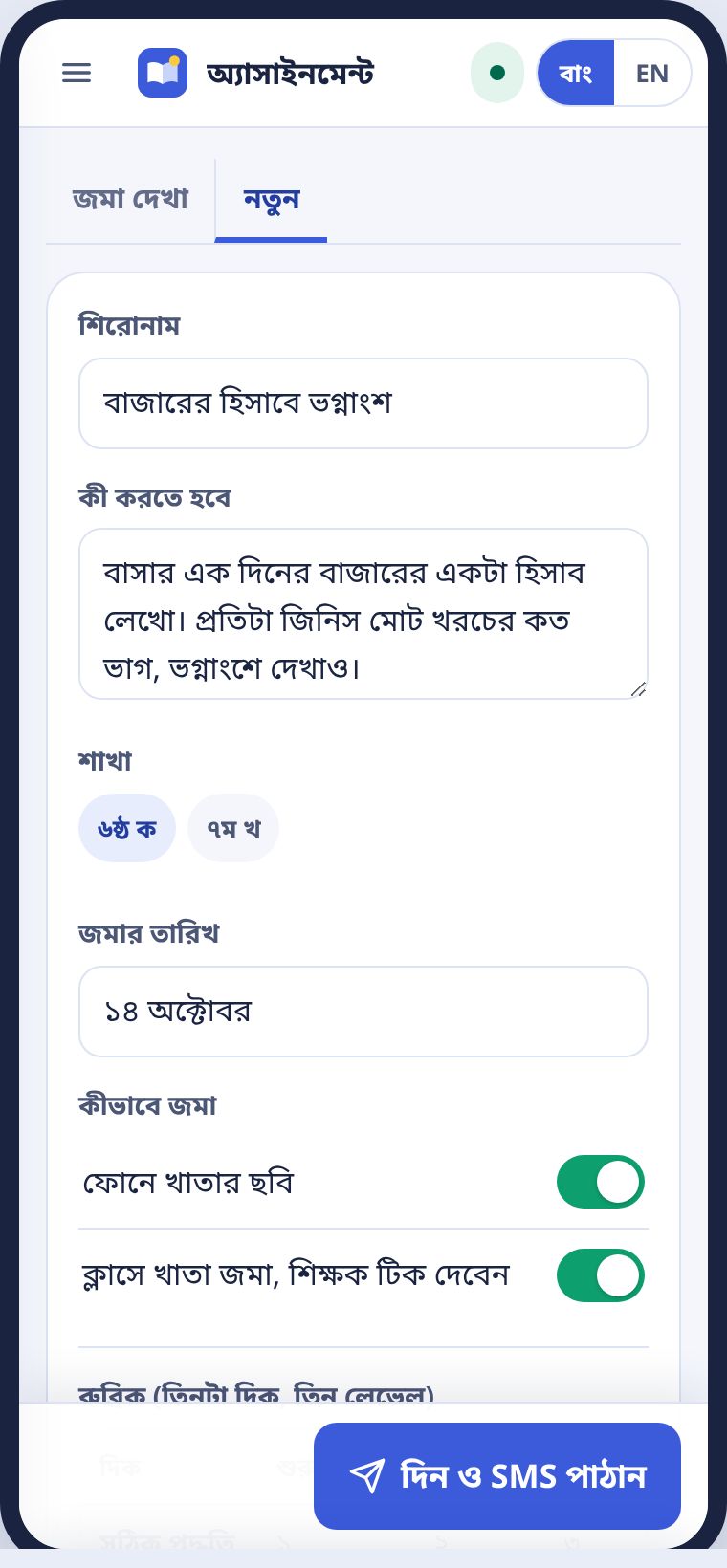
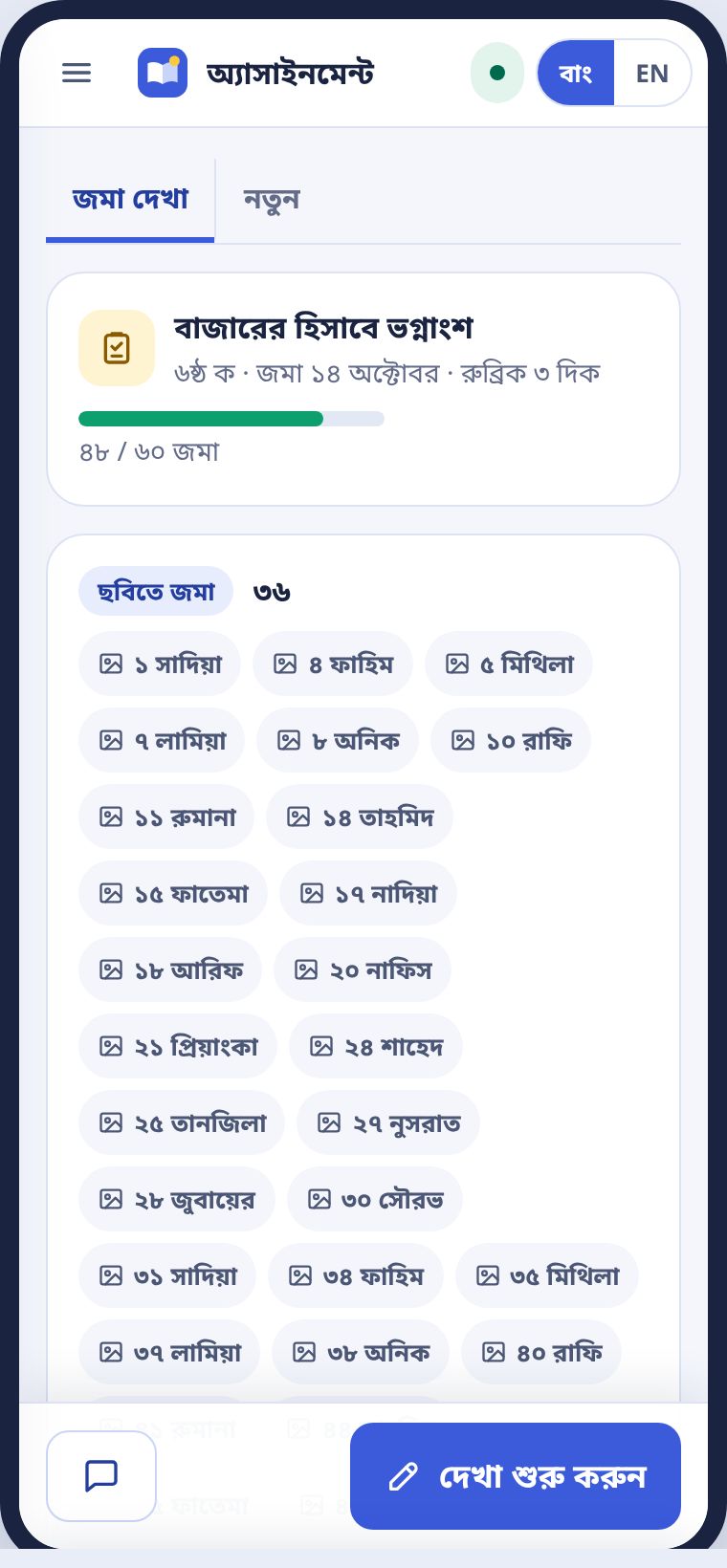
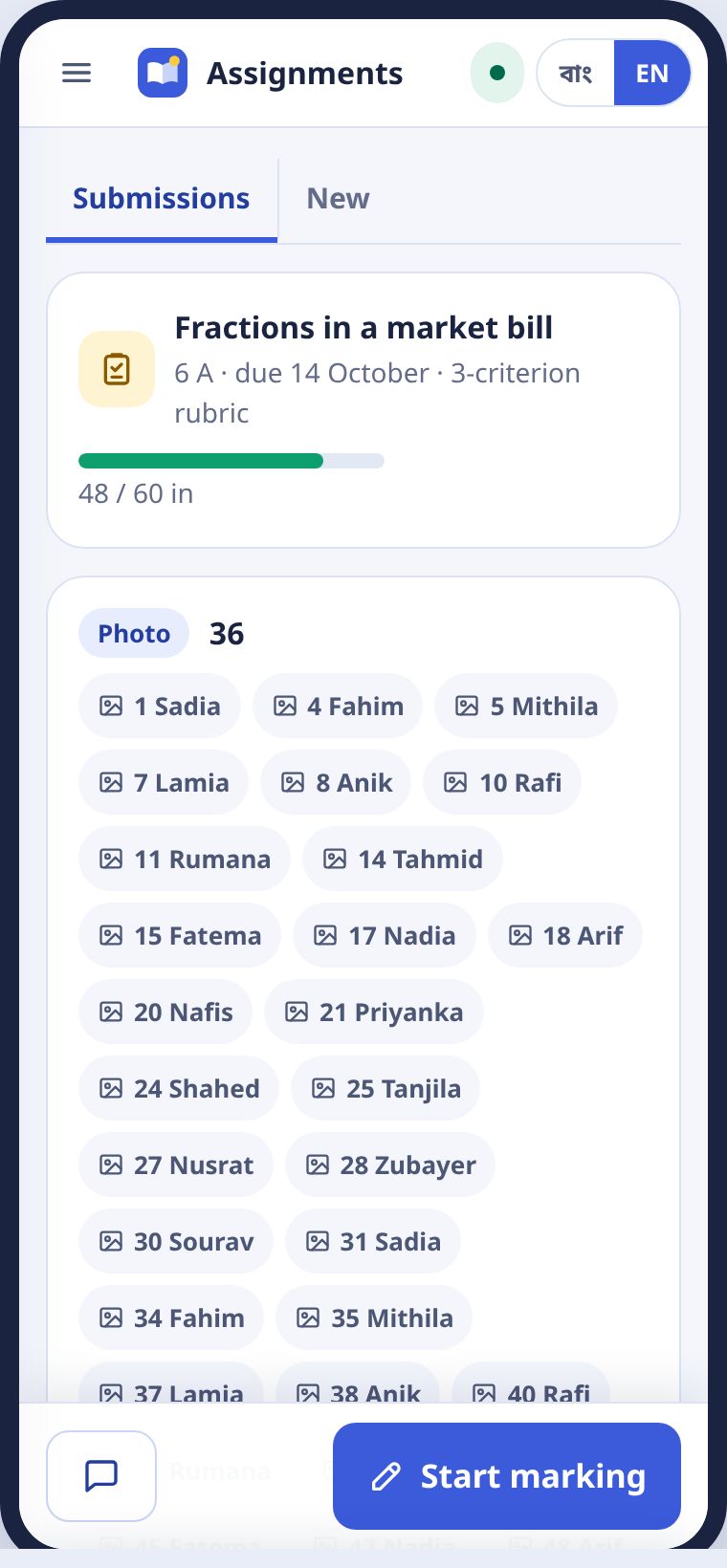
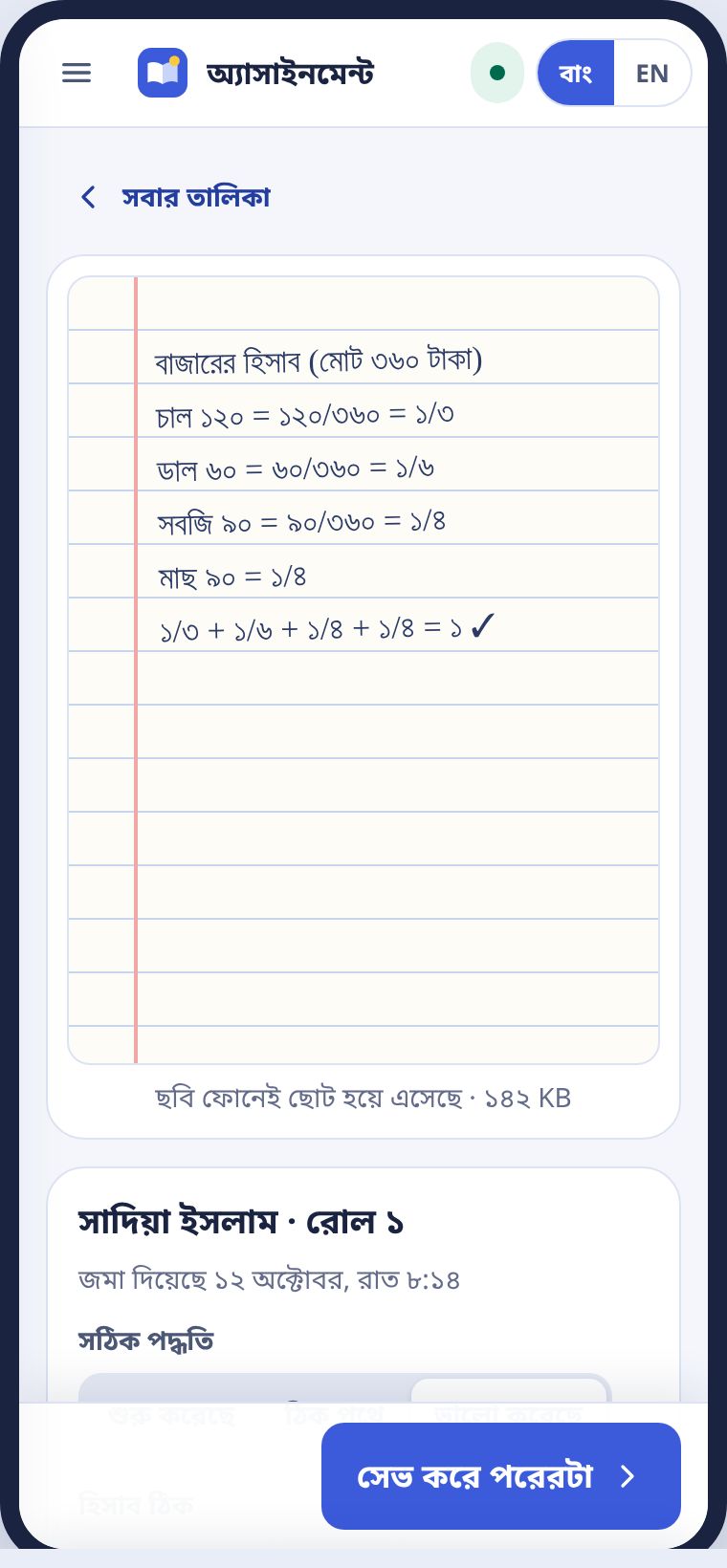
যে শিক্ষার্থীর ফোন আছে, সে খাতার ছবি তুলে জমা দেয়। ছবি ফোনেই ছোট হয়ে আসে। যার ফোন নেই, সে ক্লাসে খাতা জমা দেয়, আপনি টিক দেন। কেউ বাদ পড়ে না।
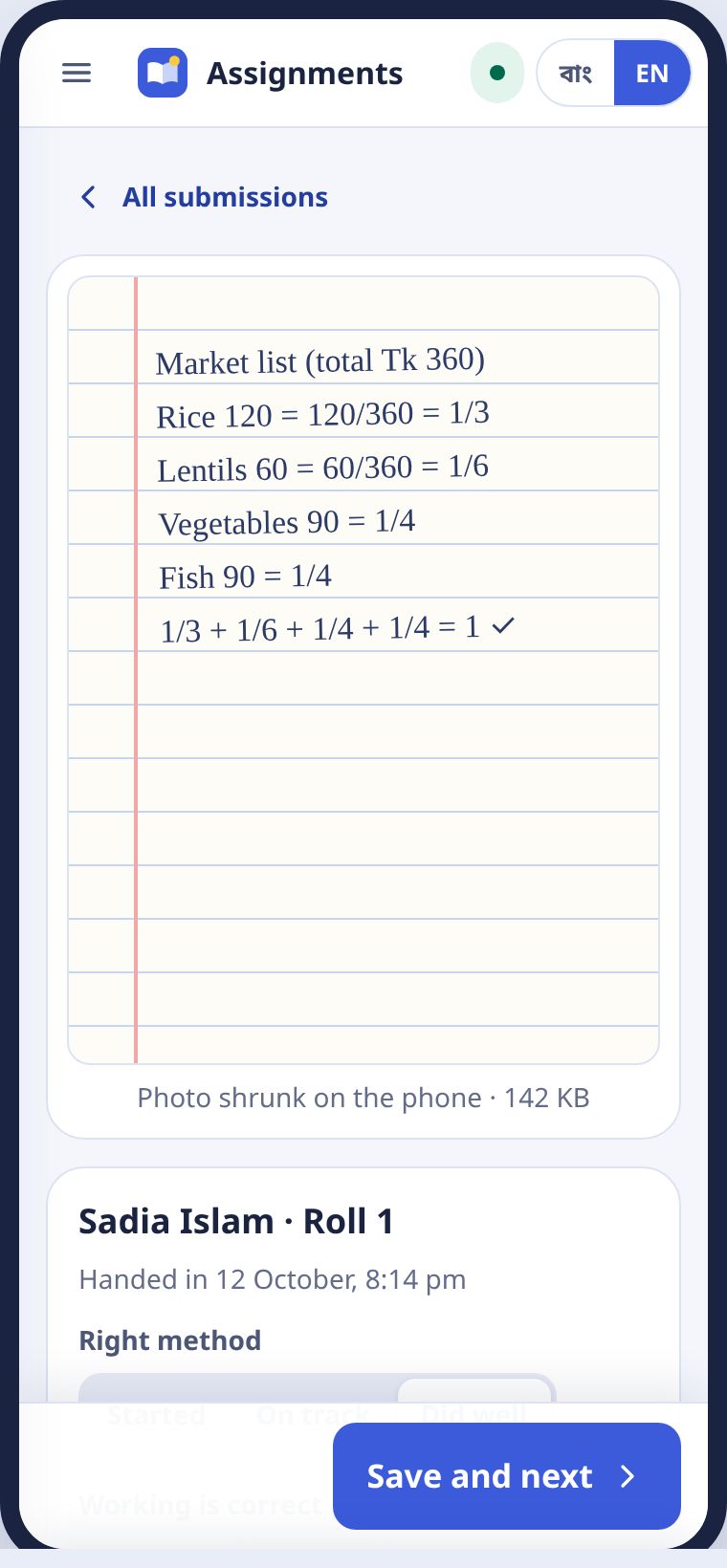
Students with a phone photograph their copybook and hand it in. The photo shrinks on the phone. Students without one hand in the copybook in class and you tick it. Nobody is left out.
দেখা আর মন্তব্যMarking and feedback
একটা ছবিতে ট্যাপ করুন। পাশে রুব্রিক। প্রতিটা দিকের জন্য একটা ধাপ বাছুন: শুরু করেছে, ঠিক পথে, ভালো করেছে। একটা লাইন মন্তব্য লিখুন। সেভ করে পরেরটা চাপলে পরের জনের খাতা আসে। নম্বর ধারাবাহিক মূল্যায়নে যোগ হয়।
Tap a photo. The rubric sits beside it. Pick a level for each criterion: Started, On track, Did well. Write one line of feedback. Save and next brings up the next student's work. The score goes to formative marks.
ক্লাসের আরও কাজMore classroom tools
বাড়ির কাজ, মুখে মুখে কুইজ, লেসন প্ল্যান, রুটিন, স্মার্ট বোর্ড।Homework, oral quiz, lesson plans, routine, smart board.
বাড়ির কাজHomework
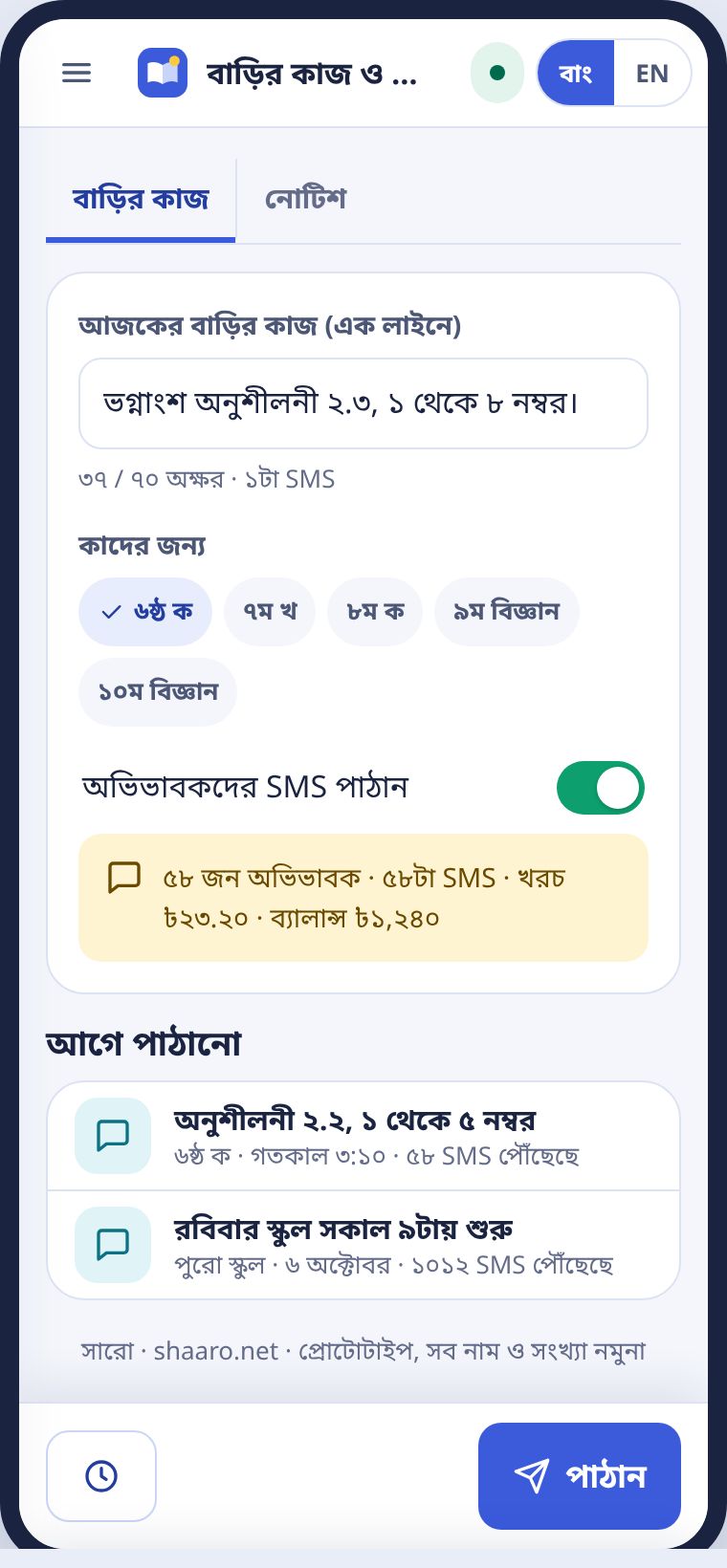
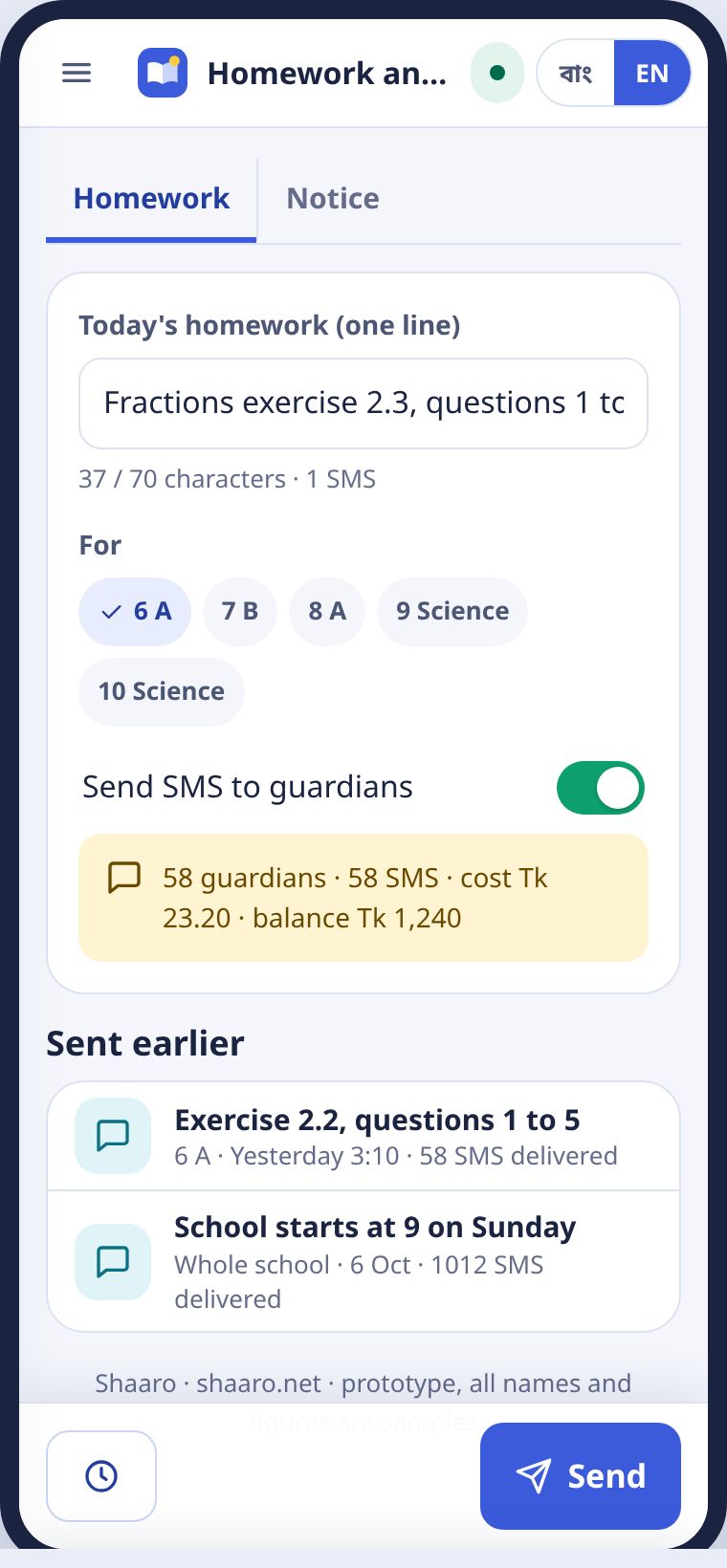
এক লাইনে লিখুন, শাখা বাছুন, পাঠান। চাইলে অভিভাবকরা SMS পান। খরচ আগেই দেখায়। পরে পাঠাতে চাইলে সময় ঠিক করুন।
Write one line, choose the sections and press Send. Guardians can get it by SMS, and the cost shows first. To send later, press Schedule.
মুখে মুখে কুইজOral quiz
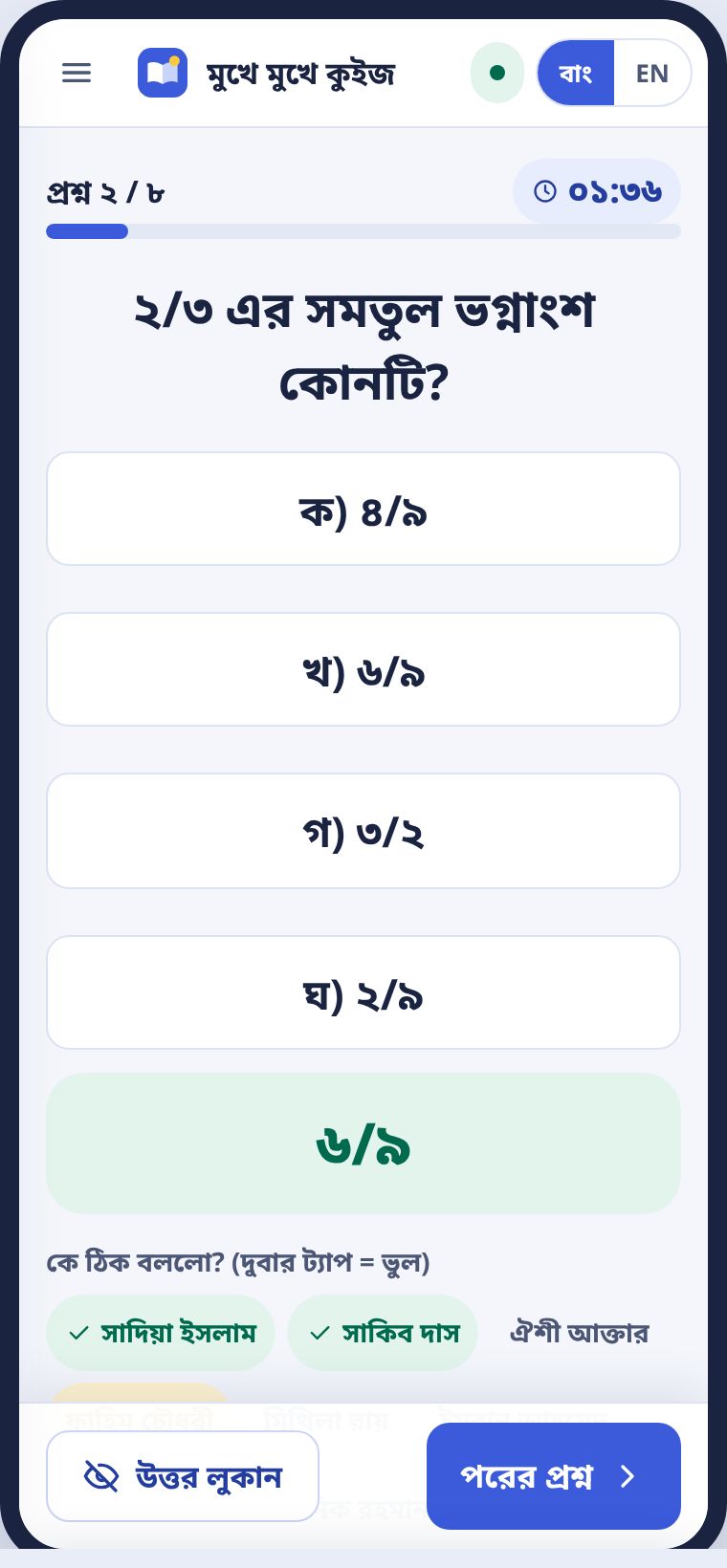
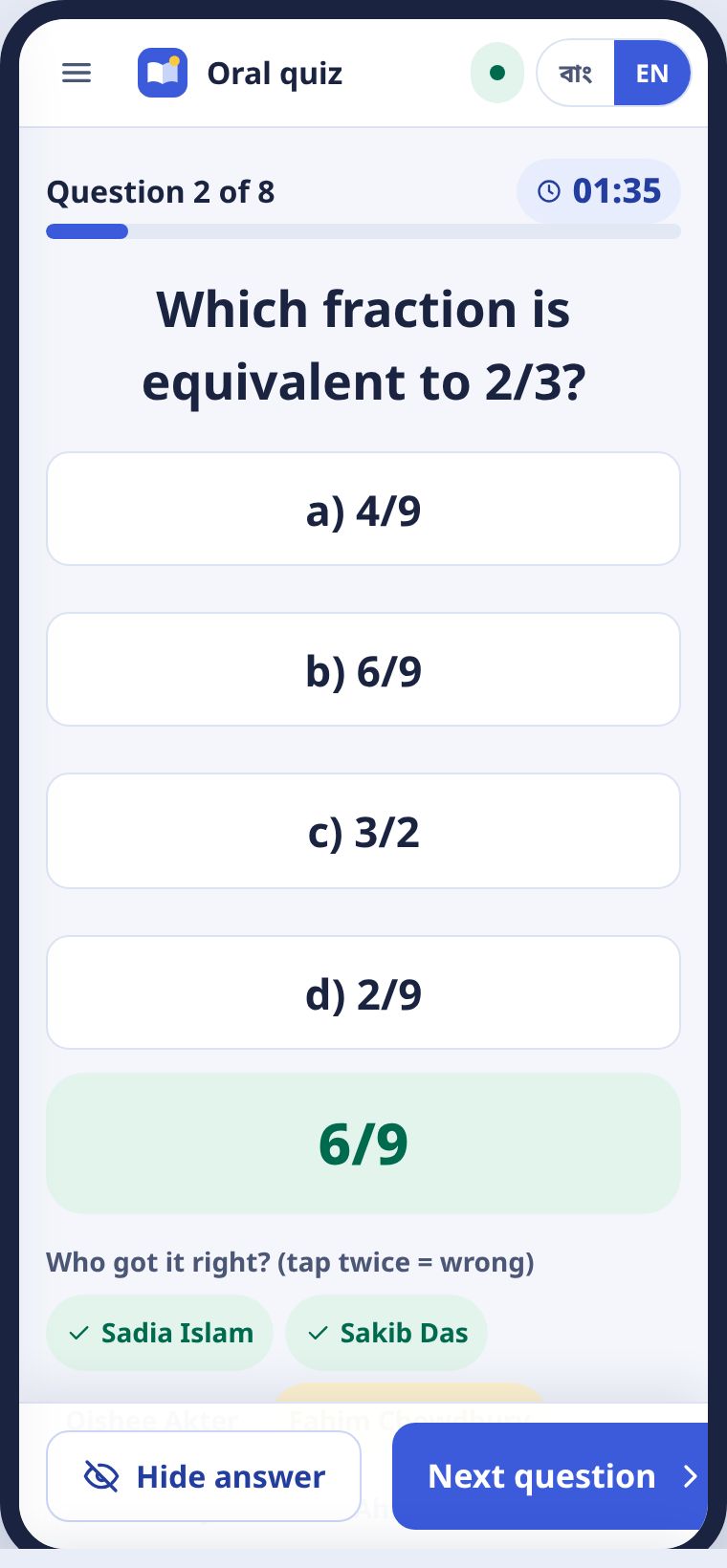
শিক্ষার্থীর ফোন লাগে না। আপনার ফোনে বড় অক্ষরে প্রশ্ন আসে। জোরে পড়ুন। কে ঠিক বললো, তার নামে ট্যাপ করুন। দুবার ট্যাপ মানে ভুল। পুরো কুইজে একটাই টাইমার। ফল প্রত্যেকের খাতায় জমা হয়। নেট লাগে না।
No student phones needed. Questions appear in large type on your phone. Read them aloud. Tap the name of whoever answers correctly. Tap twice for wrong. One timer runs for the whole quiz. Results are logged against each student. No internet needed.
লেসন প্ল্যানLesson plans
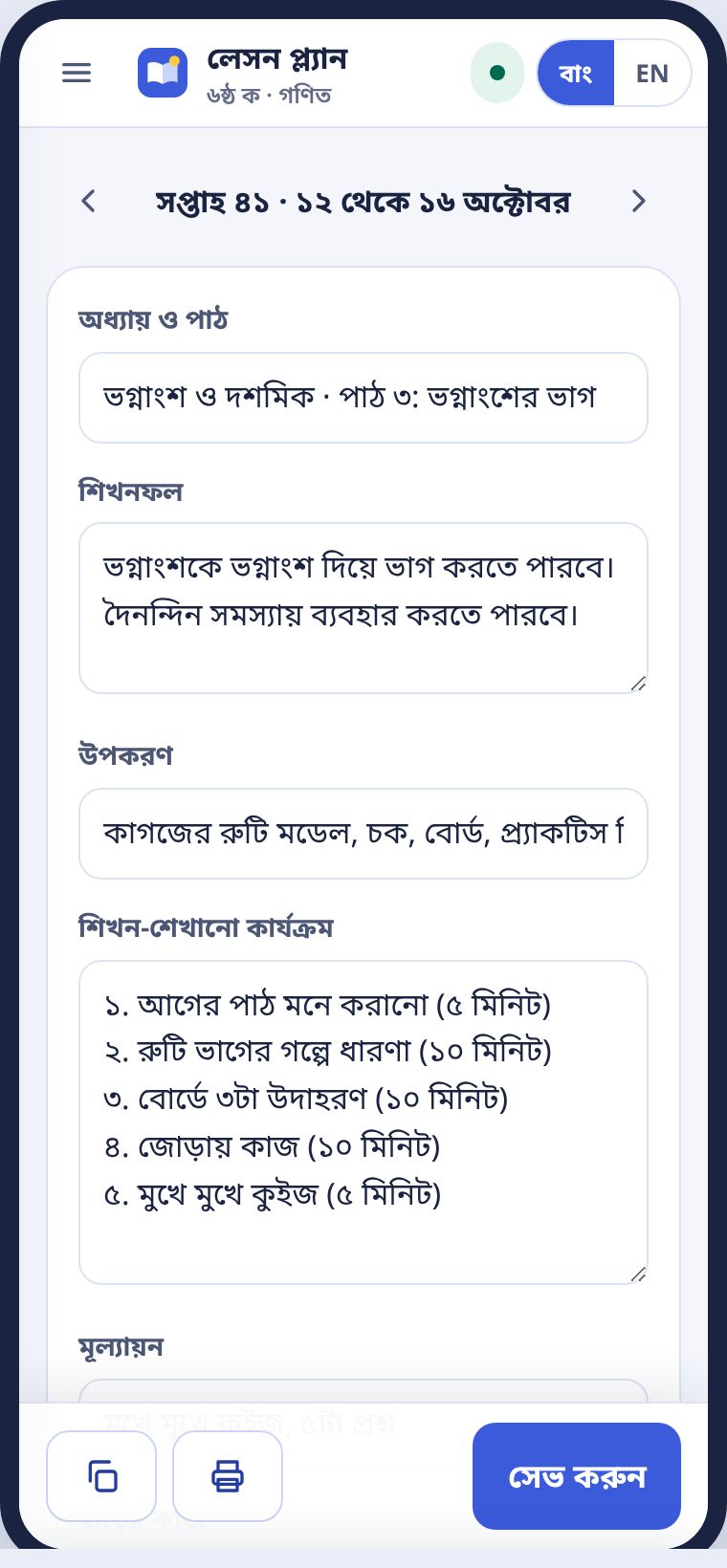
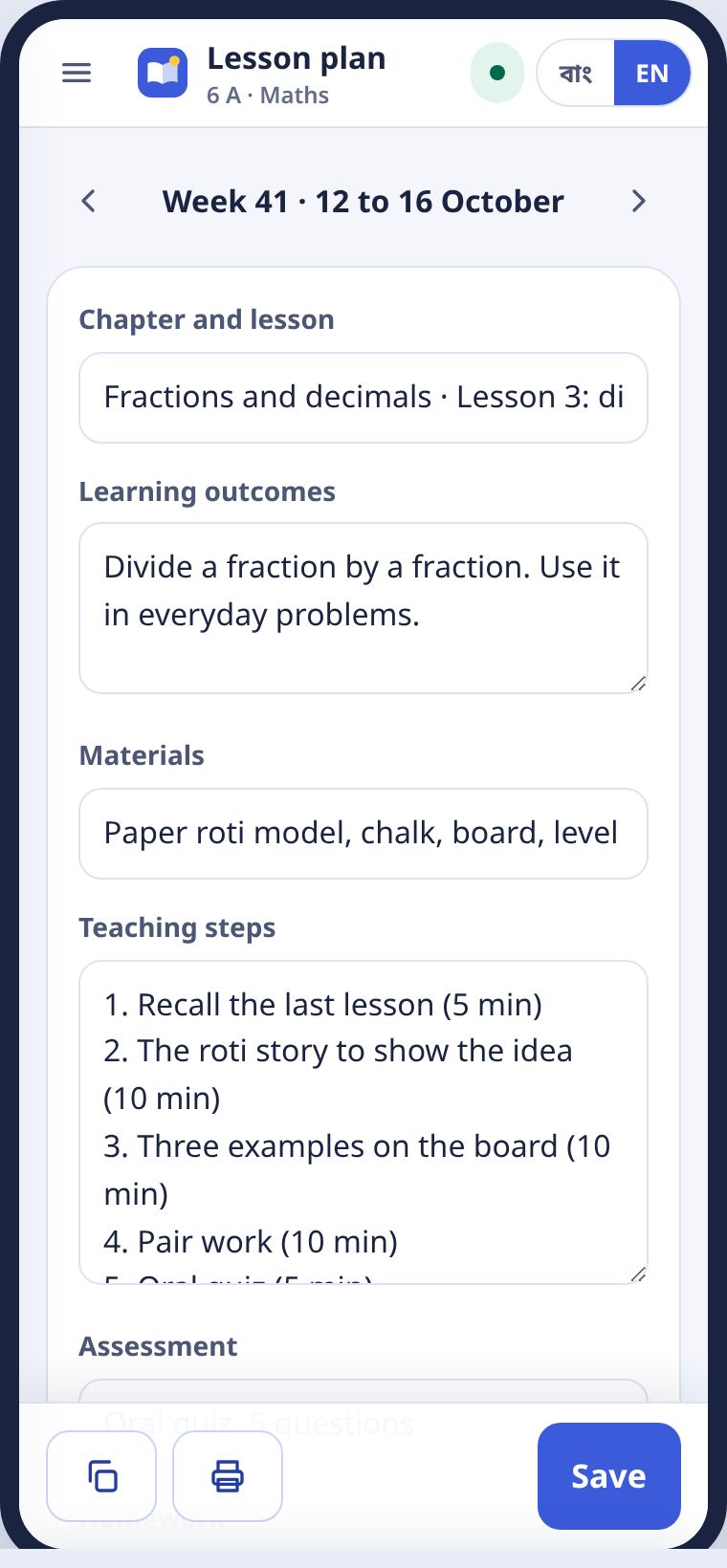
সরকারি ফরম্যাটের ঘরগুলো পূরণ করুন। পাশে প্রিন্ট প্রিভিউ। প্রশ্নপত্র বা শিট সাথে জুড়ে দেওয়া যায়। পরের সপ্তাহে কপি চাপলে আবার লিখতে হয় না।
Fill in the boxes of the official layout, with the print preview beside them. You can attach a paper or a sheet. Copy to next week saves rewriting.
রুটিন আর বদলি ক্লাসRoutine and cover classes
সাপ্তাহিক রুটিনে আজকের দিন নীল। কোনো শিক্ষক ছুটিতে থাকলে বদলি ক্লাসের অনুরোধ আসে। আমি নেবো চাপলে আপনার রুটিনে যোগ হয়।
In the weekly routine, today is blue. When a teacher is on leave, a cover request appears. Press I'll take it to add it to your routine.
স্মার্ট বোর্ডSmart board
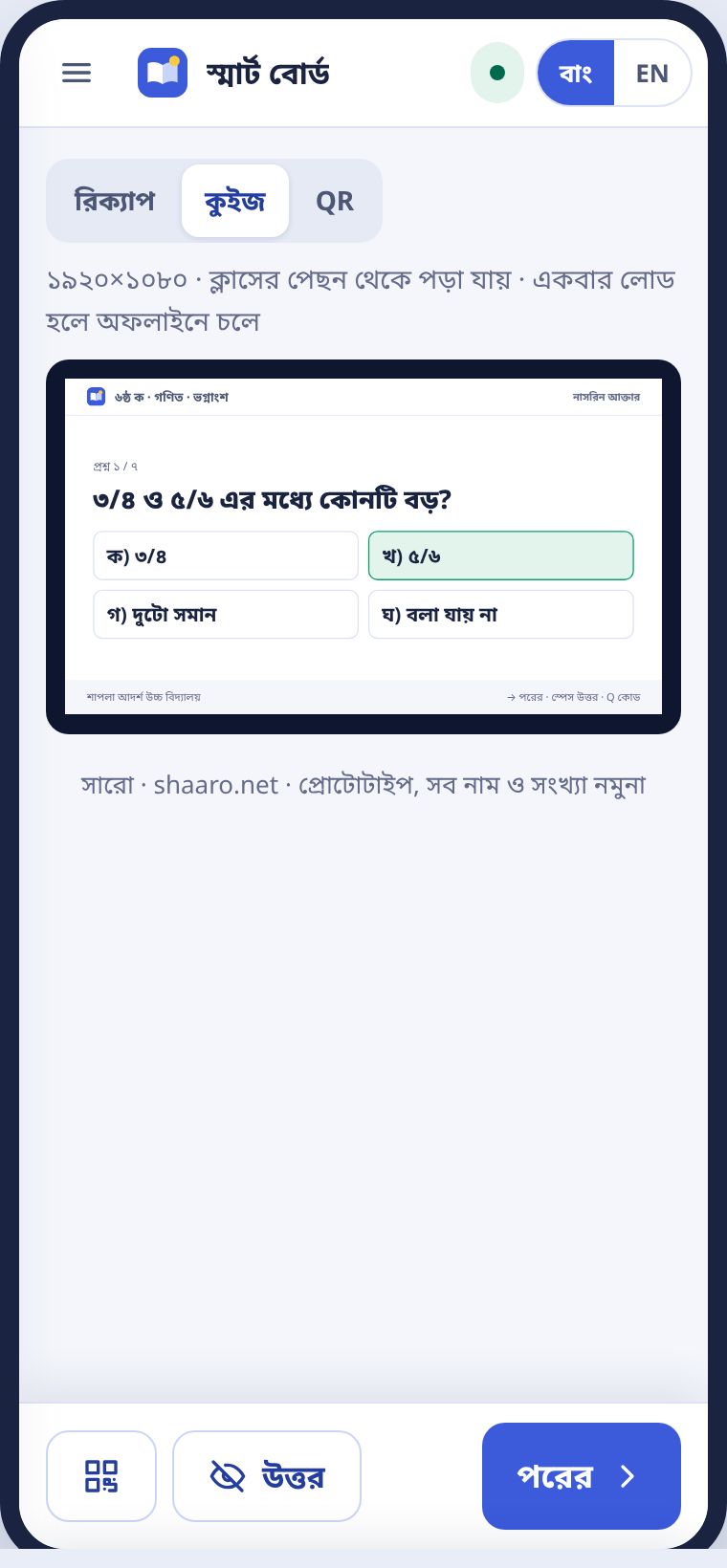
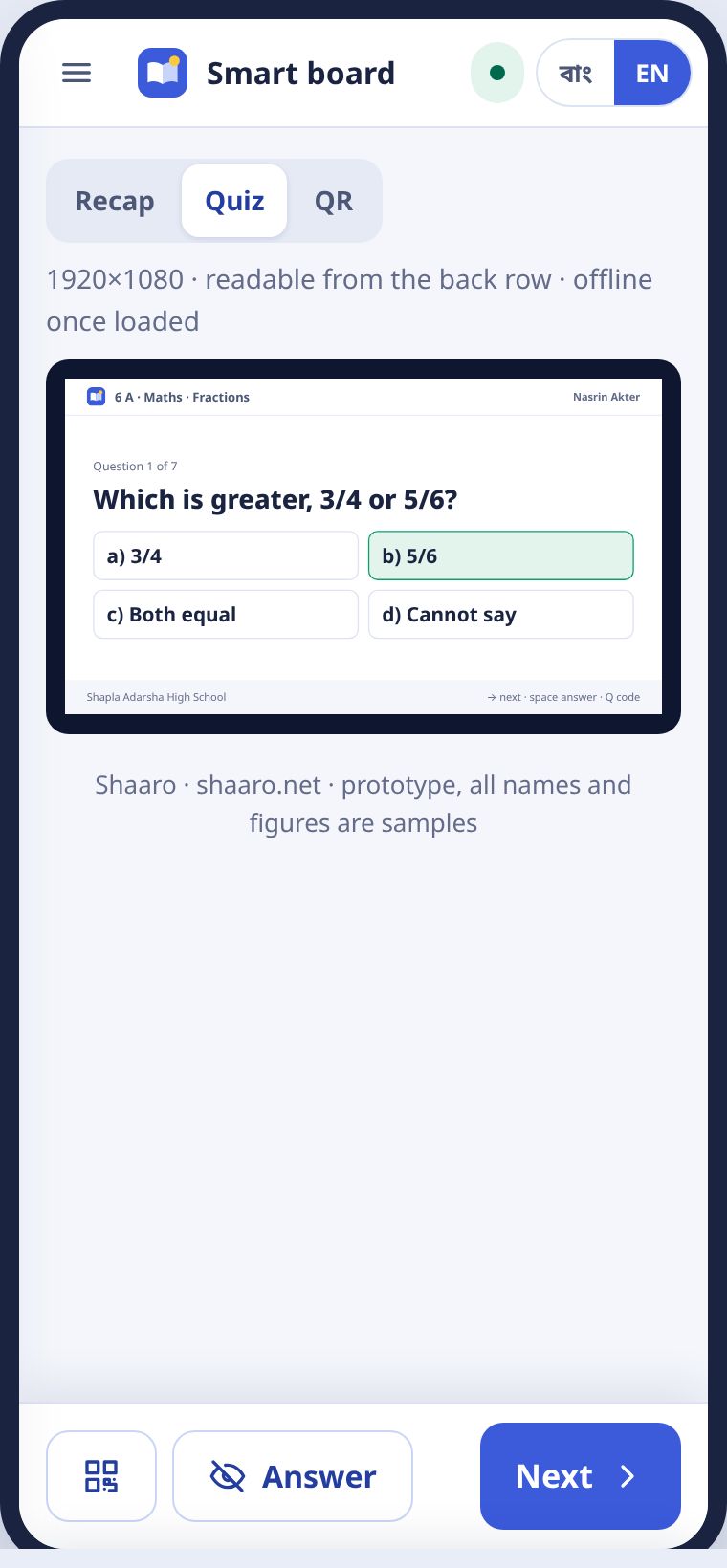
ক্লাসের স্মার্ট বোর্ড বা টিভিতে সারো খুলুন। অধ্যায়ের রিক্যাপ, উত্তর লুকানো কুইজ আর বাড়িতে প্র্যাকটিসের QR কোড। ক্লাসের পেছন থেকেও পড়া যায়। একবার লোড হলে নেট ছাড়াই চলে।
Open Shaaro on the classroom smart board or TV: a chapter recap, a quiz with hidden answers and a QR code for practice at home. It is readable from the back row, and runs without internet once loaded.
প্রশ্ন আর রিসোর্স যোগ করাAdding questions and resources
আপনার প্রশ্ন সবার কাজে লাগে, আপনি পয়েন্ট পান।Your questions help everyone, and you earn points.
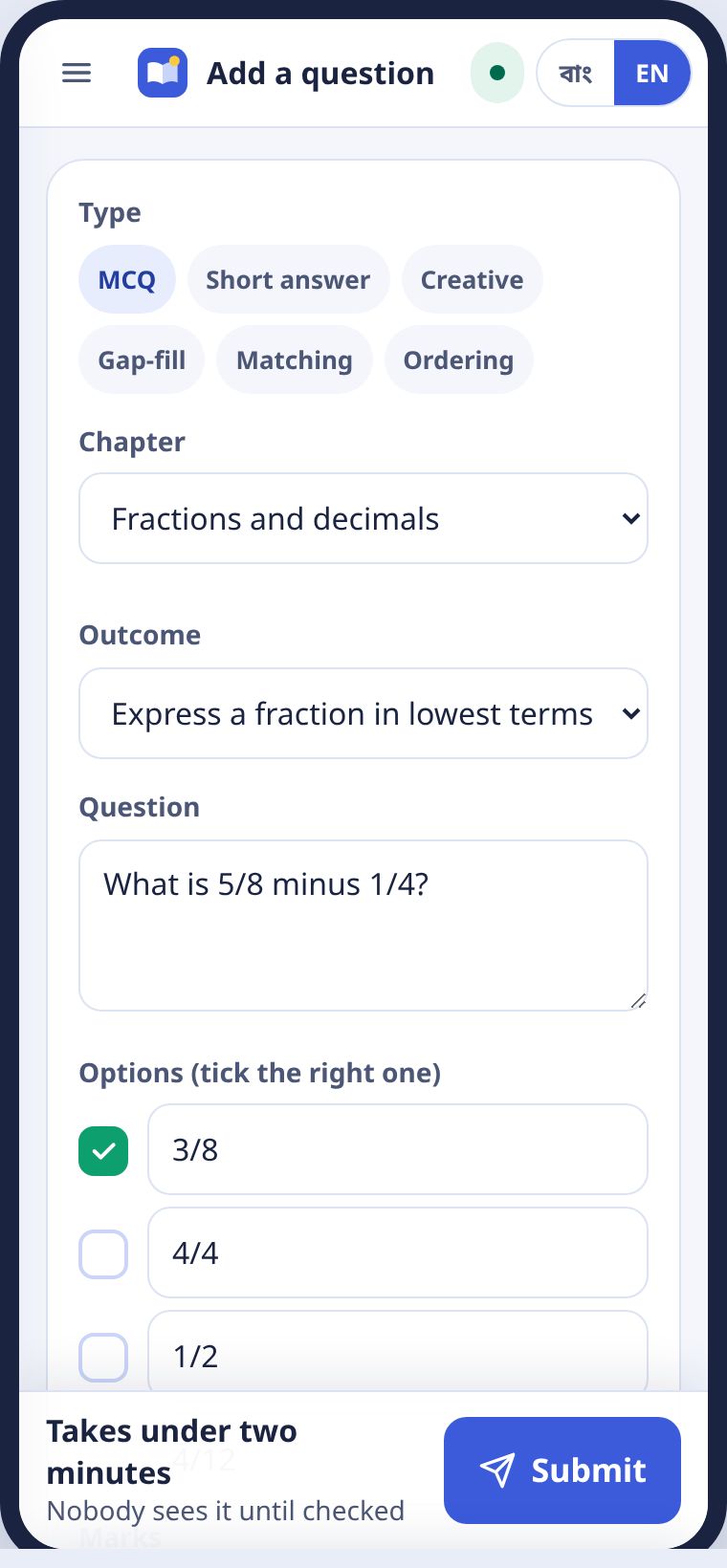
- মেনু থেকে প্রশ্ন যোগ করুন।Choose Add a question from the menu.
- ধরন, অধ্যায় আর শিখনফল বাছুন।Pick the type, chapter and learning outcome.
- প্রশ্ন, অপশন আর ঠিক উত্তর লিখুন। দরকার হলে ছবি দিন।Write the question, the options and the right answer. Add a picture if needed.
- জমা দিন। দুই মিনিটের কম লাগে।Press Submit. It takes under two minutes.
প্রশ্ন দুই ধাপে যাচাই হয়: আগে আপনার স্কুলের আরেক শিক্ষক, তারপর অন্য স্কুলের একজন। যাচাই না হলে কেউ দেখে না। যতবার আপনার প্রশ্ন ব্যবহার হয়, পয়েন্ট বাড়ে। উপজেলার লিডারবোর্ডে আপনার নাম ওঠে।
Each question is checked twice: first by another teacher at your school, then by a teacher at another school. Nobody sees it until then. Every time your question is used, your points go up, and your name appears on the upazila leaderboard.
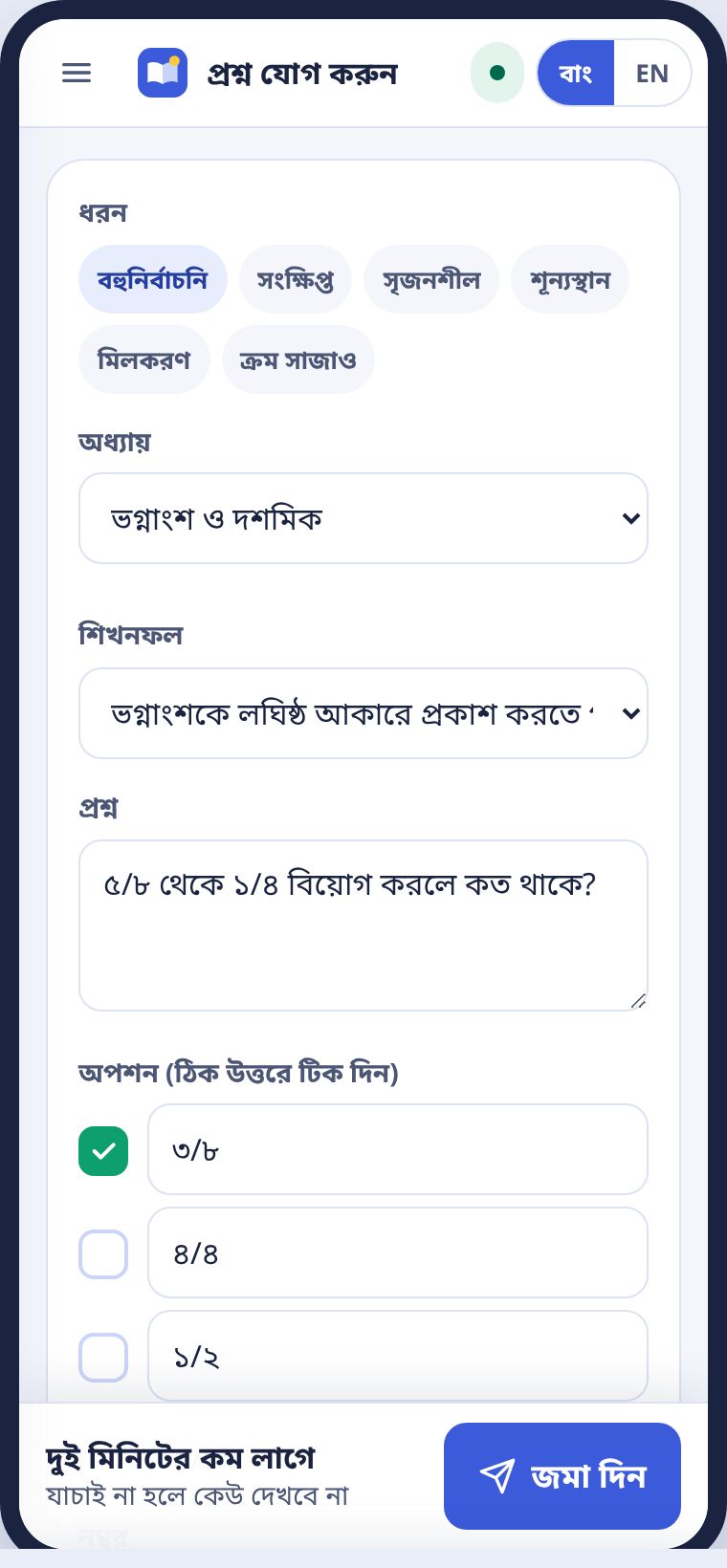
লেসন, স্লাইড বা ওয়ার্কশিট থাকলে রিসোর্স লাইব্রেরিতে যোগ করুন। একইভাবে যাচাই হয়, ব্যবহারে পয়েন্ট।
If you have a lesson, slides or a worksheet, add it to the Resource library. It is checked the same way and earns points when used.
সমস্যা আর প্রশ্নProblems and questions
যা প্রায়ই জিজ্ঞেস করা হয়।What people often ask.
পিন ভুলে গেছি।I forgot my PIN.
লগইন পাতায় পিন আবার পাঠান চাপুন। একই নম্বরে নতুন SMS যাবে। না এলে প্রধান শিক্ষককে বলুন।
Press Send the PIN again on the sign-in page. A new SMS goes to the same number. If it does not arrive, tell your head teacher.
নেট ছাড়া হাজিরা নিলাম। গেলো কি?I took attendance offline. Did it go?
ওপরের বিন্দু হলুদ থাকলে কাজ ফোনে জমা আছে। নেট এলে নিজেই যাবে। ফোন বন্ধ করলেও হারায় না।
If the dot at the top is yellow, the work is saved on the phone and will go when the signal returns. Turning the phone off does not lose it.
ভুল নম্বর দিয়ে শিট পাঠিয়ে দিয়েছি।I sent a sheet with a wrong mark.
অনুমোদনের আগে হলে নম্বরের পাতায় গিয়ে ঠিক করুন, শিট নিজেই বদলাবে। অনুমোদনের পরে হলে প্রধান শিক্ষককে বলুন। কে কী বদলালো, সব লেখা থাকে।
Before approval, fix it on the marks page and the sheet updates itself. After approval, ask the head teacher. Every change is logged with who made it.
আমার বিষয় তালিকায় নেই।My subject is not listed.
যে বিষয়ে প্রশ্ন তৈরি হয়নি, সেটা লুকানো থাকে। নতুন বিষয় যোগ হলে জানাবো। আপনি নিজেও প্রশ্ন যোগ করতে পারেন।
Subjects without questions yet are hidden. You will hear when new ones arrive, and you can add questions yourself.
শ্রেণি বা বিষয় বদলাতে চাই।I want to change my class or subject.
সাত দিনে একবার বদলানো যায়। পরের সুযোগ কবে, শ্রেণি বাছাইয়ের পাতায় লেখা থাকে।
You can change once every seven days. The class picker shows when the next change opens.
অভিভাবক SMS পাননি।A guardian did not get the SMS.
অফিস থেকে নম্বরটা ঠিক আছে কি না দেখুন। অভিভাবক STOP লিখে বন্ধ করে থাকলে আর যায় না।
Ask the office to check the number. If the guardian replied STOP, no more messages go.
এক নজরেQuick reference
সবচেয়ে বেশি লাগে যে কাজগুলো।The jobs you will do most.
| কাজJob | কোথায়Where | সময়Time |
|---|---|---|
| প্রশ্নপত্রQuestion paper | মেনু › প্রশ্নপত্র বানানMenu › Make a paper | এক মিনিটOne minute |
| হাজিরাAttendance | আজকের পাতা › হাজিরা নিনToday › Take attendance | ৩০ সেকেন্ড30 seconds |
| ৬০ জনের নম্বরMarks for 60 | মেনু › নম্বর তোলাMenu › Mark entry | ৫ মিনিটের কমUnder 5 minutes |
| রেজাল্ট শিট পাঠানোSend a result sheet | মেনু › রেজাল্ট শিট › পাঠানMenu › Result sheets › Send | এক ট্যাপOne tap |
| রিপোর্ট কার্ডReport cards | মেনু › রিপোর্ট কার্ডMenu › Report cards | এক ট্যাপে ৬০টা60 in one tap |
| বাড়ির কাজHomework | মেনু › বাড়ির কাজ ও নোটিশMenu › Homework and notices | ২০ সেকেন্ড20 seconds |
- পিন কাউকে দেবেন না।Never share your PIN.
- হলুদ বিন্দু মানে কাজ ফোনে জমা, চিন্তা নেই।A yellow dot means work is saved on the phone. No need to worry.
- প্রশ্ন থাকলে প্রধান শিক্ষক, বা hello@shaaro.net।Questions go to your head teacher, or hello@shaaro.net.